4.USING TEMPLATES
Registering Scan Templates 87
4 USING TEMPLATES
2
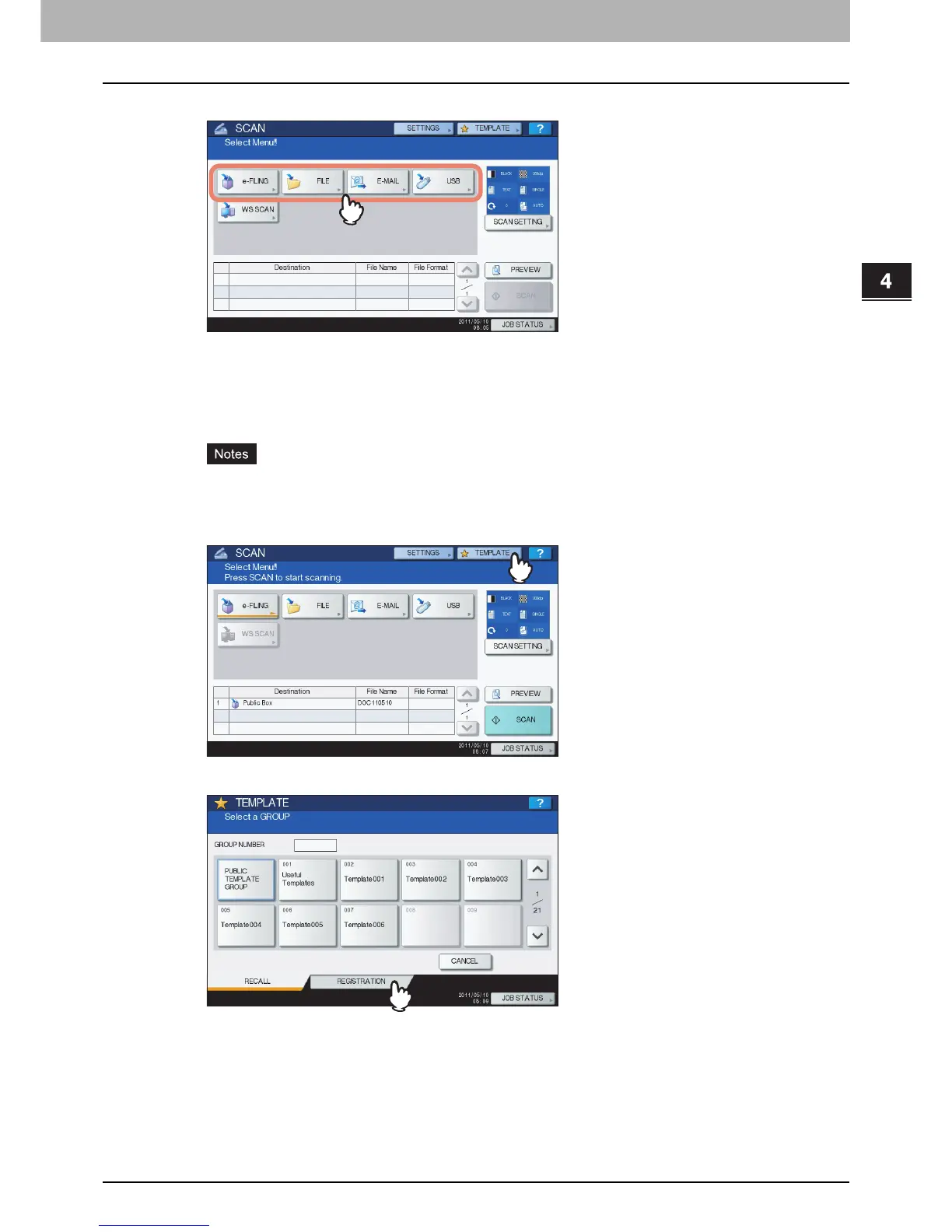
Select a scan function and make the settings as required.
For help, see the following sections:
P.22 “Scan to File”
P.31 “Scan to E-mail”
P.38 “Scan to USB”
For instructions on how to make the settings for Scan to e-Filing, refer to the e-Filing Guide.
Do not press [SCAN] in this step.
Templates cannot be created or used with the WS Scan function.
3
On the touch panel, press [TEMPLATE] to display the TEMPLATE menu.
4
Press [REGISTRATION] to display the [REGISTRATION] tab.



 To Next Page
 Loading...











