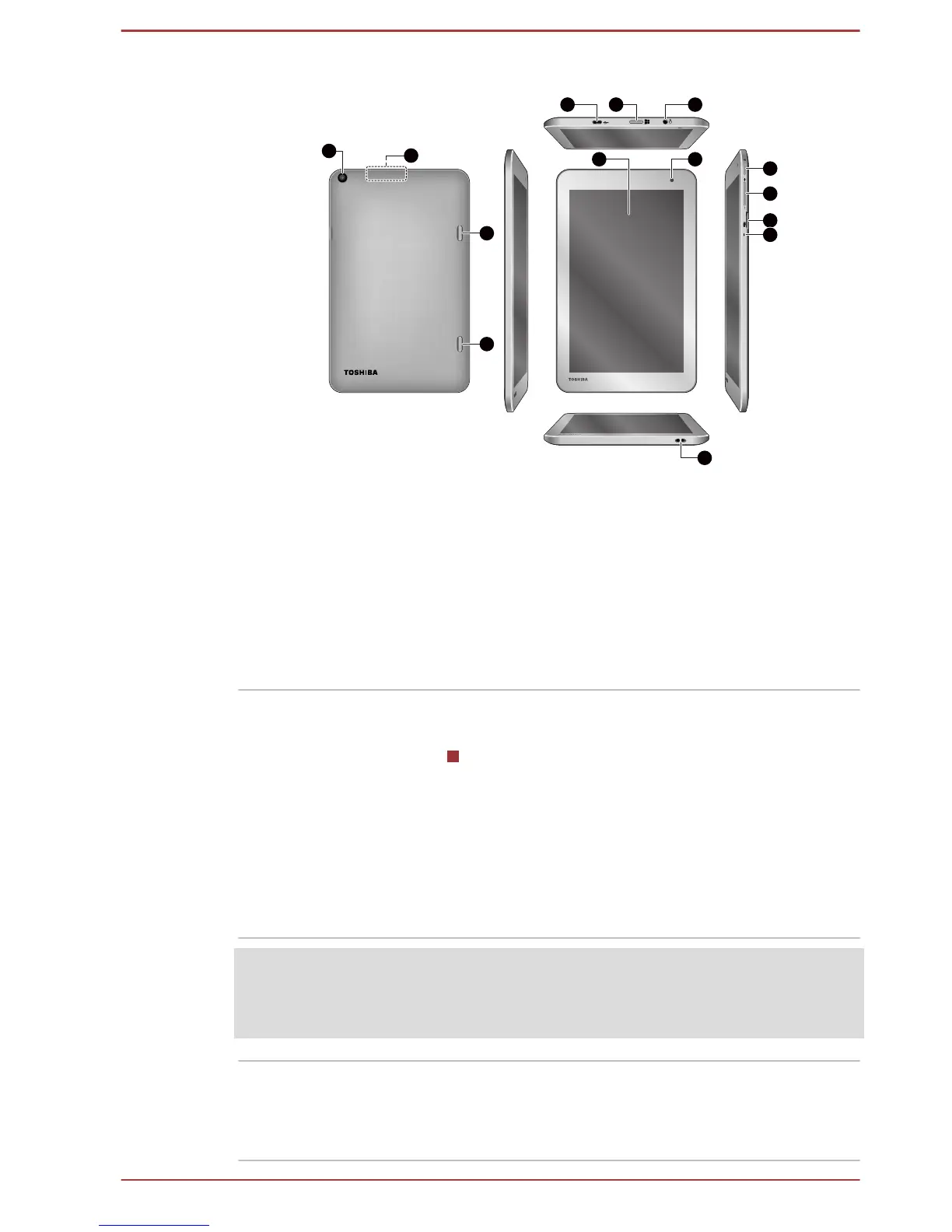
1. Display screen 8. Memory media slot
2. Web Camera (front) 9. Microphone
3. Micro-USB port 10. Strap hole for pen
4. Windows button 11. Web Camera (back)
5. Headphone/Microphone combo jack 12. Wireless communication antennas
(not shown)
6. Power button 13. Speakers
7. Volume up/down button
Product appearance depends on the model you purchased.
Display screen 20.3cm (8") LCD screen, configured with the
following resolutions:
HD, 800 horizontal x 1280 vertical pixels
Please be aware that, when the tablet is
operating on the AC adaptor, the image
displayed on the internal screen will be
somewhat brighter than when it operates on
battery power. This difference in brightness
levels is intended to save power when operating
on battery.
Legal Footnote (LCD)
For more information regarding LCD, please refer to the Legal Footnotes
section.
Web Camera (front) Web Camera
is a device that allows you to
record video or take photographs with your
tablet. You can use it for video chatting or video
conferences using a communication tool.
User's Manual 3-6



 To Next Page
 Loading...








