EasyManua.ls Logo

Toshiba HD-E1KE - Checking the Current Status and Settings

Toshiba HD-E1KE
72 pages
Print Icon
To Next Page IconTo Next Page
To Previous Page IconTo Previous Page
Loading...
40
4
Chapter
4
Playback (Advanced)
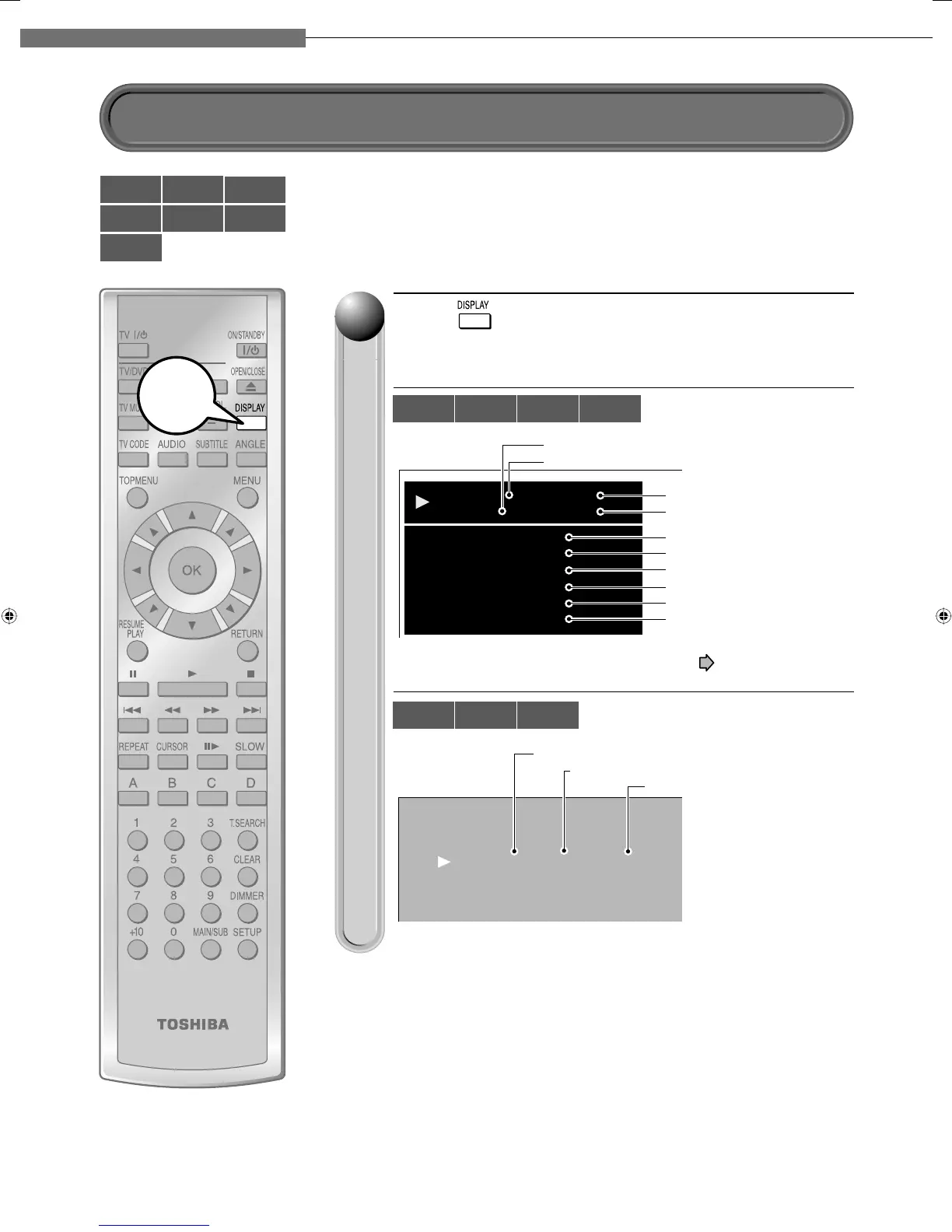
Press .
The following on-screen display appears.
(The actual display varies depending on the disc.)
002 00:19:13
00:00:280003
Chapter
Title
Video Codec:
Audio:
Subtitle:
Angle:
Video Output:
Audio Output
:
MPEG4AVC
English 1
None
1/1
1080i
Digital Bitstream
Chapter number
Title number
Elapsed time of a title
Elapsed time of a chapter
Video codec
Language setting
Subtitle setting
Angle number
Definition
Sound output setting
e.g.
*The subtitle setting shows a language code ( page 59).
CD PLAYER
TRACK 002 00:03:12 / 00:05:16
Track number
Total time of a track
Elapsed time of a track
e.g.
11
HD DVD
DVD-Video
DVD-RW
DVD-R CD
CD-RW
(CD-DA)
CD-R
(CD-DA)
Start
HD DVD
DVD-Video
DVD-RW DVD-R
CD
CD-RW
(CD-DA)
CD-R
(CD-DA)
You can confi rm operational status and setting details.
Checking the current status and settings
HD-E1_04_E 40HD-E1_04_E 40 10/10/06 11:26:40 PM10/10/06 11:26:40 PM

Table of Contents

Related product manuals