Introduction Connections
Playback
(Basic)
Playback
(Advanced)
Others
47
Internet
connection
5
Chapter
5
Internet connection
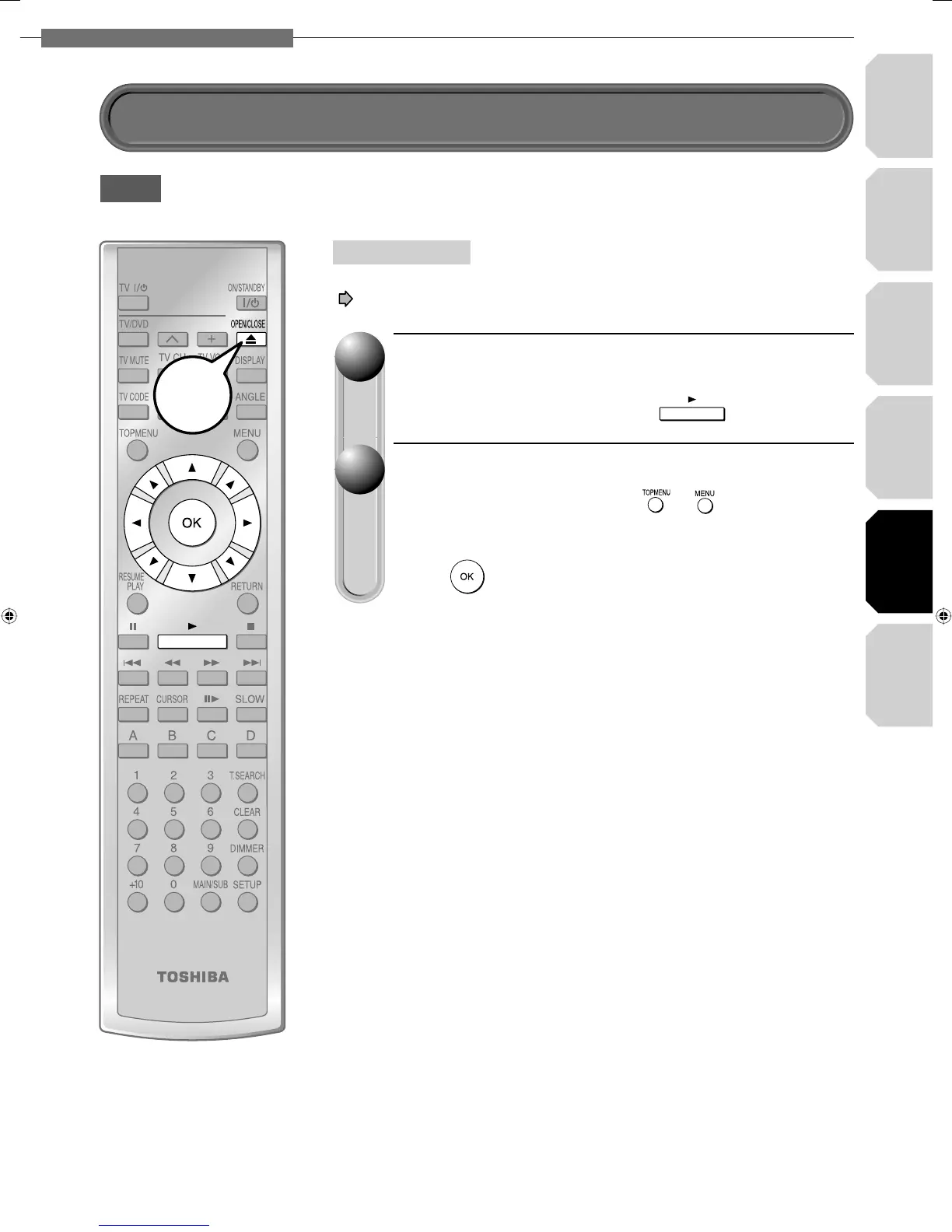
Insert the HD DVD disc and close the tray.
The disc begins to play.
If the disc does not begin to play, press
.
Select an item from the menu.
• If the menu does not appear, press or .
• To select an item, use the direction buttons to select the item and
press
.
11
22
Connect and confi gure the player to access the Internet beforehand
( pages 44 to 46).
HD DVD
Preparation


 To Next Page