Need help?
Do you have a question about the Toshiba KT-S1 and is the answer not in the manual?
Key buttons for playback, stopping, and volume adjustment.
Buttons for fast-forward, rewind, and cueing tape.
Controls for tuning radio stations and selecting stereo/mono.
Ports for headphones, external power, and locking mechanism.
Details on using batteries and optional AC adapter for power.
Precautions to avoid damage or poor sound quality with headphones.
Instructions on taking up tape slack before inserting a cassette.
How to play, stop, pause, cue, and review cassette tapes.
Instructions for tuning FM radio and dealing with noisy signals.
Tips for optimal tuner pack sensitivity and maintenance.
Enabling dual headphone listening and reducing sound for conversation.
Procedure for cleaning the playback head, pinch roller, and capstan.
Cleaning the unit housing and avoiding damage from environmental factors.
Common operational problems and their solutions.
Technical details for tape speed, frequency response, and output power.
Technical details for receiving frequency range and tuner pack compatibility.
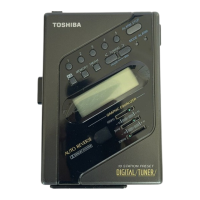
The Toshiba KT-S1 is a stereo cassette player designed for portable audio enjoyment, featuring both tape playback and FM radio reception capabilities. This owner's manual provides a comprehensive guide to its operation, features, and maintenance, ensuring users can maximize their listening experience.
The primary function of the KT-S1 is to play stereo cassette tapes. It supports various tape types, including normal ferric, chrome dioxide, and metal alloy cassettes, offering flexibility for different recording qualities. The device also integrates an FM tuner pack, allowing users to listen to FM radio broadcasts in stereo. A key feature is the T.S. Talk Switch, which enables two people to listen simultaneously using separate headphones and reduces the audio volume to facilitate conversation or hearing ambient sounds.
Power Supply: The KT-S1 offers dual power options for convenience. It can be powered by four "AA" dry cells for portable use. The [BATT] indicator lamp illuminates when the [PLAY] button is pressed, signaling sufficient battery power. If the lamp remains off or dim, the batteries are discharged and require replacement. For extended use or at home, the unit can be powered via an optional AC adaptor, which plugs into the [DC IN 6V] jack. It's crucial to use an AC adaptor that provides a positive voltage to the center contact of the jack to prevent damage. For prolonged storage or AC adaptor use, it's recommended to remove the dry cells to prevent leakage and corrosion.
Tape Playback: Operating the cassette player is straightforward. To begin, users insert a cassette tape into the compartment, ensuring any tape slack is taken up to prevent entanglement. The [PLAY/RADIO ON] button initiates playback. The [FUNCTION] switch allows users to toggle between RADIO and TAPE modes. For metal tapes and noise-reduction processed tapes, the "Metal" position is recommended for optimal sound quality.
The KT-S1 includes several playback control features:
FM Reception: The KT-S1's FM tuner pack allows for radio listening. When a stereo program is received, the [FM STEREO] indicator lamp illuminates. The [TUNING] knob is used to select desired stations, with the tuning dial pointer indicating the frequency. The headphone cord acts as an antenna for the tuner pack; keeping it straight maximizes tuner sensitivity. In fringe service areas where FM stereo signals might be noisy, users can either adjust the headphone cord's position or set the [STEREO/MONO] switch to MONO to reduce noise interference. To stop radio playback, the [RADIO OFF] button is pressed. When removing the tuner pack, the cassette holder should be opened, the [LOCK] tab slid back to the home position, and then the pack can be removed from its compartment.
Headphone Listening: The supplied headphones are designed for stereo listening. Plugging them into the [PHONES] jack provides stereo sound. The [VOLUME] control adjusts the listening level. It's important to note that if mono headphones or external speakers are used, sound may only be output from one side. Users are cautioned against plugging an erase plug or any non-headphone earphone into the [PHONES] jack, as this can cause irreparable damage to the unit or earphones.
Proper care and maintenance are essential to ensure the longevity and optimal performance of the Toshiba KT-S1.
Cleaning the Tape Path: Regular cleaning of the tape path is crucial for high-quality audio playback. This involves cleaning the playback head, pinch roller, and capstan. To access these components, press the [■▲STOP/EJECT, RADIO OFF] button to open the cassette holder. Then, press the [PLAY/RADIO ON] button to raise the head. A cotton bud dipped in a small amount of alcohol (with excess removed) should be used to gently clean the entire tape path, taking care not to scratch the head surface.
Cleaning the Unit Housing: The exterior of the unit can be cleaned with a soft, dry cloth. For persistent dirt, a soft cloth slightly dampened with water can be used, followed by wiping the surface dry. Crucially, never use chemicals such as benzene or paint thinner for cleaning, as these can deform or discolour the unit's case.
Tuner Pack Maintenance: The connection terminals or jacks between the unit and the tuner pack can become less effective over time due to prolonged use. To maintain good contact, these surfaces should be cleaned with a cotton swab dampened with a contact cleaner agent or alcohol. Care should be taken not to drip cleaning solvent onto the unit case.
By following these guidelines, users can enjoy their Toshiba KT-S1 stereo cassette player for many years, experiencing reliable tape playback and FM radio reception.
 Tape Section
| track system | Stereophonic |
|---|---|
| recommended tape | Normal ferric, chrome dioxide, and metal alloy: C-30 to C-120 |
| tape speed | 4.8 cm/sec. |
| frequency response | Reproduction: 40—12kHz |
| output terminals | 3.5 mm dia. stereo headphone jack x 2 |
| maximum output power | Integration: 80 mW (40 mW + 40 mW) 32 ohm with load |
 Power
Power| battery life for tape playback | Approx. 5 hours at 1 mW output |
|---|---|
| battery life for radio operation | Approx. 11 hours |
| power supply | 6V DC (SUM-3 ‘AA’ x 4) |
| external power source | Supplied to the [DC IN 6V] jack (5.0 mm dia. center contact positive) |
Tuner Section| receiving frequency | 88 MHz — 108 MHz |
|---|---|
| tuner pack compatibility | EM stereo tuner pack (RP-S2) designed for KT-S2 and KT-R2 |
 Weight and Dimensions
| dimensions | 89.5 (W) x 148 (H) x 31.5 (D) mm |
|---|---|
| weight | 430 g (including batteries but not the tuner pack) |


 To Next Page