EasyManua.ls Logo

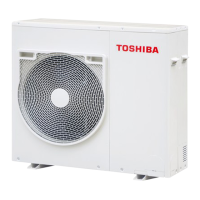
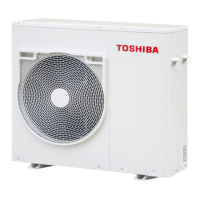
Toshiba MCY-MHP0504HT-E - User Manual

Toshiba MCY-MHP0504HT-E
184 pages
Print Icon
To Next Page IconTo Next Page
Loading...
FILE NO. A10-1405
SERVICE MANUAL
AIR-CONDITIONER (MULTI TYPE)
O
UTDOOR UNIT
Model name:
This service manual provides relevant explanations about new outdoor unit.
Please refer to the following service manuals for each indoor units.
Produces in Japan, May.2014 IDEA
MCY-MHP0404HT-C/0504HT-C/0604HT-C
MCY-MHP0404HT(J)-E/0504HT(J)-E/0604HT(J)-E
MCY-MHP0404HT-TR/0504HT-TR/0604HT-TR
MCY-MHP0404HT(J)/0504HT(J)/0604HT(J)
MCY-MHP0404HT-A/0504HT-A/0604HT-A
MCY-MHP0404HT-SG/0504HT-SG/0604HT-SG
MCY-MHP0404HT-ID/0504HT-ID/0604HT-ID
<4-way Cassette Type>
(MMU-AP****H) A08-004 A08-004
(MMU-AP****H-C) A08-004 A11-008
(MMU-AP***4HP*) (Made in Thailand model) SVM-13011 SVM-13011
(MMU-AP***4HY-C) (Made in China model) A10-1402 A10-1402
<2-way Cassette Type>
(MMU-AP****WH*) A10-007 A10-007
(MMU-AP****WH-C) A10-007 A11-008
<Concealed Duct Standard Type>
(MMD-AP***4BH-C) A10-033 A11-008
(MMD-AP***6BH*) SVM-13087 SVM-13087
<Slim Duct Type>
(MMD-AP***4SPH*) A12-005 A12-005
(MMD-AP***4S(P)H-C) A12-005 A11-008
(MMD-AP***6M(P)HY-C) (Made in China model) A10-1403 A10-1403
<High-wall Type>
(MMK-AP***4MH*) (Made in Thailand model) SVM-09059 SVM-09059
(MMK-AP***3H*) (Made in Thailand model) A10-034 A10-034
<Console Type>
(MML-AP****NH*) (Made in Thailand model) SVM-11036 SVM-11036
<Ceiling Type>
(MMC-AP***7HP*) (Made in Thailand model) SVM-13085 SVM-13085
<Other indoor units>
(MM*-AP*****H*) A10-033 A10-033
(MM*-AP*****H-C) (Made in Japan model) A10-033 A11-008
(Made in China model) SVMA-07010 SVMA-07010
Service contents Service parts

Table of Contents

Other manuals for Toshiba MCY-MHP0504HT-E

Questions and Answers

  • K
    kristina76Aug 8, 2025
    What to do if my Toshiba Air Conditioner remote is not working and a check code appears on the outdoor unit?
    • R
      Ryan WhiteAug 8, 2025
      If your indoor remote controller isn't working and a check code is displayed on the outdoor unit's interface P.C. board, it could be due to a few reasons. First, check that the line addresses and indoor addresses of all the connected indoor units are set up correctly. If not, set up addresses. Also, ensure that the indoor unit power is turned on (in the order: indoor, then outdoor). Verify that the indoor/outdoor communication line is correctly connected to the U1/U2 terminal of the outdoor unit. If address setup was performed while multiple refrigerant lines were connected, correct the wiring.
  • D
    Dustin WellsAug 25, 2025
    Why is my Toshiba Air Conditioner showing fewer connected units than it should?
    • E
      Erik Fields IVAug 25, 2025
      If, after address setup, your Toshiba Air Conditioner displays a lower number of connected units than expected, it could be due to miswiring or unconnected communication lines between indoor units. To resolve this, modify the wiring, set up the addresses again, and then check the number of connected indoor units. Also, verify that the indoor remote controller is properly connected with a wire. If the issue persists, use the main indoor remote controller connected to a group to start a test operation, specify the unit that is not operating (the unit not connected to the group), and then check the wiring.
  • A
    andersenabigailAug 31, 2025
    How to fix a check code displayed on my Toshiba MCY-MHP0504HT-E remote?
    • J
      Jacqueline EatonAug 31, 2025
      When a check code appears on the remote controller, it could be due to several reasons. One possibility is that the outdoor unit's power is off; ensure it is turned on. Another common cause is an address setup error, such as undefined or duplicated addresses. In this case, you should set up the address again. It could also be caused by exceeding the number or capacity of connected indoor units, so adjust accordingly. Check and correct disconnection of the indoor / outdoor communication line or check for the influence of communication noise. Duplication of outdoor line addresses can also cause the issue, so modify the line address setup of the outdoor unit between lines.
  • C
    Christopher MoralesNov 15, 2025
    What to do if my Toshiba MCY-MHP0504HT-E indoor remote is not working, but there is no check code on the outdoor unit?
    • A
      anthony66Nov 15, 2025
      If your Toshiba Air Conditioner indoor remote isn't working, but there's no check code on the outdoor unit, it could be due to several reasons. First, ensure that the communication line is connected between the indoor and outdoor units. If not, modify the wiring. Also, check that the line address and indoor address are set for the unit that is not responding to the indoor remote controller; if not, set up the address. If you're using indoor group control, make sure the power to the outdoor unit of the group is turned on. If it's set to individual control, ensure the group address is set to “0”. Finally, confirm that the indoor remote controller is properly wired. If 220 V is incorrectly applied to the indoor remote controller terminal, the remote controller communication circuit fails, so ...

Summary

TOSHIBA SERVICE MANUAL AIR-CONDITIONER (MULTI TYPE)

OUTDOOR UNIT

Covers details specific to the outdoor unit of the air conditioner.

Definition of Qualified Installer or Qualified Service Person

Definition of Protective Gear

Warning indications on the air conditioner unit

Precautions for safety

New refrigerant (R410 A)

Safety caution concerned to new refrigerant

Highlights safety considerations specific to R410A refrigerant handling.

Cautions on installation; service

Provides essential cautions for installation and service involving R410A.

Pipe materials

Specifies recommended materials and standards for refrigerant piping.

Tools

1 Product summary

1-1. Outdoor unit

Details specifications and models of the outdoor unit.

1-2. Connectable indoor units

Lists compatible indoor units for the outdoor unit system.

1-3. Branching joints and headers

Describes branching joints and headers used in refrigerant piping.

1-4. PMV kit

Information about the PMV kit used in the system.

2 Construction views

3 Wiring diagram

4 Parts rating

4-1. Outdoor unit

Details the parts and their ratings for the outdoor unit.

4-2. Outdoor inverter

Specifies parts and ratings for the outdoor inverter unit.

4-3. Other parts for Australia DRED (Demand response enabling device)

Lists additional parts for Australia DRED (Demand Response Enabling Device).

4-4. Parts layout in outdoor unit

4-5. Parts layout in inverter assembly

4-5-1. Parts Layout in inverter assembly (for Australia (-A) model)

Specific parts layout for the Australia (-A) model inverter assembly.

4-6. Outdoor (inverter) print circuit board

4-6-1. Interface P.C. board (MCC-1639)

Information on the Interface P.C. board (MCC-1639).

4-6-2. Inverter P.C. board for compressor (MCC-1647) A3-IPDU

Details the Inverter P.C. board for the compressor (MCC-1647).

4-6-3. Fan motor IPDU (MCC-1597) for upper fan and lower fan

Information on the Fan motor IPDU (MCC-1597).

4-6-4. Noise filter (MCC-1551)

Details the Noise filter P.C. board (MCC-1551).

5 Refrigerant piping systematic drawing

Explanation of functional parts

6 Control outline

7 Applied control for outdoor unit

7-1. Outdoor fan high static pressure shift

Adjusts outdoor fan speed for high static pressure applications.

7-2. Priority operation mode setting

Allows setting priority for cooling or heating operation modes.

7-3. Applied control of outdoor unit

Describes specific control functions applied to the outdoor unit.

7-4. Demand response for Australia

Explains demand response functionality for Australia as per AS/NZS 4755.3.1.

8 Test operation

8-1. Procedure and summary of test operation

Outlines the steps and summary for conducting test operations.

8-2. Check items before test operation (before powering-on)

Lists essential checks to perform before initiating test operations.

8-3. Check at main power-on

Verifies system status and checks after applying main power.

8-4. Address setup

Instructions for setting up unit addresses for proper system communication.

8-5. Troubleshooting in test operation

Comprehensive guide to diagnosing and resolving system faults and errors.

8-6. Test operation check

Procedures for checking the results of test operations.

8-7. Service support function

Details various service support functions for system maintenance and checks.

9 Troubleshooting

9-1. Overview

General introduction to troubleshooting procedures and applicable models.

9-2. Troubleshooting method

Methodologies for identifying and resolving faults based on check codes.

9-3. Troubleshooting based on information displayed on remote controller

Guides troubleshooting using information displayed on the remote controller.

9-5. Diagnosis procedure for each check code

Detailed diagnostic procedures for specific error check codes.

9-6. 7-segment display function

Explains the use of the 7-segment display for checking operational status and codes.

9-7. Sensor characteristics

Provides characteristic data for various sensors used in the system.

9-8. Pressure sensor output check

Details how to check the output of pressure sensors for accurate readings.

10 Outdoor unit parts replacement methods

11 P.C. board exchange procedures

11-1. Interface P.C. board replacement procedure (MCC-1639)

Steps to replace the Interface P.C. board (MCC-1639).

11-2. Comp-IPDU P.C. board replacement procedure (MCC-1647)

Steps to replace the Comp-IPDU P.C. board (MCC-1647).

11-3. Fan IPDU P.C. board replacement procedure (MCC-1597)

Steps to replace the Fan IPDU P.C. board (MCC-1597).

11-4. Noise filter P.C. board replacement procedure (MCC-1551)

Steps to replace the Noise filter P.C. board (MCC-1551).

12 Exploded diagram; parts list

WARNINGS ON REFRIGERANT LEAKAGE

Check of Concentration Limit

Details the concentration limits for refrigerant gas in rooms.

Toshiba MCY-MHP0504HT-E Specifications

General IconGeneral
BrandToshiba
ModelMCY-MHP0504HT-E
CategoryAir Conditioner
LanguageEnglish

Related product manuals