EasyManua.ls Logo

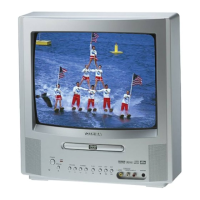
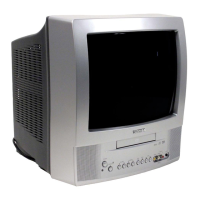
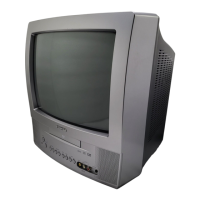
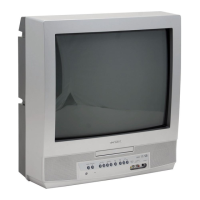
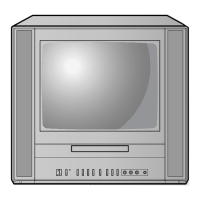
Toshiba MD13N3 - User Manual

Toshiba MD13N3
47 pages
Print Icon
To Next Page IconTo Next Page
Loading...
Owner’s Manual
Before operating the unit, please read this manual thoroughly.
MD13N3
COMBINATION COLOR TELEVISION AND
DVD/CD PLAYER
ATTENTION
For your protection in the event of theft or loss of this product, please fill in the
information listed below which is for your own personal records.
TV/CATV MODE SELECTION
When shipped from the factory, the TV/CATV menu option is set to the
“CATV”(Cable Television) mode.
If not using CATV, set this menu option to the “TV” position.
Date of Purchase :
Serial No. :
Place of Purchase :
DIGITAL VIDEO
5E60301A (Cover) 19/12/02, 3:24 PM1

Other manuals for Toshiba MD13N3

Questions and Answers

  • K
    Kimberly SnyderSep 4, 2025
    What to do when Toshiba TV DVD Combo playback doesn’t start?
    • L
      Lauren JohnsonSep 4, 2025
      If playback doesn’t start on your Toshiba TV DVD Combo, make sure a disc is inserted. If a disc is inserted, it may be dirty, so clean it up. Note that the unit cannot play CD-ROMs, etc.
  • N
    ncarlsonSep 18, 2025
    How to turn on subtitles on Toshiba TV DVD Combo?
    • L
      laurie80Sep 18, 2025
      If there are no subtitles on your Toshiba TV DVD Combo, it may be because some discs have no subtitles. If subtitles should be available, try pressing the SUBTITLE button.
  • K
    kellytorresSep 16, 2025
    How to enable on-screen display on Toshiba MD13N3?
    • C
      cooperjacobSep 16, 2025
      If there is no on-screen display on your Toshiba TV DVD Combo, select Display On.
  • M
    Michael FranklinSep 14, 2025
    What to do if playback does not start when the title is selected on Toshiba TV DVD Combo?
    • S
      Samantha McclureSep 14, 2025
      If playback doesn't start when the title is selected on your Toshiba TV DVD Combo, check the RATING LEVEL setup.
  • M
    Michael DrakeSep 12, 2025
    How to change language on Toshiba TV DVD Combo display?
    • Z
      zpetersSep 12, 2025
      If the display on your Toshiba TV DVD Combo is not shown in your language, select the proper language in the menu options.
  • L
    Larry WilsonSep 12, 2025
    Why is there no reception above channel 13 on my Toshiba MD13N3 TV DVD Combo?
    • H
      harrisjacquelineSep 12, 2025
      If your Toshiba TV DVD Combo isn't receiving channels above 13, make sure the TV/CATV menu option is in the appropriate mode. If you're using an antenna, check the UHF antenna connections.
  • M
    Mark SteeleSep 9, 2025
    How to activate closed caption on Toshiba MD13N3?
    • B
      brossSep 9, 2025
      If Closed Caption is not activated on your Toshiba TV DVD Combo, first try another channel to rule out problems with the TV station. Check the CATV connection or VHF/UHF antenna, repositioning or rotating the antenna if needed. Finally, press the CLOSED CAPTION button to turn on the closed caption decoder.
  • D
    David KirbySep 7, 2025
    How to get rid of horizontal or diagonal bars on Toshiba TV DVD Combo screen?
    • C
      Carolyn JonesSep 7, 2025
      If you see horizontal or diagonal bars on the screen of your Toshiba TV DVD Combo, check the antenna connections and reorient the antenna. Also, check for sources of possible interference.
  • V
    Vanessa SteeleSep 5, 2025
    Why does the picture wobble or drift on my Toshiba MD13N3?
    • E
      Eric WoodsSep 6, 2025
      If the picture on your Toshiba TV DVD Combo wobbles or drifts, first tune to another station to rule out issues with the broadcasting station or CATV. Make sure the channels are set into memory. Finally, check the antenna orientation.
  • K
    Karen MaldonadoAug 20, 2025
    Why does the Toshiba MD13N3 TV DVD Combo remote control not function?
    • R
      Robert MurilloAug 21, 2025
      If the Toshiba TV DVD Combo remote isn't working, first, make sure you're aiming the remote directly at the remote sensor on the unit and are within approximately 5 meters. Also, ensure there's a clear path between the remote and the sensor. If that doesn't work, replace the batteries, making sure they are inserted correctly.

Summary

Important Safeguards

General Safety Instructions

Comprehensive safety guidelines covering reading instructions, warnings, cleaning, and handling the unit.

Power Source and Grounding

Instructions for safe operation related to power source connection and electrical grounding.

Important Safeguards Continued

Electrical Safety and Interference

Precautions regarding power cords, lightning, overloading, and radio frequency interference.

Audio, Laser, and Disc Safety

Warnings about sound distortion, headphone use, laser beam exposure, and disc handling.

Servicing, Parts, and Heat Precautions

Guidelines for servicing, replacement parts, heat dissipation, and disc tray safety.

Disc Handling and Information

Proper Disc Handling and Storage

Best practices for handling, cleaning, and storing discs to ensure optimal playback and longevity.

Device Component Identification

Front Panel Overview

Detailed identification of controls and connectors on the front of the unit.

Rear Panel Connections

Identification of ports and inputs/outputs on the rear of the unit.

V-Chip Parental Control Setup

Registering V-Chip Password

How to set a password to enable and protect V-Chip parental controls.

V-Chip Rating Configuration

Setting TV and Movie Ratings

Adjusting parental control levels for TV and movie content based on ratings.

Changing V-Chip Password

Parental Control Setup

Modifying Parental Control Level

Temporary DVD Rating Override

General Troubleshooting

Limited Warranty Terms

Obtaining Warranty Service

Warranty Service Contact Information

Provides contact details and procedures for obtaining warranty service for the product.

Toshiba MD13N3 Specifications

General IconGeneral
BrandToshiba
ModelMD13N3
CategoryTV DVD Combo
LanguageEnglish

Related product manuals