EasyManua.ls Logo

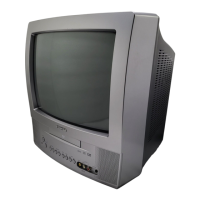
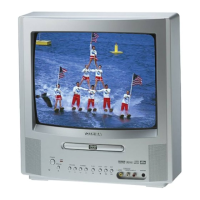
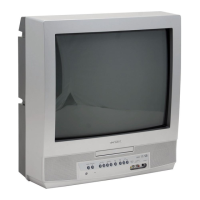
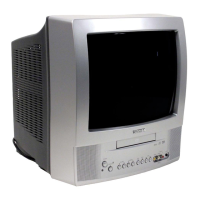
Toshiba MD13P1 - User Manual

Toshiba MD13P1
48 pages
Print Icon
To Next Page IconTo Next Page
Loading...
COMBINATION COLOR
TELEVISION AND DVD
VIDEO PLAYER
MD13P1
OWNER’S MANUAL
2
13
18
28
31
38
Introduction
Connections
Basic setup
Basic playback
Advanced playback
Function setup
DIGITAL VIDEO
©2004 Toshiba Corporation
42
Others
Before operating the unit, please read this manual thoroughly.
20
TV operation
5K30401B [E] (Cover) 20/4/04, 15:261

Table of Contents

Other manuals for Toshiba MD13P1

Questions and Answers

  • C
    Cynthia MolinaAug 20, 2025
    Why is my Toshiba TV DVD Combo remote control not working?
    • C
      Crystal HughesAug 20, 2025
      If the remote control for your Toshiba TV DVD Combo is not functioning, try the following: * Aim the remote control directly at the remote sensor on the unit. * Ensure you are within approximately 5 meters of the unit and reduce the amount of light in the room. * Clear any obstructions blocking the path of the beam. * Replace the batteries, making sure they are inserted correctly, as weak batteries can cause the remote to malfunction.
  • Z
    Zachary BarnettAug 22, 2025
    What to do if Toshiba TV DVD Combo or remote operation key is not functioning?
    • K
      Kristina RobertsAug 22, 2025
      If the unit or remote operation key on your Toshiba TV DVD Combo is not functioning, turn off the unit and unplug the AC power cord for several minutes, then replug it.
  • R
    Richard DavidsonAug 25, 2025
    How to fix Toshiba TV DVD Combo that does not operate?
    • D
      Douglas VillegasAug 25, 2025
      If your Toshiba TV DVD Combo is not operating, ensure the power cord is properly plugged in and try a different AC outlet. Also, check your fuse or circuit breaker to make sure power is available. As a last resort, unplug the unit, wait a few seconds, and then plug it back in.
  • K
    Keith MccartyAug 26, 2025
    What to do if my Toshiba TV DVD Combo has poor or no sound?
    • M
      millerrichardAug 26, 2025
      If you are experiencing poor or no sound on your Toshiba TV DVD Combo, first tune to another station to rule out issues with the current broadcast or cable TV. Next, check the volume adjustments to ensure they are properly set. Lastly, identify and eliminate any potential sources of interference that may be affecting the audio.
  • T
    Tiffany HernandezAug 27, 2025
    How to troubleshoot poor or no picture on Toshiba TV DVD Combo?
    • D
      Daniel BradyAug 28, 2025
      To troubleshoot poor or no picture on your Toshiba TV DVD Combo, first tune to another station to rule out issues with the broadcast or cable TV. Then, check the antenna or cable TV connections and reorient the antenna if necessary. Also, check for sources of possible interference and verify the picture control adjustments are properly configured.
  • J
    James JonesAug 29, 2025
    How to get CATV reception on Toshiba TV DVD Combo?
    • D
      David WeeksAug 29, 2025
      If you're not getting CATV reception on your Toshiba TV DVD Combo, begin by checking all Cable TV connections to ensure they are secure. Then, set the TV/CABLE selection to the CABLE position. If the issue persists, try tuning to another station to rule out problems with the current station or the Cable TV system.
  • L
    Linda BrownAug 31, 2025
    How to improve poor reception on Toshiba TV DVD Combo channels?
    • M
      Matthew McdanielSep 1, 2025
      To improve poor reception on some channels with your Toshiba TV DVD Combo, first tune to another station to ensure the problem isn't with the broadcast itself. If the station signal is weak, try reorienting the antenna to better receive the signal. Also, check for any potential sources of interference that could be affecting reception.
  • A
    aliciafletcherSep 2, 2025
    How to resolve poor or no color on Toshiba TV DVD Combo?
    • S
      Seth LeonardSep 2, 2025
      If your Toshiba TV DVD Combo is displaying poor or no color, start by tuning to another station to rule out issues with the current broadcast. Then, ensure that the channels are properly set into memory. Check the picture control adjustments and the antenna or Cable TV connections, reorienting the antenna if necessary. Finally, check for any sources of possible interference.
  • M
    Mr. Ethan ChavezSep 4, 2025
    Why does the picture wobble or drift on my Toshiba TV DVD Combo?
    • S
      Scott FisherSep 4, 2025
      If the picture on your Toshiba TV DVD Combo wobbles or drifts, first tune to another station to rule out problems with the broadcast. Then, make sure channels are set into memory. If you are using Cable TV, the company might be scrambling the signal. Also, check the antenna orientation.
  • R
    Richard BassSep 6, 2025
    How to fix no reception above channel 13 on Toshiba TV DVD Combo?
    • J
      John ObrienSep 6, 2025
      If your Toshiba TV DVD Combo is not receiving channels above 13, make sure the TV/CABLE selection is in the appropriate position. If you are using an antenna, check the UHF antenna connections.

Summary

Introduction

Important Safeguards

Essential safety instructions and warnings for product operation.

Identification of controls

Detailed layout and function of front and rear unit controls.

Connections

Antenna connections

Diagrams and instructions for connecting various VHF/UHF antennas.

Basic setup

Starting setup

Guided process for initial language, TV/CABLE selection, and auto channel memory.

TV operation

Function setup

Customizing the function settings

Guide to adjusting various settings like language, picture, sound, and parental controls.

Others

Problems and troubleshooting

A guide to diagnosing and solving common operational issues.

LIMITED WARRANTY

Details of the product's warranty coverage and terms.

How to Obtain Warranty Service

Instructions on how to get service and support for the product.

Toshiba MD13P1 Specifications

General IconGeneral
Screen Size13 inches
TypeTV DVD Combo
Display TechnologyCRT
Aspect Ratio4:3
DVD PlayerYes
DVD FormatsDVD-R, DVD-RW
InputsComposite, S-Video
Audio OutputStereo

Related product manuals