EasyManua.ls Logo

Toshiba MD13Q42 - User Manual

Toshiba MD13Q42
52 pages
Print Icon
To Next Page IconTo Next Page
Loading...
COMBINATION COLOR
TELEVISION AND DVD
VIDEO PLAYER
OWNER’S MANUAL
2
13
18
27
30
38
Introduction
Connections
Basic setup
Basic playback
Advanced playback
Function setup
DIGITAL VIDEO
©2006 Toshiba Corporation
43
Others
Before operating the unit, please read this manual thoroughly.
20
TV operation
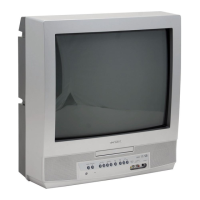
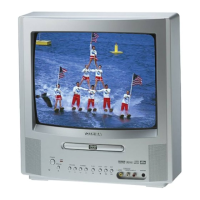
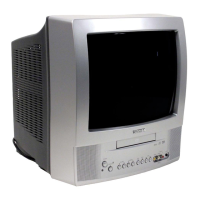
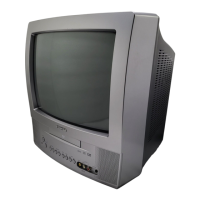
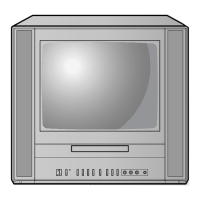
MD13Q42
MD20Q42
Illustration of MD20Q42
5X30401A [E] (Cover) 12/3/05, 3:29 PM1

Table of Contents

Other manuals for Toshiba MD13Q42

Questions and Answers

  • T
    Timothy ParkerSep 9, 2025
    What to do if playback doesn’t start on Toshiba MD13Q42 TV DVD Combo?
    • J
      johnsonjenniferSep 9, 2025
      If playback doesn’t start on your Toshiba TV DVD Combo, make sure a disc is inserted. If a disc is inserted, it may be dirty, so clean it. Note that the unit cannot play CD-ROMs, etc.
  • K
    Kimberly JenkinsAug 22, 2025
    Why is the remote control not functioning on my Toshiba MD13Q42 TV DVD Combo?
    • S
      Sara WeberAug 23, 2025
      If the remote control for your Toshiba TV DVD Combo is not functioning, aim the remote control directly at the remote sensor on the unit. Operate the remote within approximately 5 meters, and reduce the amount of light in the room. Clear any obstructions in the path of the beam. If the batteries are weak, replace them, and ensure they are inserted correctly.
  • A
    armstrongstephanieAug 25, 2025
    How to troubleshoot Toshiba TV DVD Combo that does not operate?
    • S
      Stephanie AdamsAug 25, 2025
      If your Toshiba TV/DVD combo does not operate, ensure the power cord is properly plugged in. If it is, try using a different AC outlet. Also, check the fuse or circuit breaker to ensure power is available. As a last resort, unplug the unit and then plug it back in.
  • R
    Robert IngramAug 26, 2025
    Why is there poor sound or no sound on my Toshiba MD13Q42 TV DVD Combo?
    • M
      Michael JonesAug 27, 2025
      If you are experiencing poor or no sound on your Toshiba TV DVD Combo, try tuning to another station, as the station or cable TV provider might be experiencing problems. Also, check your volume adjustments and make sure there are no sources of interference nearby.
  • L
    Lisa NewtonAug 27, 2025
    What to do if my Toshiba MD13Q42 TV DVD Combo has poor picture or no picture?
    • J
      James KennedyAug 27, 2025
      If your Toshiba TV DVD Combo has poor or no picture, try tuning to another station in case the current station or cable TV provider is experiencing problems. Check the antenna or cable TV connections and reorient the antenna. Also, check for any sources of possible interference and verify the picture control adjustments.
  • K
    Kelly Odom DDSAug 29, 2025
    Why is the reception poor on some channels on my Toshiba MD13Q42?
    • D
      Dawn ButlerAug 29, 2025
      If you're experiencing poor reception on some channels with your Toshiba TV DVD Combo, it could be due to the station or cable TV provider experiencing problems, so try tuning to another station. If the station signal is weak, reorient your antenna to better receive it. Additionally, check for any sources of possible interference.
  • D
    daniel30Sep 17, 2025
    Why angle cannot be changed on my Toshiba MD13Q42 TV DVD Combo?
    • J
      John CarterSep 17, 2025
      If the angle cannot be changed on your Toshiba TV DVD Combo, it is likely because multi-angles are not recorded on the DVD disc.
  • S
    stevenmillerSep 19, 2025
    What does it mean when “ ” appears on the screen of Toshiba MD13Q42?
    • G
      Gloria WilsonSep 22, 2025
      If you see “ ” on the screen of your Toshiba TV DVD Combo, it means the function is prohibited either by the unit or the disc itself.
  • R
    Robert RossSep 7, 2025
    Why does my Toshiba TV DVD Combo keep shutting off?
    • A
      Austin EdwardsSep 7, 2025
      If your Toshiba TV shuts off unexpectedly, it could be due to several reasons. There might be no broadcast on the tuned station, the Sleep Timer may be set, or there could be an interruption in the power supply.
  • J
    Jeff GuzmanSep 4, 2025
    Why are there horizontal or diagonal bars on my Toshiba MD13Q42 screen?
    • K
      Kimberly LongSep 4, 2025
      If you see horizontal or diagonal bars on the screen of your Toshiba TV DVD Combo, check your antenna or cable TV connections and try reorienting the antenna. Also, check for any sources of possible interference that may be causing the issue.

Summary

IMPORTANT SAFEGUARDS

Safety Precautions

Warnings and precautions for safe operation of the appliance.

Child Safety

Safety recommendations for child use and TV placement.

Connections

Antenna connections

Connecting VHF/UHF and combination antennas to the unit.

Cable TV connections

Connecting to optional equipment

Basic setup

Starting setup

Initial setup procedures like language and channel tuning.

Setting the language

TV operation

TV operation

How to operate the TV functions like volume and channels.

Closed captions

To memorize channels

Automatic memory tuning

Automatic channel scanning and memory tuning.

Setting the V-Chip

To register password

Setting a password for V-Chip functionality.

To set the V-Chip

Picture control adjustment

Adjusting the picture preference

Selecting picture modes like Standard, Sports, Movie.

Basic playback

Playing a disc

Steps for playing discs and basic operations.

Playing a disc (Continued)

To pause playback (still mode)

Pausing playback and resuming.

Playing in fast reverse or fast forward directions

Playing frame by frame

Advancing playback one frame at a time.

Playing in slow-motion

Slow motion playback capabilities.

Advanced playback

Zooming

Magnifying parts of the picture for detail.

Locating desired scene

Finding specific titles, chapters, or times.

Marking desired scenes

Returning to the scenes

Resuming playback from marked scenes.

Repeat playback;A-B Repeat playback

Repeat playback

Repeating playback of a chapter, title, or track.

Program playback;Random playback

Program playback

Arranging playback order of tracks or files.

Changing angles;Title selection;DVD menu

Changing angles

Selecting different camera angles for playback.

Title selection

Choosing between multiple titles on a disc.

Changing soundtrack language;Subtitles

Changing soundtrack language

Selecting preferred audio language.

Disc status;To turn off the PBC

Disc status

Displaying playback information like time and language.

JPEG playback

Slide show playback

Automated playback of JPEG files.

Function setup

Customizing the function settings

Changing default settings for performance.

Setting details

Menu, Subtitle, Audio

Selecting language for menu, subtitle, and audio.

TV Screen

Choosing screen aspect ratios (4:3, Letterbox, Pan&Scan).

Picture Mode

JPEG Interval

Setting interval for JPEG slideshow playback.

Parental control setting

To change the parental level

Modifying the parental control level.

Temporary cancel the rating level by DVD disc

Others

Language code list

Reference for language codes used in settings.

Troubleshooting

Reception disturbances

Specifications

Limited warranty

Your Responsibility

Toshiba MD13Q42 Specifications

General IconGeneral
Screen Size13 inches
Display TypeCRT
DVD PlayerYes
Aspect Ratio4:3
Audio OutputStereo
OutputsHeadphone Jack
Built-in SpeakersYes
DVD Formats SupportedDVD, CD, CD-R, CD-RW
Power SourceAC
InputsComposite video

Related product manuals