EasyManua.ls Logo

Toshiba MD14F11 - User Manual

Toshiba MD14F11
52 pages
Print Icon
To Next Page IconTo Next Page
Loading...
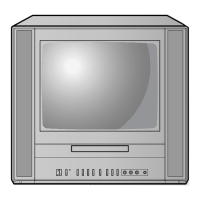
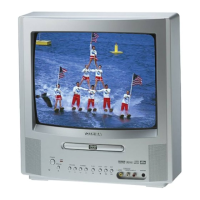
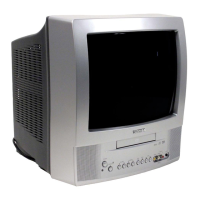
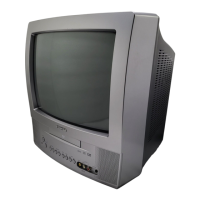
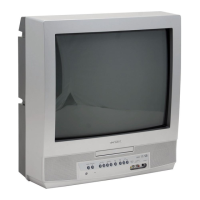
COMBINATION FLAT COLOR
TELEVISION AND DVD VIDEO
PLAYER
OWNER’S MANUAL
2
13
18
28
31
38
Introduction
Connections
Basic setup
Basic playback
Advanced playback
Function setup
DIGITAL VIDEO
©2005 Toshiba Corporation
44
Others
Before operating the unit, please read this manual thoroughly.
20
TV operation
MD14F11
5S00201A [E] (Cover) 4/1/05, 3:15 PM1

Other manuals for Toshiba MD14F11

Questions and Answers

  • P
    pbentleyAug 20, 2025
    What to do if the remote control does not function with my Toshiba MD14F11?
    • M
      Michael MillsAug 20, 2025
      If the remote control for your Toshiba TV DVD Combo isn't working, make sure you're aiming the remote directly at the remote sensor on the unit. Try operating the remote within approximately 5 meters of the unit and reduce the amount of light in the room. Ensure there are no obstructions blocking the path of the beam. If the problem persists, replace the batteries, making sure they are inserted correctly.
  • W
    weaverlisaAug 22, 2025
    What to do if my Toshiba TV DVD Combo or remote operation key is not functioning?
    • J
      jeremybridgesAug 22, 2025
      If the unit or remote operation key is not functioning on your Toshiba TV DVD Combo, turn off the unit and unplug the AC power cord for several minutes, then replug it.
  • R
    Robert RamosAug 25, 2025
    What to do if my Toshiba MD14F11 TV DVD Combo does not operate?
    • D
      Daniel JonesAug 25, 2025
      If your Toshiba TV DVD Combo is not operating, ensure the power cord is securely plugged in. If it is, try plugging the device into another AC outlet. Also, check the fuse or circuit breaker to ensure power is available. As a last resort, unplug the unit, wait a few seconds, and then plug it back in.
  • J
    Joshua PetersonAug 26, 2025
    Why is there poor sound or no sound on my Toshiba MD14F11 TV DVD Combo?
    • H
      Heather GarciaAug 26, 2025
      If you are experiencing poor or no sound on your Toshiba TV DVD Combo, first check if the station or cable TV provider is experiencing problems by tuning to another station. If the issue persists, check the volume adjustments and also check for any potential sources of interference that might be affecting the sound quality.
  • K
    Kathryn RosalesAug 28, 2025
    Why is there poor picture or no picture on my Toshiba MD14F11?
    • S
      sarahcooperAug 28, 2025
      If you are experiencing poor or no picture on your Toshiba TV DVD Combo, try tuning to another station to rule out issues with the current station or cable TV provider. Check the antenna or cable TV connections and try reorienting the antenna. Also, look for potential sources of interference and check the picture control adjustments.
  • K
    karinariveraAug 29, 2025
    Why is there no cable TV reception on my Toshiba TV DVD Combo?
    • J
      Jason SantiagoAug 29, 2025
      If you're not getting any cable TV reception on your Toshiba TV DVD Combo, start by checking all cable TV connections to ensure they are secure. Then, make sure the TV/CABLE selection is set to the CABLE position. It is also possible that the station or cable TV system is experiencing problems, so try tuning to another station.
  • H
    hutchinsonjosephAug 31, 2025
    Why is there poor reception on some channels on my Toshiba MD14F11 TV DVD Combo?
    • L
      Larry HayesAug 31, 2025
      If you're experiencing poor reception on some channels with your Toshiba TV DVD Combo, it could be due to issues with the station or cable TV provider, so try tuning to another station. If the station signal is weak, reorient the antenna to improve reception. Also, check for any potential sources of interference.
  • J
    Julia HarrisSep 2, 2025
    How to fix poor color or no color on Toshiba MD14F11 TV DVD Combo?
    • J
      James RichmondSep 2, 2025
      If you are experiencing poor color or no color on your Toshiba TV DVD Combo, first tune to another station to rule out issues with the broadcast signal. Make sure the channels are properly set into memory. Check the picture control adjustments and the antenna or cable TV connections, reorienting the antenna if necessary. Finally, check for any sources of possible interference.
  • E
    Erin SmithSep 4, 2025
    What to do if my Toshiba MD14F11 TV DVD Combo picture wobbles or drifts?
    • I
      Ian NortonSep 4, 2025
      If the picture on your Toshiba TV DVD Combo wobbles or drifts, first try tuning to another station to rule out issues with the broadcast signal. Make sure the channels are set into memory. If you are using cable TV, the cable TV company might be scrambling the signal, so check the antenna orientation.
  • S
    Steven SwansonSep 6, 2025
    Why is there no reception above channel 13 on my Toshiba TV DVD Combo?
    • C
      Corey PayneSep 6, 2025
      If you're not getting any reception above channel 13 on your Toshiba TV DVD Combo, ensure that the TV/CABLE selection is in the appropriate position. If you are using an antenna, check the UHF antenna connections.

Summary

Introduction

Important Safeguards

Essential safety warnings and precautions for safe operation and handling of the TV.

Safety Precautions

Detailed warnings to reduce the risk of fire, electric shock, and other hazards.

Installation, Care, and Service

Instructions for proper installation, cleaning, and maintenance of the unit.

Connections

Antenna Connections

Instructions for connecting various types of antennas (VHF/UHF, coaxial, twin-lead).

Cable TV Connections

How to connect basic cable, scrambled cable, and premium cable TV services.

Connect to Optional Equipment

Guide for connecting external devices like VCRs, camcorders, and game consoles.

Basic setup

Starting Setup

Step-by-step guide for initial unit setup, including language and channel memory.

TV operation

Basic TV Operation

How to turn on the unit, adjust volume, and select channels.

Function setup

Customize Function Settings

Guide to adjust default settings for personalized performance.

Others

Troubleshooting Guide

Solutions for common problems related to power, reception, picture, and sound.

Toshiba MD14F11 Specifications

General IconGeneral
Screen Size14 inches
Display TypeCRT
DVD PlayerYes
Aspect Ratio4:3
Audio OutputStereo
Weight28.7 lbs (13 kg)
Remote ControlYes
TV TunerNTSC
InputsComposite
Input PortsComposite video, RCA audio

Related product manuals