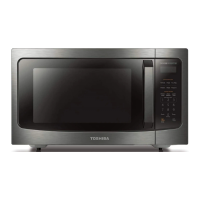
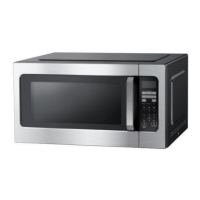
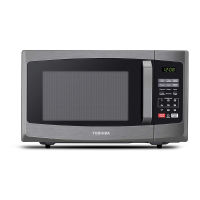
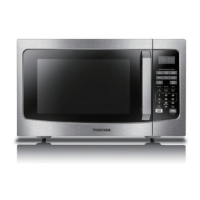
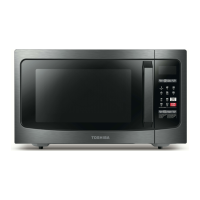
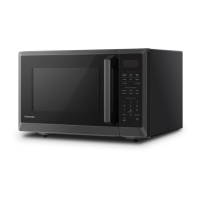
This document is an instruction manual for the TOSHIBA ML-EM45PIT(BS) Microwave Solo Oven. It provides comprehensive information on product safety, introduction, usage, and maintenance.
Function Description:
The TOSHIBA ML-EM45PIT(BS) is a microwave solo oven designed for heating, cooking, and drying food. It features various cooking modes and functions to simplify food preparation. The oven utilizes inverter technology, which allows for more precise and consistent power delivery, leading to better cooking results.
Important Technical Specifications:
- Model: ML-EM45PIT(BS)
- Rated Voltage: 120V~60Hz
- Rated Input Power (Microwave): 1350W
- Rated Output Power (Microwave): 1250W
- Oven Capacity: 1.6 cu.ft.
- Turntable Diameter: 13.6 inches
- External Dimensions: 21.77 x 19.20 x 12.99 inches
- Net Weight: Approx. 28.7 lbs
Usage Features:
The microwave oven offers a wide range of features for convenient cooking:
- Power Levels: Ten power levels are available (PL1 to PL10, ranging from 10% to 100%) for precise cooking control.
- Clock Setting: Users can set the current time in a 12-hour format.
- Kitchen Timer: A separate timer function allows for up to 99 minutes and 99 seconds, independent of cooking operations.
- Microwave Cook: This function allows users to set specific cooking times (up to 99 minutes, 99 seconds) and select desired power levels.
- One Touch Start: Provides instant cooking at 100% power for 1 to 3 minutes by pressing corresponding number pads. The "+30S" button adds 30 seconds to cooking time with each press.
- Weight Defrost Function: Defrosts food based on weight (0.1 to 6.0 lbs). The oven automatically calculates the defrosting time.
- Time Defrost Function: Defrosts food for a specified time (00:01 to 99:99), with a default power level of 3.
- Popcorn Function: Dedicated settings for cooking popcorn based on weight (1.75 oz, 3.0 oz, 3.5 oz).
- Sensor Cooking: This intelligent feature automatically adjusts cooking time and power based on the humidity detected from the food. Available menus include Reheat, Pizza, Frozen Vegetables, Potato, and Meat. It requires the food to be within a specific weight range (e.g., 110g for general reheating) and the oven cavity to be dry for optimal performance. The sensor cook function will self-check after 35 seconds and beep once. If the sensor fails, the oven returns to the waiting state after 40 seconds.
- Memory Function: Allows users to program and save up to three custom cooking procedures, including multi-stage cooking.
- Multi-Stage Cooking: Enables setting up to two cooking stages. If one stage is defrost, it automatically becomes the first stage. Auto Menu cannot be set in Multi-stage Cooking.
- Buzzer Sound Control: The buzzer sound can be turned on or off by long-pressing number 8 for 3 seconds in the waiting state. This also mutes button beeps and end-of-cooking sounds.
- Energy Saver Mode: Activated by pressing the "00" button once (less than 3 seconds) in standby or child-locked mode.
- Lock Function for Children: Engaged by pressing "00" for 3 seconds, displaying "LOCKED" and then "L". It can be disengaged by repeating the same action.
- Inquiring Function: Allows users to check the current clock time (by pressing "CLOCK") or the microwave power level during cooking (by pressing "POWER LEVEL").
- Cooking End Reminding Function: Alerts the user with five beeps and displays "FINISH" when cooking is complete.
Installation:
The oven is designed for countertop installation. It requires a minimum clearance of 3.0 inches (7.5cm) from adjacent walls (with one side open) and 12 inches (30cm) above the oven. It is crucial not to block intake and/or outlet openings. The oven must be grounded using a 3-prong grounding-type plug. Users are warned against installing the oven over heat-producing appliances, as this can damage the unit and void the warranty. The accessible surface may become hot during operation.
Maintenance Features:
The manual includes a troubleshooting guide to help users diagnose and resolve common issues such as the oven not starting, arcing or sparking, unevenly cooked food, overcooked/undercooked food, improper defrosting, and sensor-cooked foods not being properly cooked. For more complex issues, such as E-5 or E-6 errors (indicating frequency converter or magnetron abnormalities), users are advised to contact customer service.
Safety Instructions:
The manual emphasizes several safety precautions, including:
- Reading all instructions before use.
- Avoiding exposure to excessive microwave energy by not operating the oven with the door open or if it's damaged.
- Ensuring close supervision when children use the appliance.
- Not overcooking food and carefully attending to the appliance when using combustible materials.
- Removing wire twist-ties and metal handles from containers.
- Keeping the oven door closed, turning off, and unplugging the appliance if materials inside ignite.
- Not using the cavity for storage.
- Properly grounding the oven.
- Avoiding heating whole eggs and sealed containers.
- Not operating the oven with a damaged cord or plug.
- Having the oven serviced only by qualified personnel.
- Not covering or blocking oven openings.
- Not storing or using the appliance outdoors or near water.
- Exercising caution with overheated liquids, stirring them before and halfway through heating, using appropriate containers, and allowing them to stand after heating.
- Using only mild, nonabrasive soaps or detergents for cleaning surfaces.
Utensil Guidelines:
A detailed list of materials that can and cannot be used in the microwave oven is provided, along with remarks on their proper usage. A utensil test is also described to determine if a non-metallic utensil is microwave-safe.


 To Next Page
 General