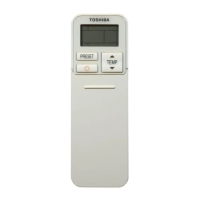
This document is the Owner's Manual for a TOSHIBA AIR CONDITIONER (SPLIT TYPE) Wireless remote controller, specifically model RBC-AXU41U-E. It provides comprehensive instructions for its operation, maintenance, and troubleshooting in both English and Simplified Chinese.
Function Description
The RBC-AXU41U-E is a wireless remote controller designed to operate TOSHIBA split-type air conditioners. It allows users to control various aspects of the air conditioner's operation, including:
- Starting/Stopping Operation: A dedicated START/STOP button initiates or terminates the air conditioner's operation.
- Mode Selection: Users can choose from several operating modes: Auto Changeover, Cool, Dry, Heat, and Fan Only.
- Temperature Adjustment: Buttons are provided to increase or decrease the desired room temperature within a range of 17°C to 30°C.
- Fan Speed Control: The remote offers multiple fan speed settings, including AUTO, LOW, LOW+, MED, MED+, and HIGH. In DRY mode, the fan speed is automatically set to AUTO.
- Clock Setting and Display: The remote features a clock panel that displays the current time and is used for setting timer operations.
- Timer Operations:
- ON Timer: Allows scheduling the air conditioner to start at a specific time.
- OFF Timer: Allows scheduling the air conditioner to stop at a specific time.
- Combined Timer (ON and OFF): Enables setting both start and stop times.
- Daily Combined Timer: For recurring daily ON and OFF timer operations.
- Louver Direction Adjustment:
- Auto Louver (SWING): Initiates automatic swinging of the horizontal louver for even air distribution.
- Set Louver (FIX): Allows manual adjustment of the airflow direction.
- Specialized Operations:
- Hi POWER: Activates a high-power mode for rapid cooling or heating. This mode automatically controls room temperature, airflow, and operation mode. It cannot be activated in DRY or FAN ONLY modes or when an ON TIMER is reserved.
- QUIET: Engages a quiet operation mode by automatically setting the fan speed to the lowest setting. This mode cannot be activated in DRY mode.
- PRESET: Allows memorizing and recalling a preferred operation mode (excluding airflow direction).
- COMFORT SLEEP: An OFF timer operation that automatically adjusts room temperature and fan speed for comfortable sleep. Users can select durations of 1, 3, 5, or 9 hours. This mode is not available in DRY or FAN ONLY operations.
- Signal Transmission: An infrared signal emitter transmits commands to the indoor unit. A transmission mark (▲) on the display indicates when signals are being sent.
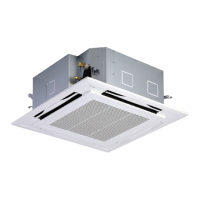
The remote controller can operate up to 8 indoor units as a group. For U series units, up to 16 connectable units are possible, with details found in the indoor unit's Installation Manual.
Important Technical Specifications
- Battery Type: Requires 2 new R03 or LR03 (AAA) batteries.
- Battery Life: Approximately one year under normal use.
- Signal Reception Range: Standard distance for signal reception is approximately 8 meters vertically against the signal receiving unit. This distance may vary due to battery capacity or other factors.
- Temperature Setting Range: 17°C to 30°C.
- Clock Display: AM/PM format, with flashing indication during initial setup.
Usage Features
- Battery Replacement: Instructions are provided for safely removing and inserting batteries, emphasizing the correct polarity. Batteries should be removed if the remote is not used for more than one month to prevent leakage.
- Clock Adjustment: The clock can be set in one-minute increments, with continuous pushing of the TIMER button changing the time in ten-minute increments.
- Initial Setup: Upon battery insertion, the clock panel will display AM 0:00 and flash, prompting the user to set the time.
- Display Indications: The LCD screen provides visual feedback for the current mode, temperature setting, fan speed, timer status, Hi POWER, QUIET, PRESET, and SWING operations.
- Remote Controller Holder: A holder is provided for wall mounting, with instructions to check signal reception after fixing.
- Wireless Remote Controller A-B Selection: This feature allows using two wireless remote controllers for two respective air conditioners that are closely installed. It involves a specific procedure using the START/STOP, CHECK, and MODE buttons to assign "A" or "B" settings to the controllers.
- Operating without Remote Controller: In cases of lost, broken, or dead-battery remote controllers, the air conditioner can be operated using a temporary operation button on the signal receiving unit of the indoor unit. A short press (1 second) starts/stops operation with the last used settings. Holding the button for 3 seconds or more will initiate forced cooling or other service modes, which should be avoided unless for servicing.
Maintenance Features
- Troubleshooting Guide: A "Before asking for repair work" section helps users diagnose common issues, such as the air conditioner not starting, incorrect display lamps, or communication errors. It provides possible causes and measures like checking power switches, replacing batteries, or changing operation modes.
- LED Indicators on Signal Receiving Unit: The indoor unit's signal receiving unit has LED indicators (Green, Orange) that blink in specific patterns to indicate various statuses, including communication errors, protective device activation, temperature sensor errors, compressor protection, and test runs. These patterns are crucial for diagnosing problems when contacting a dealer.
- Safety Precautions: The manual emphasizes safety warnings and cautions regarding installation, operation, reinstallation, and repair.
- Installation: Must be performed by qualified professionals to prevent electric shock or fire. The remote should not be installed where signals are blocked, under direct sunlight, or near heat sources.
- Operation: Avoid spilling liquids on the remote. Immediately stop operation and contact a dealer if abnormal smells or sounds occur. Do not drop the remote or apply strong shock.
- Repair: Do not attempt self-repair; always contact a dealer.
- Cleaning: While not explicitly detailed as a maintenance feature for the remote itself, the general advice to "avoid spilling juice, water or any kind of liquid" implies a need for careful handling to prevent damage. The manual also states "Do not drop, throw, or clean with water the remote controller" in the Chinese section, reinforcing the need for dry cleaning if necessary.

 Need help?
 General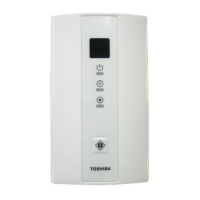



 To Next Page