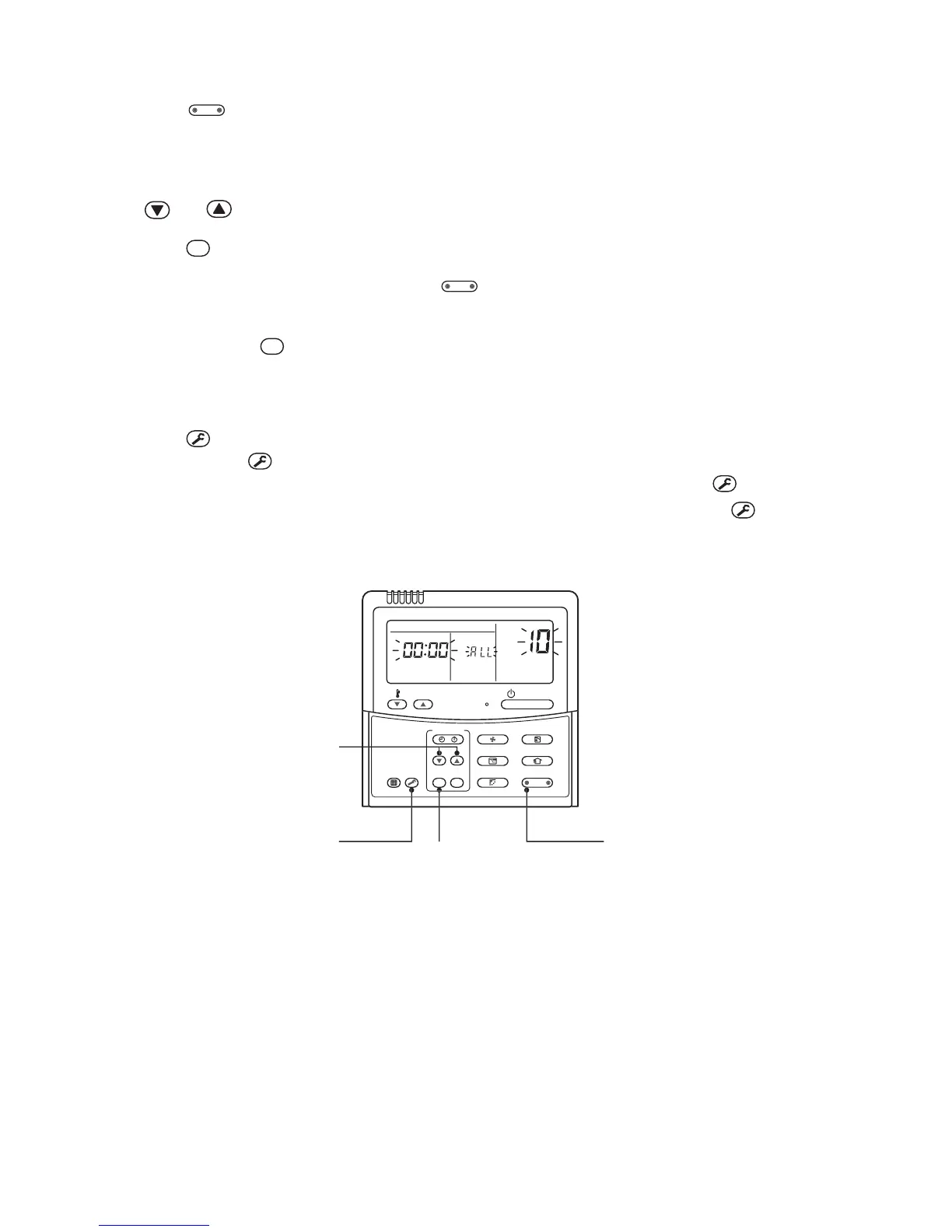
button (left side of the button), and then turn on fan of the indoor unit which is
attached with interface.
7 Leave the CODE No. as it is. (Select CODE No. 14.)
8 Check that the setup data is 0002, and then change the setup data to 0001 using the timer time
and buttons.
9 Push
SET
button. In this time, the setup ends if display changes from flashing to lighting.
10 When the above setup completed, push
button (left side of the button) to select indoor
unit of which setup was
changed and then check the changed contents. (CODE No. 14 as it is)
* When pushing
CL
button, the setup contents can be cleared.
(In this case, repeat procedure from
1 .)
Note) Cancellation is unavailable if the CODE No. is changed.
11 Push
TEST
button. (Setup is determined.)
When pushing
TEST
button, the display disappears and the status becomes the normal stop status.
(The remote controller operation is not accepted for approx. 1 minute after pushing
TEST
button.)
* If the remote controller operation is not accepted for 1 minute or more after pushing
TEST
button, it is
considered that the address setup is incorrect and the automatic address setup is being performed
again. Change setup again after approx. 5 minutes.
11
9
6, 10
8
Setup of Central Control Address
* For details, refer to Installation Manual for central remote controller.
1. Address setup method is classified into the following three methods.
1) Manual setup from wired remote controller
2) Manual setup from central remote controller
3) Automatic setup from central remote controller
2. In group control, set up the central control address to the Header unit of the group.




 To Next Page