EasyManua.ls Logo

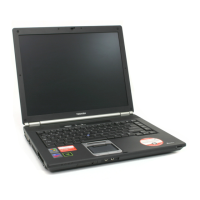
Toshiba TECRA S5 - User Manual

Toshiba TECRA S5
242 pages
Print Icon
To Next Page IconTo Next Page
Loading...
Users Manual
TECRA A9/ TECRA S5/ TECRA P5/
Satellite Pro S200
Downloaded from LpManual.com Manuals

Table of Contents

Other manuals for Toshiba TECRA S5

Questions and Answers

  • J
    johnsteeleAug 15, 2025
    Why is the keyboard on my Toshiba TECRA S5 Laptop not working?
    • D
      Deanna CoxAug 15, 2025
      If the keyboard on your Toshiba Laptop isn't functioning, first ensure the keyboard cable is securely connected to the system board. If the connection is good, the keyboard or its cable may be damaged, requiring you to replace the keyboard.
  • L
    Lisa Moore DDSAug 18, 2025
    What to do if my Toshiba TECRA S5 Laptop has a power supply malfunction?
    • B
      Barbara FloresAug 18, 2025
      If your Toshiba Laptop isn't powering on, start by checking if the AC adapter cord and AC power cord are securely plugged into both the DC IN socket and the wall outlet. Also, ensure the battery pack is correctly installed. If the issue persists, the AC adapter's output voltage may be abnormal, requiring you to replace the AC adapter. In some cases, the battery itself may be faulty, necessitating a replacement. Finally, the power supply microprocessor might have detected a malfunction; in this case, check the error code related to the AC Adapter and batteries in the error codes section.
  • S
    Stephen BoydAug 21, 2025
    How to troubleshoot LCD display issues on a Toshiba TECRA S5 Laptop?
    • P
      Phillip Davis DDSAug 21, 2025
      If the screen on your Toshiba Laptop isn't displaying correctly, and you've ruled out external monitor issues, the internal LCD might be defective. Check and reconnect all cables and connectors between the FL inverter board and system board, as they may be disconnected or damaged. If the problem persists, the FL inverter board, LCD module, or the display controller could be damaged, requiring replacement.
  • T
    thowardAug 25, 2025
    What to do if my Toshiba TECRA S5 Laptop has an HDD malfunction?
    • C
      Christine WilliamsAug 25, 2025
      If your Toshiba Laptop's HDD isn't working, first ensure the HDD is firmly connected to the system board. If it is, the HDD itself may be damaged and need replacement. In some cases, the system board could be the cause, also requiring replacement.
  • R
    Robert GarciaAug 27, 2025
    What causes a USB FDD malfunction on a Toshiba Laptop?
    • J
      Jessica BarnesAug 27, 2025
      If your Toshiba Laptop's USB FDD isn't working, start by ensuring the USB FDD cable is firmly connected to the system board. If the connection is secure, the USB FDD or its cable may be defective or damaged, requiring replacement.
  • J
    joshuaorozcoAug 30, 2025
    How to fix sound malfunction on a Toshiba TECRA S5 Laptop?
    • V
      vvalentineAug 30, 2025
      If the sound on your Toshiba Laptop isn't working, first make sure the speaker cable is firmly connected to the system board. If the connection is secure, the speakers themselves may be defective or damaged, requiring replacement. Alternatively, the built-in microphone could be the issue, also needing replacement.
  • C
    Corey SchmidtSep 2, 2025
    Why is Bluetooth not working on my Toshiba TECRA S5?
    • M
      mia79Sep 2, 2025
      If your Toshiba Laptop's Bluetooth isn't working, the Bluetooth module may be defective or damaged and may need replacing. Also, the Bluetooth antenna could be defective or damaged, requiring replacement. In some cases, the system board itself may be the cause, also requiring replacement.
  • A
    Anthony StokesSep 5, 2025
    What to do if the fingerprint sensor is not working on a Toshiba Laptop?
    • I
      ihernandezSep 5, 2025
      If the fingerprint sensor on your Toshiba Laptop isn't working, first ensure the fingerprint sensor cable is firmly connected. If it is, the fingerprint sensor cable itself may be faulty and need replacement. If the problem persists, the fingerprint sensor board may be faulty, requiring replacement. In some cases, the system board may be faulty, also requiring replacement.
  • J
    Jacob BennettSep 8, 2025
    What causes SmartCard slot malfunction in a Toshiba Laptop?
    • J
      Jason WhiteSep 9, 2025
      If your Toshiba Laptop isn't recognizing the SmartCard, first ensure the SmartCard is firmly inserted into the slot. If it is, the SmartCard itself may be faulty and need replacement. In some cases, the system board may be faulty, also requiring replacement.
  • B
    Betty BrownSep 12, 2025
    How to troubleshoot Wireless LAN malfunction on a Toshiba TECRA S5 Laptop?
    • H
      hernandezjenniferSep 12, 2025
      If the Wireless LAN on your Toshiba Laptop isn't working, ensure the wireless LAN board is firmly connected to the system board. Also, make sure the wireless LAN antenna cables are firmly connected.

Summary

Chapter 1 Getting Started

Basic Computer Operations

Covers connecting power, opening display, and power-up modes.

System Recovery and Restoration

Explains creating recovery media and restoring the system.

Chapter 3 Hardware, Utilities and Options

Communications and Connectivity

Covers modem, LAN, Wireless LAN, and Bluetooth features.

Chapter 4 Operating Basics

Chapter 5 The Keyboard

Chapter 6 Power and Power-Up Modes

Battery Management and Care

Battery types, charging, replacement, and life extension.

Chapter 7 HW Setup & BIOS Setup

BIOS Configuration Options

Settings for display, boot priority, CPU, LAN, and USB.

BIOS Setup Procedures and Security

Notes on BIOS, password management, and setup.

Chapter 8 Troubleshooting

Problem Identification and Initial Steps

Guides on how to approach and diagnose problems.

Common Hardware and System Issues

Covers startup, power, keyboard, display, drives, and connectivity.

Specific Device Troubleshooting

Addresses issues with memory cards, pointing devices, audio, and communication modules.

Appendix A Specifications

Toshiba TECRA S5 Specifications

General IconGeneral
ProcessorIntel Core 2 Duo
Display Resolution1280 x 800
GraphicsIntel Graphics Media Accelerator 950
Optical DriveDVD SuperMulti
LANGigabit Ethernet
Card ReaderSD Card
Hard Drive160 GB HDD
Display Size14.1 inches
Operating SystemWindows XP Professional
Wireless802.11a/g
PortsUSB 2.0, VGA, RJ-45, Headphone, Microphone
ChipsetIntel 945GM Express Chipset
Weight5.4 lbs (2.45 kg)

Related product manuals