Start Using
6
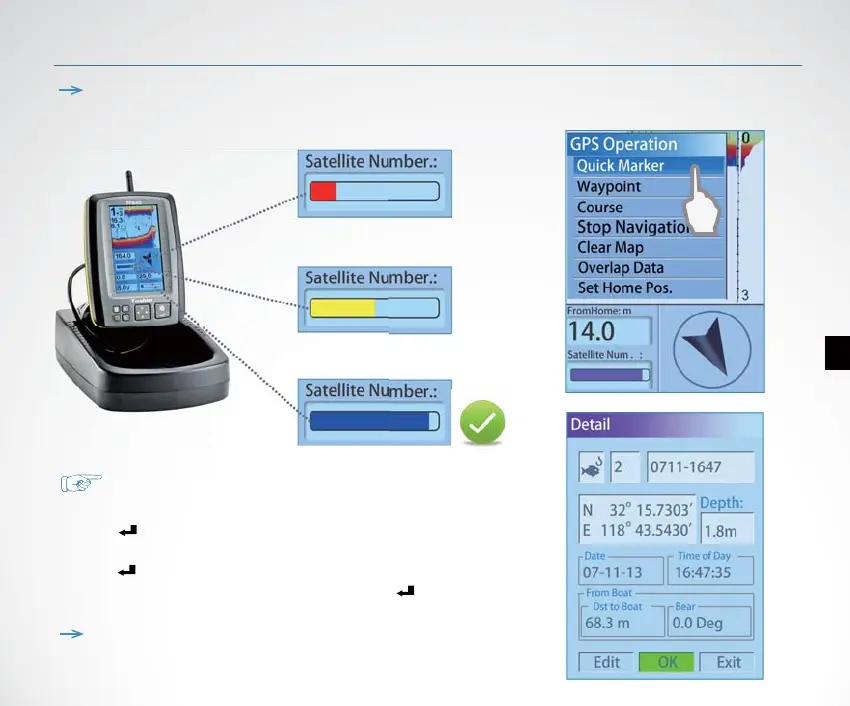
Note: please start using the device only when the Satellite Number bar become
blue, which means the GPS signal is strong enough.
How to creat a waypoint?
When the boat run to a certain position:
1) Press Key, appears 【GPS Operation】menu.
2) Use keypad to choose 【Quick Marker】
Press Key, appears the waypoint detail.
3) Set the options and choose 【OK】, then Press Key .
Then the waypoint was successfully created and saved in waypoint list.
Note: you can set dierent icon, number, name, depth, etc for
each waypoint.


 To Next Page