7
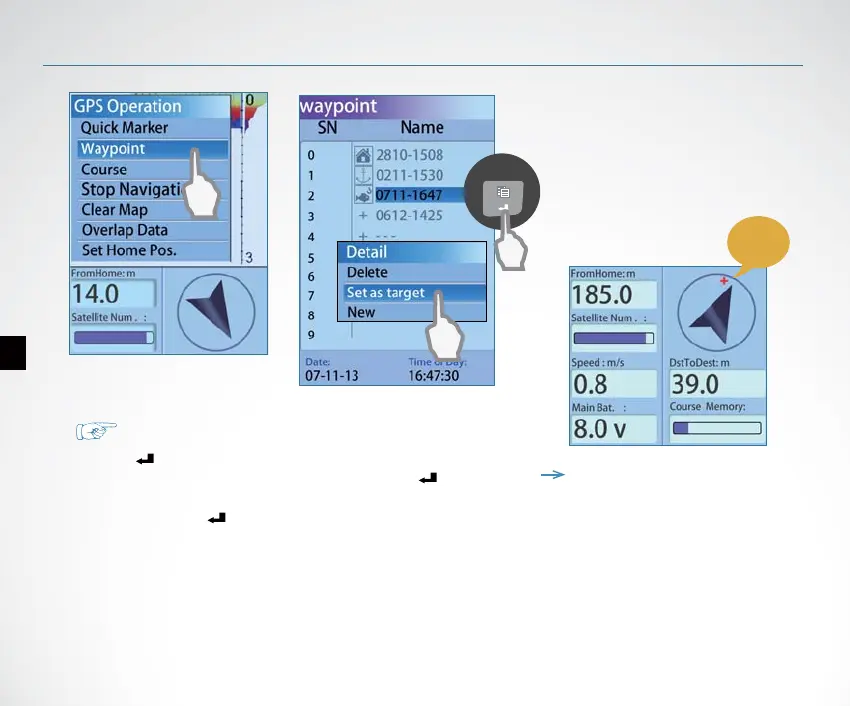
How to choose a waypoint as target?
1)Press Key, appears 【GPS Operation】 menu.
2)Use keypad to choose【Waypoint】, then press Key.
3)In the appeared waypoint list, use keypad to choose a
waypoint. Press Key.
4)On the waypoint 【Detail】, choose【Set as Target】
Now, the selected waypoint was successfully set as target waypoint.
Note: as soon as a waypoint was
set as target, a red ”
” will appear
on the compass area which represents
the target waypoint.
target
waypoint
Start Using


 To Next Page