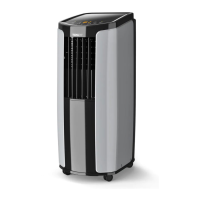
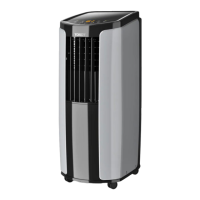
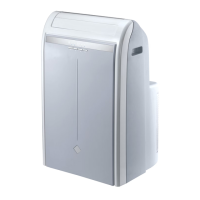
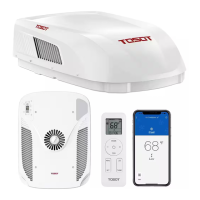
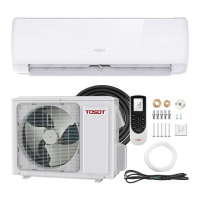
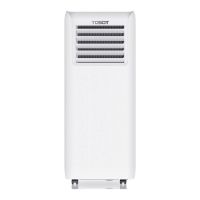
The TOSOT Portable Air Conditioner is a versatile cooling and dehumidifying appliance designed for residential use. It is available in two models: GPC05AP-A3NNA1A and GPC06AP-A3NNA1A.
Function Description:
This portable air conditioner provides cooling, dehumidification, and fan-only operation. It is equipped with an auto-evaporation system, which typically eliminates the need for manual water drainage in most conditions. However, in humid environments, manual drainage may be required. The unit is designed to exhaust hot air as a byproduct of producing cool air, necessitating the proper installation of an exhaust hose.
Important Technical Specifications:
- Power Supply: Fixed 115V AC ground outlet.
- Operating Temperature Range: Recommended 61°F - 95°F (16°C - 35°C).
- Refrigerant: The unit contains refrigerant, and in the event of a damaged power supply cord, it must be replaced by a trained service technician using a replacement cord from the manufacturer.
- Compressor Protection: Features a 3-Minute Compressor Protection to extend lifespan, which may cause a delay in cooling or compressor sound in certain situations (e.g., after power outage, switching modes, or if ambient temperature is lower than set temperature).
- Window Kit Compatibility: The window installation kit includes panels to adjust to window sizes from less than 28 inches up to 62 inches. For windows longer than 62 inches, improvisation is needed to fill the remaining gap.
- Remote Control Range: Max 25 feet with no obstacles or interference.
Usage Features:
- Control Panel and Remote Control: The unit can be operated via an onboard control panel or a remote control.
- ON/OFF Button: Powers the unit on or off.
- +/- Button: Adjusts temperature settings (in 1°F increments) and timer settings (in 0.5-hour increments up to 10 hours, then 1-hour increments up to 24 hours). Not valid in Dry and Fan modes.
- Fan Button: Cycles through 4 fan modes: low speed, medium speed, high speed, and auto fan.
- Sleep Button: Enters sleep operation mode (available only in Cool mode). In sleep mode, the AC temperature automatically increases by 2°F in the first hour and 4°F in the second hour, then maintains that temperature.
- Timer Button: Schedules power-off when the unit is running or power-on when the unit is not running. Can also cancel timer mode.
- Mode Button: Cycles through Cool, Dry, and Fan modes.
- Cool Mode: Standard cooling with adjustable temperature and fan speed.
- Dry Mode: Dehumidification at low fan speed; fan speed is not adjustable.
- Fan Only Mode: Blows air from outside; fan speed is adjustable.
- Combination Buttons (Remote Control):
- Light Function: Press and hold "+" and "FAN" for 3 seconds to turn lights on/off. Default is on.
- Child Lock Function: Press "+" and "-" simultaneously to activate. Displays a LOCK symbol and prevents signal transmission to the AC.
- Change Between °F and °C: With the remote off, press "Mode" and "-" simultaneously.
- Airflow Louver: Must be manually opened by pressing the "PUSH" position before turning on the unit.
- Drainage:
- Manual Drainage: Required when the unit is filled with water (indicated by an H8 malfunction code and 8 beeps). Involves moving the unit to a suitable discharge location, keeping it horizontal, and removing the rubber plug from the drainage port.
- Continuous Drainage: Water can be drained into a floor drain by attaching a drain hose (included) to the continuous drain port. Requires removing the continuous drain cap and rubber plug.
- Power Cord Hooks: Two hooks are provided to wrap the power cord when not in use.
Maintenance Features:
- Cleaning Outer Case: Wipe with a soft cloth. Mild detergent can be used for cleaning.
- Cleaning the Filter:
- Remove the filter by pressing the clasp at the back of the unit.
- Use a vacuum's dust attachment or a soft bristle brush with warm water and mild detergent to clean.
- Reinstall the filter after it has dried completely.
- Notes: Clean the filter at least every three months. Do not touch metal fins. Do not use a hairdryer or other heating elements to dry the filter. Do not operate without the air filter.
- Maintenance Checklists:
- Offseason Checklist: Ensure no accumulated water, disassemble exhaust hose, unplug and wrap power cord, clean outer case and filter, and pack well.
- Postseason Checklist: Check for blocked air inlets/outlets, good condition of plug/socket, clean filter, installed batteries in remote, tightly installed joint/window bracket/exhaust hose, and undamaged exhaust hose.
- Malfunction Codes: The display panel shows codes (e.g., F0, F1, F2, F4, H3, E8, H8) to indicate specific issues like refrigerant leakage, sensor malfunctions, overload, or full water chassis. Troubleshooting steps are provided for each code, often recommending contacting customer support for complex issues.
Safety Precautions:
- Requires two or more people for lifting and installation due to weight.
- Allow unit to sit upright for 3-4 hours before powering on after shipping.
- Gloves are recommended for unpacking and installation due to sharp edges.
- Run continuously for 24 hours after initial upright standing.
- Only use in an upright position on a stable, flat, level surface.
- Do not damage, alter, or cover the power cord.
- Always plug into a fixed 115V AC ground outlet.
- Never plug/unplug with wet hands or by pulling the power cord.
- Ensure proper grounding with a three-prong plug.
- Unplug before cleaning or maintenance.
- Keep away from fire, flammable gases, heating equipment, and high-frequency devices.
- In case of gas leak, ventilate immediately; do not operate.
- Do not operate if visibly damaged or with missing/broken parts.
- All repairs must be performed by qualified service personnel using authorized OEM parts.
- Maintain at least 12 inches (30cm) of open space around the unit for airflow.
- Keep air inlet and outlet clean and free from obstacles.
- Close doors and windows during operation for better cooling.
- Avoid direct sunlight exposure.
- Do not wash with water or use volatile/corrosive liquids for cleaning.
- LCDI Power Plug: Always perform the TEST/RESET procedure before use. If it fails, unplug and contact customer support. Do not use the LCDI plug to turn the unit on or off.


 To Next Page
 General