EasyManua.ls Logo

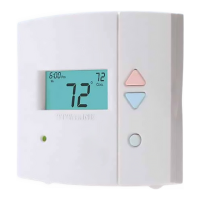
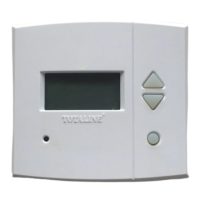
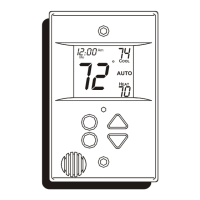
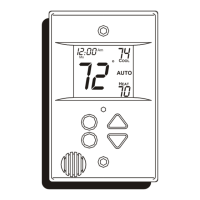
TOTALINE P374-1800 - User Manual

TOTALINE P374-1800
90 pages
Print Icon
To Next Page IconTo Next Page
Loading...
I
O
T
N
AL
E
T
A
U
T
O
0
I 2
0
:
S
u
P
m
H
E
A
T
O
O
L
C
2
7
7
4
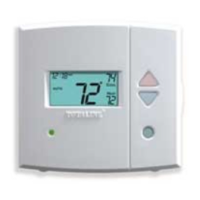
RESIDENTIALRESIDENTIAL
THERMOSTATTHERMOSTAT
P/N P/N
P374- P374- 18001800
TOTALINE
Signature
HEAT
COOL
HEAT
PUMP
HEAT
COOL
HEAT
PUMP
3 Configurable Outputs
Control up to 3 Heat &
2 Cool Stages
Adjustable 2nd & 3rd Stage
Timers & Deadbands
Backlit Display & Button
Legends
Outdoor Sensor Ready
with High/Low
Readouts for
the Day
3 Configurable Outputs
Control up to 3 Heat &
2 Cool Stages
Replacement Components Division Carrier Corporation 08/05
Meets Residential California Title 24
Use with most Air Conditioning & Heating Systems including: 1 or 2 Stage
Electric Cooling & 3 Stage Gas Heating, Heat Pump, Electric or Hydronic Heat.
OWNER’S
MANUAL
OWNER’S
MANUAL
7-DAY
PROGRAMMABLE
DIGITAL THERMOSTAT
Accepts Optional Humidity Module:
Controls Humidification and
Dehumidification
Accepts EZ Programmer
Accepts Optional IR Remote Control
Optional Internet / Phone Control
Accessory
Aux Heat Indicator
OPTIONAL
HUMIDITY MODULE
OPTIONAL
HUMIDITY MODULE
Accepts the
Accepts the

Other manuals for TOTALINE P374-1800

Questions and Answers

  • D
    Dave AllisonSep 3, 2026
    One, how do I delete all programming times from screen? Do not want it programmed. Two, how to I get the Cycle mode with fan?

    Summary

    Totaline Thermostat Overview

    Getting to Know Your Thermostat

    Quick Start Guide

    Setting the Clock and Day

    Instructions for setting the current time and day on the thermostat.

    Selecting Heat or Cool Mode

    How to choose between heating, cooling, auto, or off modes.

    Basic Thermostat Operation

    Selecting Operating Mode

    Details how to select heating, cooling, auto, or off modes.

    Setting Desired Temperature

    Guide for adjusting temperature setpoints in different operating modes.

    Programming Daily Schedule

    Programming a Daily Schedule

    Step-by-step guide to setting up daily temperature and time periods.

    Fan Operation Programming

    Humidification Control

    Installing the Humidity Module

    Steps for physically installing the optional humidity module.

    Adjusting Humidification Setpoint

    Setting the desired indoor humidity level.

    Dehumidification Control

    Adjusting Dehumidification Setpoint

    Setting the desired indoor humidity level for dehumidification.

    Heat Pump and Electric Heat Operation

    Using Emergency Heat

    Instructions for activating and using the emergency heat feature.

    Timers and Deadbands Configuration

    Adjusting Heat;Cool Differential

    Setting the minimum temperature difference between heat and cool setpoints.

    Adjusting Deadbands

    Setting temperature deadbands for multi-stage heating and cooling.

    Remote Sensor Operation

    Energy Save Feature

    How to Use the Energy Save Feature

    Explains how the Energy Save feature optimizes comfort and energy usage.

    Vacation Mode Programming

    Configuring MISC Outputs

    Configuring the Jumpers

    Explains how to set jumpers for various MISC output functions.

    Explanation of Jumper Settings

    Details the functions controlled by specific jumper settings (W3, HUM, DEHUM, Y2).

    Factory Defaults and Calibration

    Resetting Thermostat to Factory Defaults

    Procedure to restore thermostat to its original factory settings.

    Advanced Setup Table

    Setup Parameters and Defaults

    A detailed table listing all advanced setup parameters, their pages, ranges, and factory defaults.

    TOTALINE P374-1800 Specifications

    General IconGeneral
    Stages1 Heat/1 Cool
    Programmability7-Day Programmable
    DisplayDigital
    Voltage24 VAC
    BacklightYes
    Battery2 x AA
    Hold FeatureYes
    Filter Change IndicatorYes
    Power SourceBattery
    CompatibilityStandard HVAC Systems
    Temperature Range45°F to 90°F

    Related product manuals