EasyManua.ls Logo

TOTALINE P374-2300FM - User Manual

TOTALINE P374-2300FM
24 pages
Print Icon
To Next Page IconTo Next Page
Loading...
OWNER'S MANUAL
P/N P374-2300FM
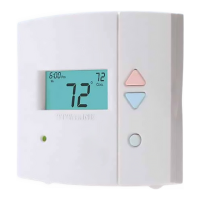
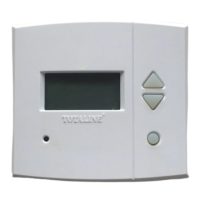
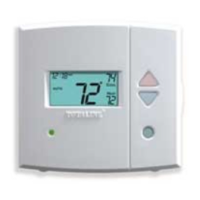
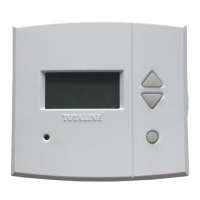
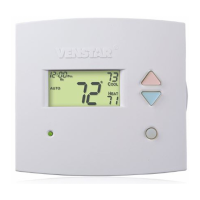
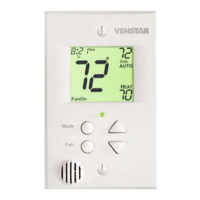
Programmable
Digital Thermostat
Mounts Flush to the Wall
7 Day Programmable
3 Occupied, 1 Unoccupied
Auto Changeover
Large, Easy To Read Display
Thermoglow Backlight
Remote Sensor Ready
Dry Contact Equipped
Energy Saving Smart Fan
Fan Purge, IAQ Feature
Includes Locking Cover
Replacement Components Division Carrier Corporation 11/98
1 For All
Use with most Air Conditioning & Heating Systems including: 1 or 2 Stage
Electric Cooling & Gas Heating, Heat Pump, Electric or Hydronic Heat.
Both Commercial & Residential
Meets California Title 24
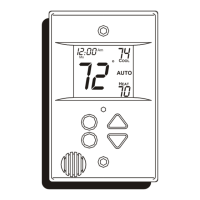
TOTALINE
72
74
70
Am
COOL
HEAT
AUTO
Mo
I2:00

Other manuals for TOTALINE P374-2300FM

Questions and Answers

  • B
    Belinda HenryAug 1, 2025
    Why is the display blank on my TOTALINE Thermostat?
    • W
      woodamyAug 1, 2025
      A blank display on your TOTALINE Thermostat typically indicates a power issue. Ensure that the power to the furnace is on and that there is 24VAC between R & W. If a C wire is used, verify 24VAC between R & C.
  • L
    luis43Aug 7, 2025
    What to do if when calling for cooling, both the heat and cool come on with my TOTALINE P374-2300FM?
    • K
      Kyle CaldwellAug 7, 2025
      If both the heat and cool activate when calling for cooling, the Advanced Setup might be configured for a heat pump while controlling a conventional system. Consult the Owner's Manual in the Advanced Setup section to turn off the heat pump.
  • C
    Christopher FreyAug 12, 2025
    What to do if my TOTALINE Thermostat air conditioning equipment tries repeatedly to turn on, but cannot?
    • D
      Denise HernandezAug 12, 2025
      If your air conditioning equipment attempts to turn on repeatedly without success, it may be due to insufficient power. Connect a 270 ohm, 10 watt power resistor at the furnace as shown in the manual.
  • C
    Charles ShawAug 19, 2025
    What to do if my TOTALINE P374-2300FM air conditioning does not attempt to turn on?
    • B
      Brian MaciasSep 12, 2025
      The air conditioning may not be starting because the compressor timer lockout is active. To address this, consult the Owner's Manual in the Setup section to defeat the cycles per hour and compressor timeguard.
  • S
    Sue JohnsonAug 25, 2025
    Why does heat come on when I ask for cooling on my TOTALINE P374-2300FM Thermostat when controlling a residential heat pump?
    • E
      Erica RamirezAug 26, 2025
      If heat is activated when you request cooling while controlling a residential heat pump, ensure that 'heat pump' is selected 'on' in the Advanced Setup programming. Refer to the Owner's Manual for guidance.

Summary

Front Panel Overview

Liquid Crystal Display

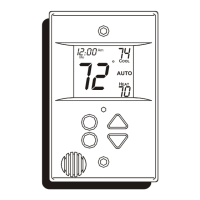
Displays current time, temperature, and operational status with Thermoglow backlight.

Control Buttons

Includes Up/Down, Mode, and Override buttons for navigating and adjusting settings.

Status Indicators

Shows Heat/Cool indicators and the temperature sensor location.

Display Readout Details

Mode Indicators

Explains icons for HEAT, COOL, AUTO, OFF, and PROGRAM ON status.

Clock and Temperature Displays

Details current time, day, room temperature, and desired set temperature.

Basic Operation

Programming Occupied & Unoccupied Periods

Advanced Setup Options

TOTALINE P374-2300FM Specifications

General IconGeneral
Voltage24 VAC
DisplayDigital
BacklightYes
Programmability7-Day
BatteryNo

Related product manuals