44
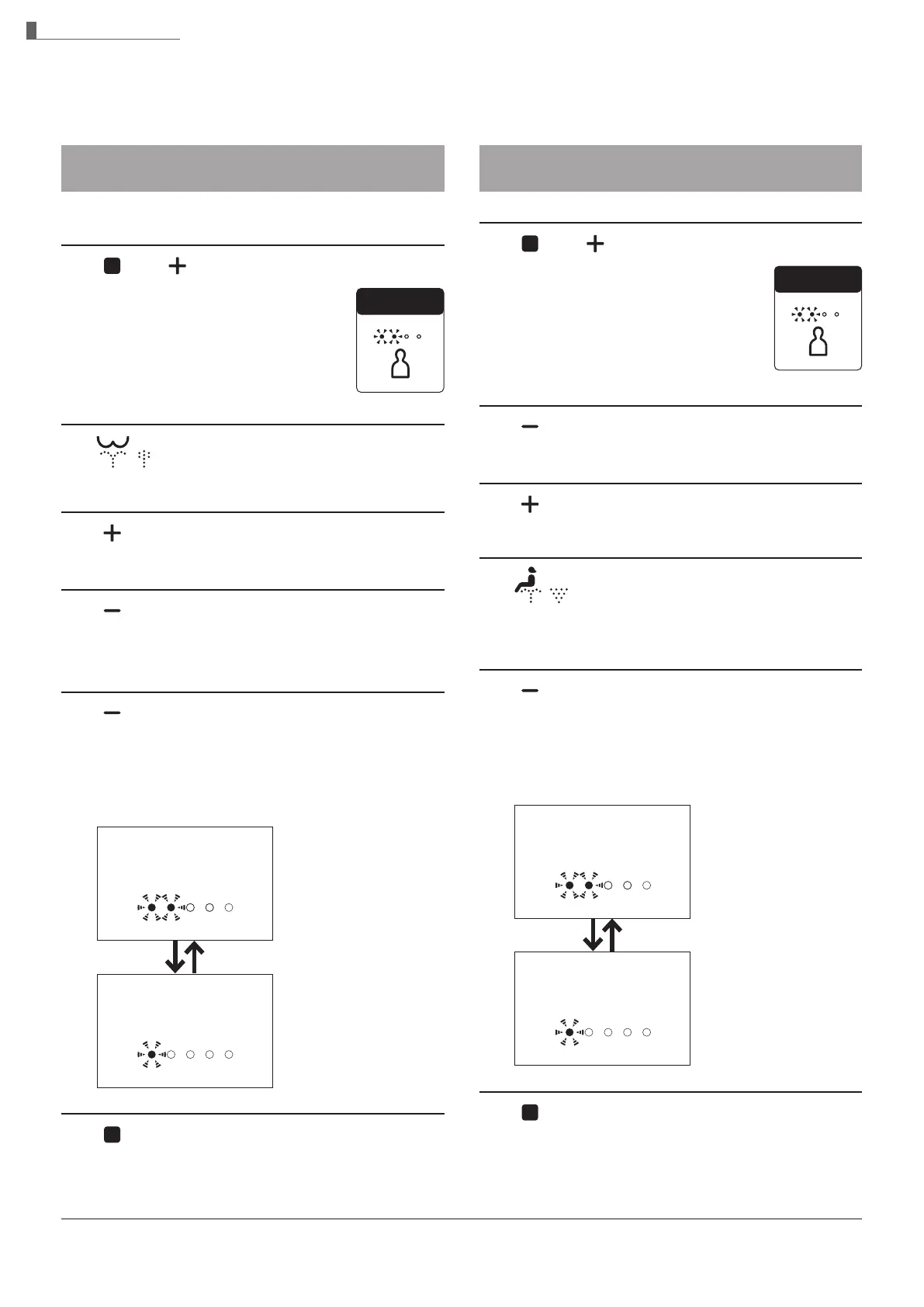
Pressure / position setting
Set whether or not to keep your favorite
pressure and position settings
1.
and
Press and hold both the "Stop"
button and "Water pressure
adjustment +" button until the
remote control LEDs are lit or
ashing. (about 10 seconds)
2.
Press "Rear washing" button.
3.
Press "Water pressure adjustment +" button.
4.
Press "Water pressure adjustment -" button.
X The current setting is displayed.
5.
Press "Water pressure adjustment -" button.
X The setting changes each time the button is
pressed once.
Pressure/Position setting
When set to "ON"
"Water pressure" LEDs
When set to "OFF"
"Water pressure" LEDs
6.
Press "Stop" button.
Settings complete
Check
Personal setting
Set whether or not to use the personal setting
1.
and
Press and hold both the "Stop"
button and "Water pressure
adjustment +" button until the
remote control LEDs are lit or
ashing. (about 10 seconds)
2.
Press "Water pressure adjustment -" button.
3.
Press "Water pressure adjustment +" button.
4.
Press "Front washing" button.
X The current setting is displayed.
5.
Press "Water pressure adjustment -" button.
X The setting changes each time the button is
pressed once.
Personal setting
When set to "ON"
"Water pressure" LEDs
When set to "OFF"
"Water pressure" LEDs
6.
Press "Stop" button.
Settings complete
Check
Changing Settings
Operation



 To Next Page