
 Need help?
Do you have a question about the Touch T526S and is the answer not in the manual?
Covers essential safety rules for operating the brewer, including handling hot water and electrical safety.
Highlights specific dangers and cautions for users, especially children, regarding hot parts and sharp needles.
Provides initial tips and recommendations for optimal brewer setup, water choice, and cup sizing.
Step-by-step guide on how to safely remove the brewer from its packaging and prepare it for use.
Illustrates and identifies the various parts and components of the T526S coffee brewer.
Details the function of each button, light, and indicator on the brewer's control panel.
Guides the user through the initial setup, including rinsing the water tank and performing cleaning cycles.
Instructions on how to insert a pod, select a cup size, and start brewing your first beverage.
Explains how to safely interrupt or cancel an ongoing brewing cycle by pressing the power button.
Method for preparing iced coffee or other beverages by placing ice in the cup before brewing.
Procedure to run a cycle without a pod to clean the brewer after periods of non-use.
Instructions on how to properly fill the brewer's removable water reservoir.
Steps for using the Refill Jumbo Cup to brew a full carafe of coffee.
Guidance on cleaning the brewer's exterior surfaces using appropriate materials.
Instructions for cleaning the needle that pierces the top of the coffee pod.
Steps to remove and clean the component that holds the coffee pod.
How to clean the needles located in the red cup holder that puncture the pod.
Procedures for cleaning the removable water reservoir and its lid.
Detailed steps for removing mineral scale buildup from the brewer using vinegar and water.
Solutions for common issues where the brewer does not turn on, checking outlets and connections.
Steps to diagnose and fix problems preventing the brewer from starting a brewing cycle.
Advice on resolving issues that cause incomplete beverage servings, like clogged needles.
Explains why the brewer turns off on its own and how to prevent it, like auto-shutoff feature.
Addresses unexpected shutdowns while the brewer is actively brewing, possibly due to hot water.
Explains causes of water leakage or accumulation around the brewer base, and how to address it.
Tips to ensure the brewed beverage reaches the desired temperature, adjusting water temperature.
Outlines the terms and duration of the product's limited manufacturer warranty.
Lists damages, conditions, and uses that are not covered by the manufacturer's warranty.
Details disclaimers and limitations on implied warranties such as merchantability or fitness.
Instructions on how to contact customer support for warranty-related issues and service.
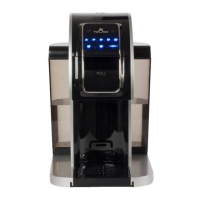
The Touch Carafe Ready T526S is a single-serve and carafe-ready brewing system designed for home use, offering convenience and versatility for brewing various hot beverages. This brewer is engineered to serve "one cup at a time" or a family-sized carafe, making it suitable for individual use or for serving multiple people.
The primary function of the Touch T526S is to brew coffee, tea, or hot cocoa using single-serve pods or ground coffee in a refillable jumbo cup. It operates by heating water to an optimal temperature and then injecting it through the chosen coffee medium to produce a hot beverage. The brewer features multiple cup size options, ranging from 6 oz to 18 oz, as well as a dedicated "CARAFE" button for brewing a 26 oz family-sized portion.
To begin brewing, the user fills the water tank with filtered or bottled water, ensuring it does not exceed the MAX fill line. For single-serve brewing, a K-Cup® pack, XBold cup, or XLarge cup is inserted into the Red Cup Holder. The brewer is then closed, and the desired cup size button is pressed. The brewing process involves the brewer warming up, indicated by a blinking light, and then dispensing hot water through the pod into a cup placed on the drip tray. For carafe brewing, the Red Cup Holder is removed, and a Refill Jumbo Cup packed with ground coffee is inserted. The carafe is placed on the drip tray, and the "CARAFE" button is pressed. The brewer is designed to automatically shut off after 30 minutes of non-use to conserve power.
The brewer is equipped with a Power Button to turn the device ON/OFF, a Low Water Indicator that blinks when the water level is low or the tank is removed, and a Brewing Indicating Light that illuminates during warm-up and blinks during the brewing cycle. The water tank can be refilled either by pouring water directly into it with the lid open or by removing the tank, filling it, and then reattaching it to the brewer.
The Touch T526S offers several features to enhance the user experience:
Regular maintenance is crucial for the longevity and optimal performance of the Touch T526S.
 General
| Product Type | Coffee machine |
|---|---|
| Model | Touch T526S |
| Operation | Automatic |
| Voltage | 220-240V |
| Frequency | 50/60Hz |
| Material | Plastic |
| Color | Black |

 To Next Page
