Virtuo Floor Stand
19
Virtuo Floor Stand
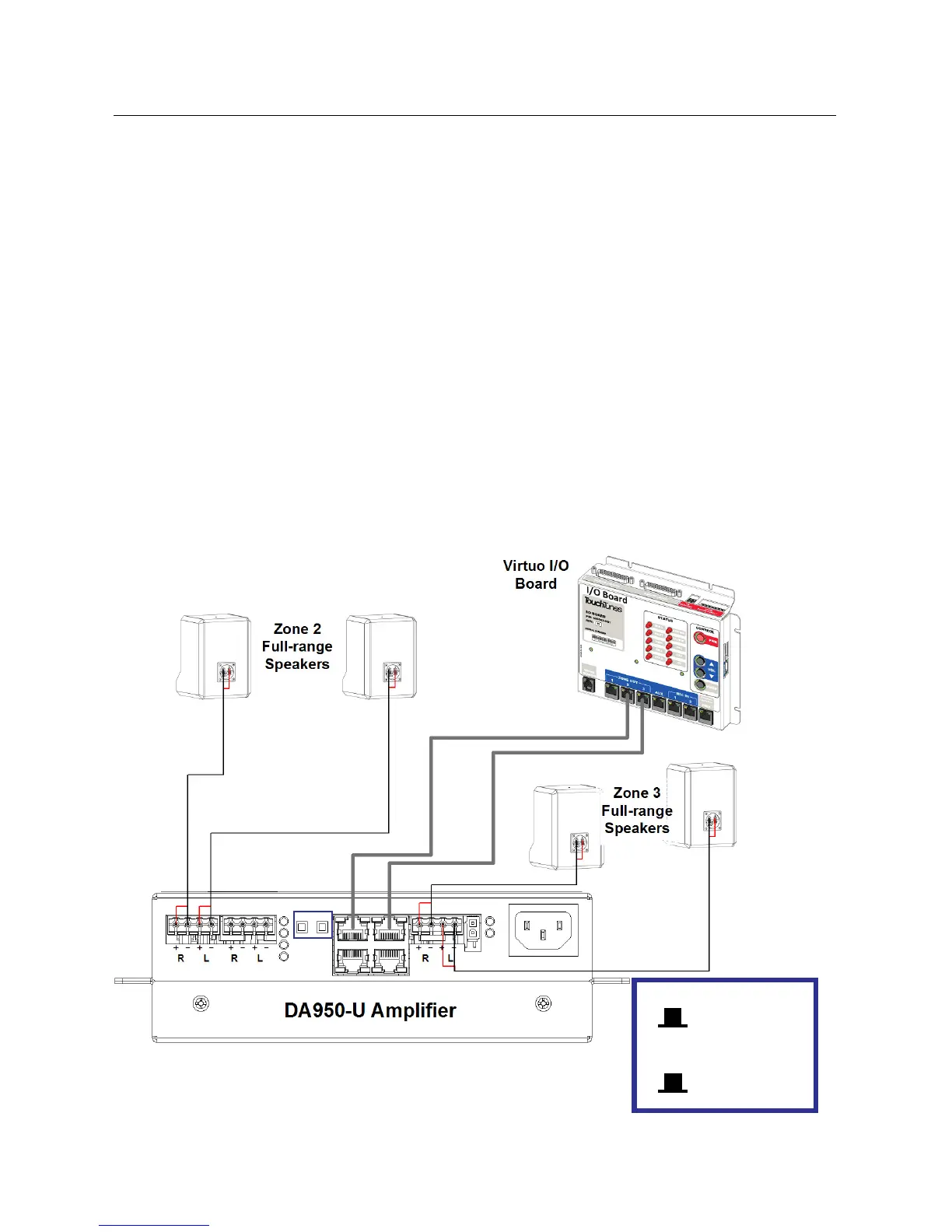
Installing the DA950-U
1. Turn off Virtuo.
2. Remove the screws that hold the floor stand’s back panel in place.
3. Disconnect all cables connected to the DA415 amplifier:
a) Up to 2 euroblocks
b) Power cable
c) 1 or 2 CAT-5/RJ-45 cable(s)/connector(s) coming from Virtuo (zones 2&3)
4. Remove the four screws that hold the amplifier in place.
5. Pull the DA415 out of the floor stand.
6. Set the switches on the DA950-U to 4-channel and Bass Boost OFF.
7. Place the DA950-U into the position previously occupied by the DA415.
8. Fasten the DA950-U using the screws you just removed from the DA415.
9. Reconnect all the cables.
a) Up to 2 euroblocks (to reproduce the previous configuration, connect one into one of the Zone 1
connectors, and one into the Zone 2 connector.)
b) Power cable
c) 1 or 2 CAT-5/RJ-45 cable(s)/connector(s) coming from Virtuo (zones 2&3)
10. Check that the switches on the amplifier are set to 4-channel and Bass Boost OFF.
11. Turn Virtuo on, wait for it to boot, then play a song to verify that the speakers connected to the replacement
amplifier are playing the music normally.
Settings and Wiring
B: Bass Boost
set to OFF
M: Mode
4-Channel
BM



 To Next Page