10 of 12
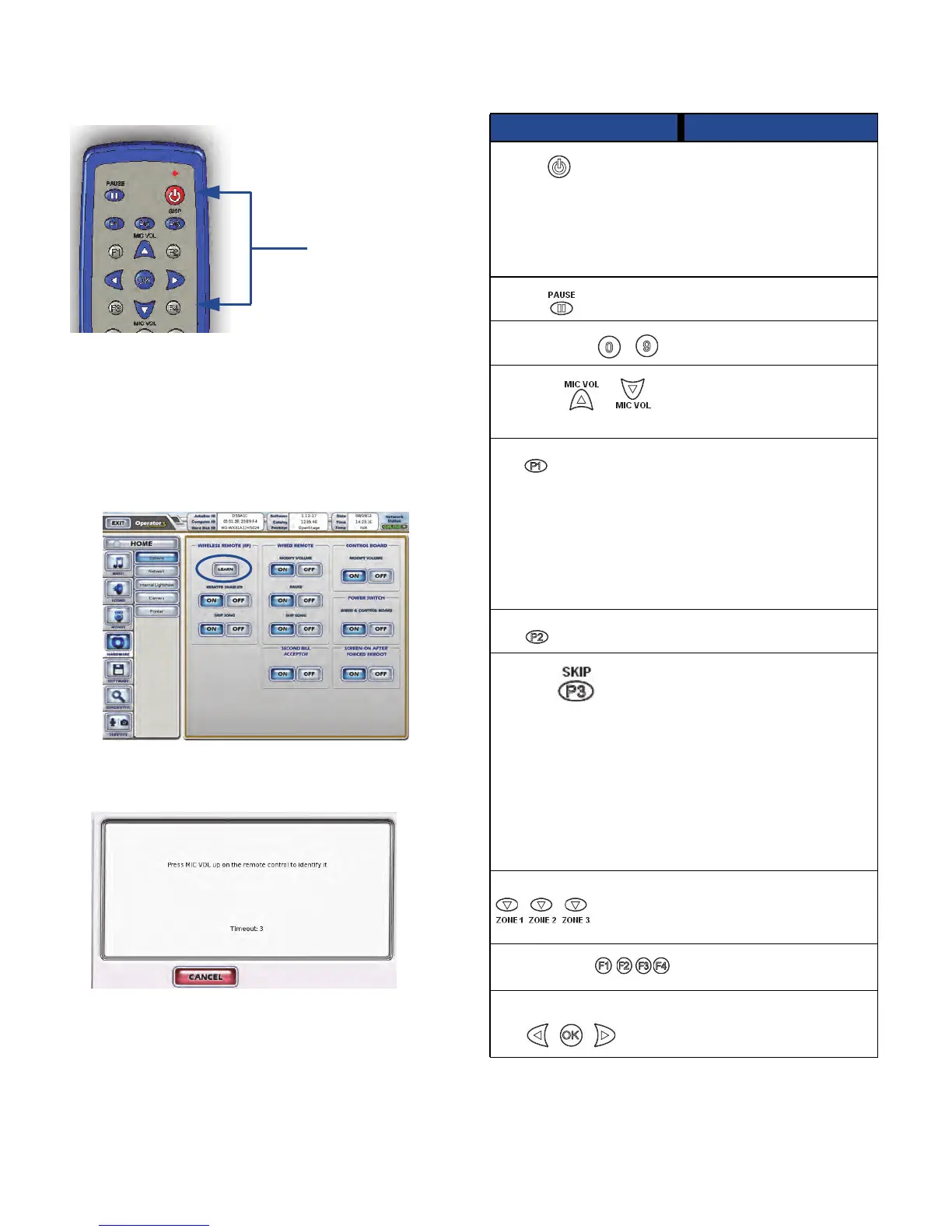
1. Press the POWER and F4 keys at the same time and
hold them down until the red indicator light blinks two
times.
2. Enter the new three-digit code to use. The new code
must be in the range 000 to 255.
3. The red indicator light will light up for three seconds to
confirm your selection. If you enter an invalid code the
light will blink five times.
Learn the Remote ID
1. On the Operator Interface, open the Hardware
Options screen.
2. Press the LEARN button.
3. Watch the display. When prompted, press the MIC
VOL UP key on the remote control.
The screen displays a success message and returns
to the Options screen.
4. Test the remote by raising and lowering the jukebox
volume as it is playing.
Press and hold
to set remote
control ID.
Pre-programmed Remote Control Keys
Key Function
Power
Press to turn the jukebox
monitor and audio
subsystem on or off. The
jukebox computer remains
on. Equivalent to pressing
the Night Mode button on
the jukebox (not available
on all models).
Pause
Pauses the jukebox.
Numeric keys -
Used to program the
remote and for future use.
MIC VOL
Raises and lowers the
volume of the microphone
within the limits set on the
Mixer Settings screen.
P1
Give promotional credit:
Press and release this
button to add a credit to the
jukebox. Credits are
deducted from the
promotional credit count.
The promotional credit
feature is enabled/disabled
on the Credit Settings
screen.
P2
For future use.
P3/Skip
Skip song: Quickly press
and release to stop playing
the current song and
immediately skip forward
to the next song in the
queue. The skip song
feature is enabled/disabled
on the System Settings
screen.
Flush play queue: Press
and hold this button for four
seconds to flush the entire
play queue.
VOLUME ZONE 1, 2, 3 Raises and lowers the
volume of the selected
zone within the limits set on
the Sound Mixer screen.
F1, F2, F3, F4
For future use.
Left-arrow, right-arrow,
OK
For future use.



 To Next Page