7 of 12
Step 8: Tighten the Bottom Strain Relief Bracket
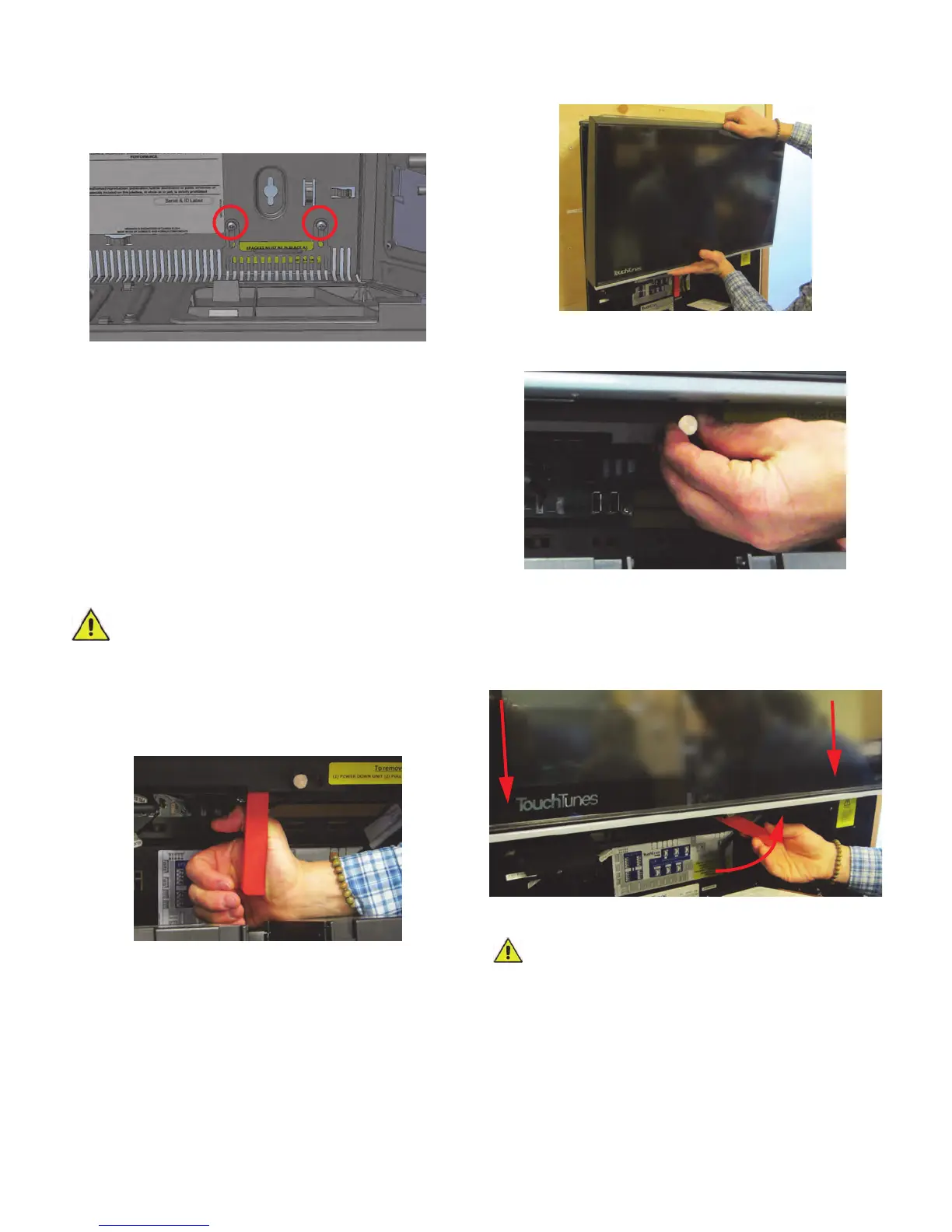
1. Pull in and hold a short length (1 - 2 inches) of each
cable running through the cable channel to ensure all
cables in Playdium have some slack.
2. The wire-strain relief bracket should already have
been loosened when you ran cables through the cable
channel. Adjust the wire-strain relief bracket until both
of the following conditions are met:
• The bracket presses against and holds all of the
cables coming into Playdium through the cable
channel to maintain slack for each cable.
• The bracket partially closes the cable channel
opening to Playdium to prevent dust from entering the
Playdium.
3. Tighten the screws for the wire-strain relief bracket to
hold the bracket in position.
Step 9: Install the Core
1. Bring the core close to the mounting location.
2. Ensure that the red lever on the chassis is pulled
down and vertical, ready to receive the core.
3. Lift the core, and position on the chassis, above the
red lever.
4. While holding the core in the chassis, pull the pin that
holds the red lever in position, and then carefully
move the red lever up.
5. Once you’ve moved the lever enough, the pin will stay
up. Release it, and use that hand to push the core into
the chassis, while pushing the red lever up.
6. As you push the red lever up, the core will go down.
When the red lever reaches horizontal, the core will
be in its final position, and the pin will snap into place.
Step 10: Power Up Playdium
CAUTION: Do not power up Playdium immediately
after transferring the unit from a cold place to a
warm place as condensation may have occurred
on internal components. Wait for the unit to reach room
temperature before using it.
1. Connect the AC power cord from the rear of Playdium
to a properly-grounded (3-prong) electrical outlet.
CAUTION: Do not over-torque the screws. Doing
so can damage the bracket, hampering it from
sliding smoothly, later, when you next adjust it.



 To Next Page