’05MY CELICA U (L/O 0409)
140
2005 CELICA from Sep. ’04 Prod. (OM20888U)
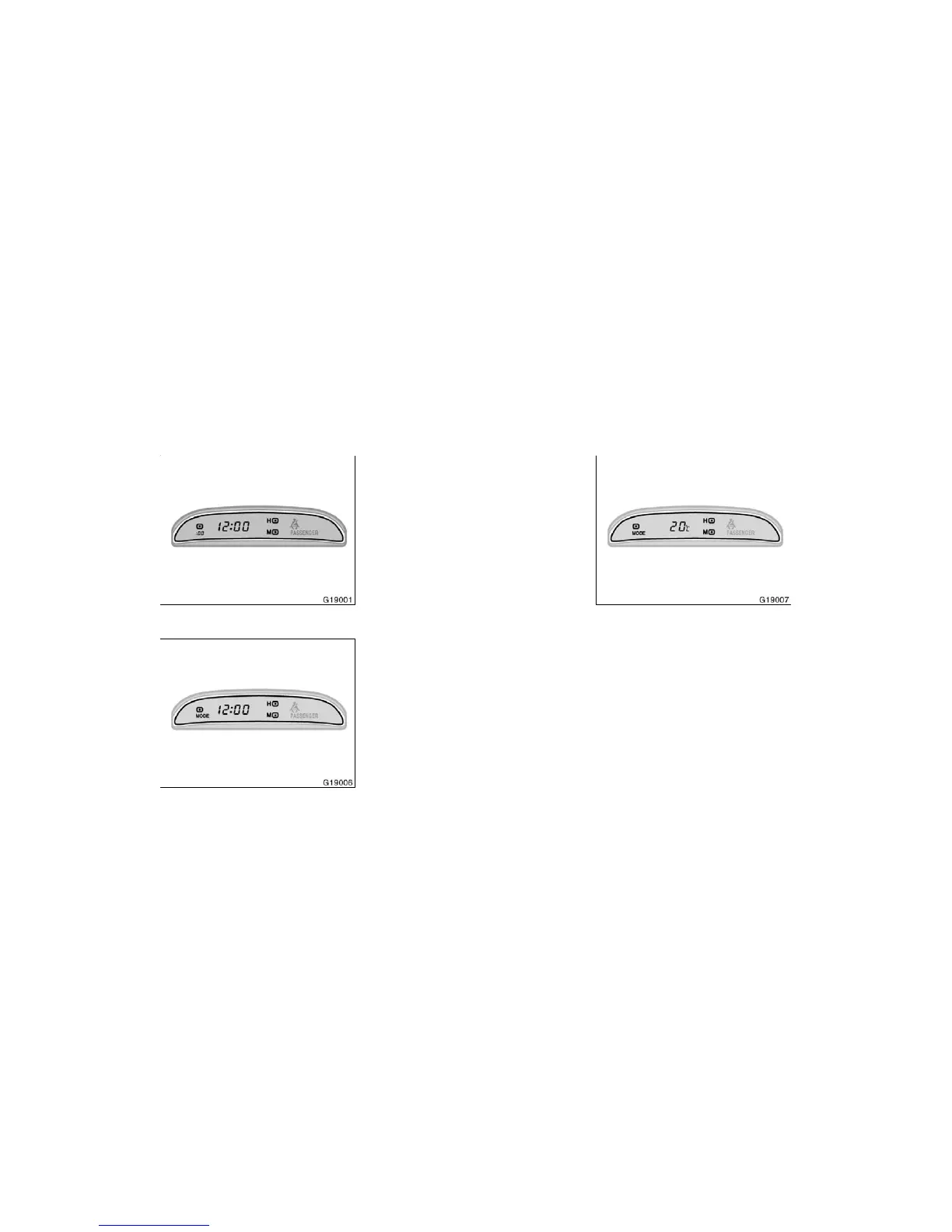
Type A
Type B
To reset the hour: Push the “H” button.
To reset the minutes: Push the “M” button.
The key must be in the “ACC” or “ON”
position.
If the electrical power source has been
disconnected from the clock, the time dis-
play will automatically be set to 1:00 (one
o’clock).
When the instrument panel lights are
turned on, the brightness of the time indi-
cator is reduced.
Type A only—
If quick adjustment to a full hour is de-
sired, push the “:00” button.
For example, if the “:00” button is de-
pressed when the time is between
1:01—1:29, the time will change to 1:00.
If the time is between 1:30—1:59, the
time will change to 2:00.
Type B only—
When the key is in the “ON” position,
push the “MODE” button to change the
display from clock to outside temperature
display. (See “Outside temperature dis-
play” in this Section.)
To change the display from clock to out-
side temperature display, push and release
“MODE”. The display changes from clock
to outside temperature display (!C), then
back to clock each time you push. (See
“Clock” in this Section.)
Outside temperature display (!C)—Shows
the outside air temperature in Celsius.
The displayed temperature ranges from
−30!C to 50!C.
The key must be in the “ON” position.
When you return the key to the “ACC”
position, the display returns to clock
mode.
Clock Outside temperature display


 To Next Page
 Loading...