’05MY CELICA U (L/O 0409)
70
2005 CELICA from Sep. ’04 Prod. (OM20888U)
Type A
Type B
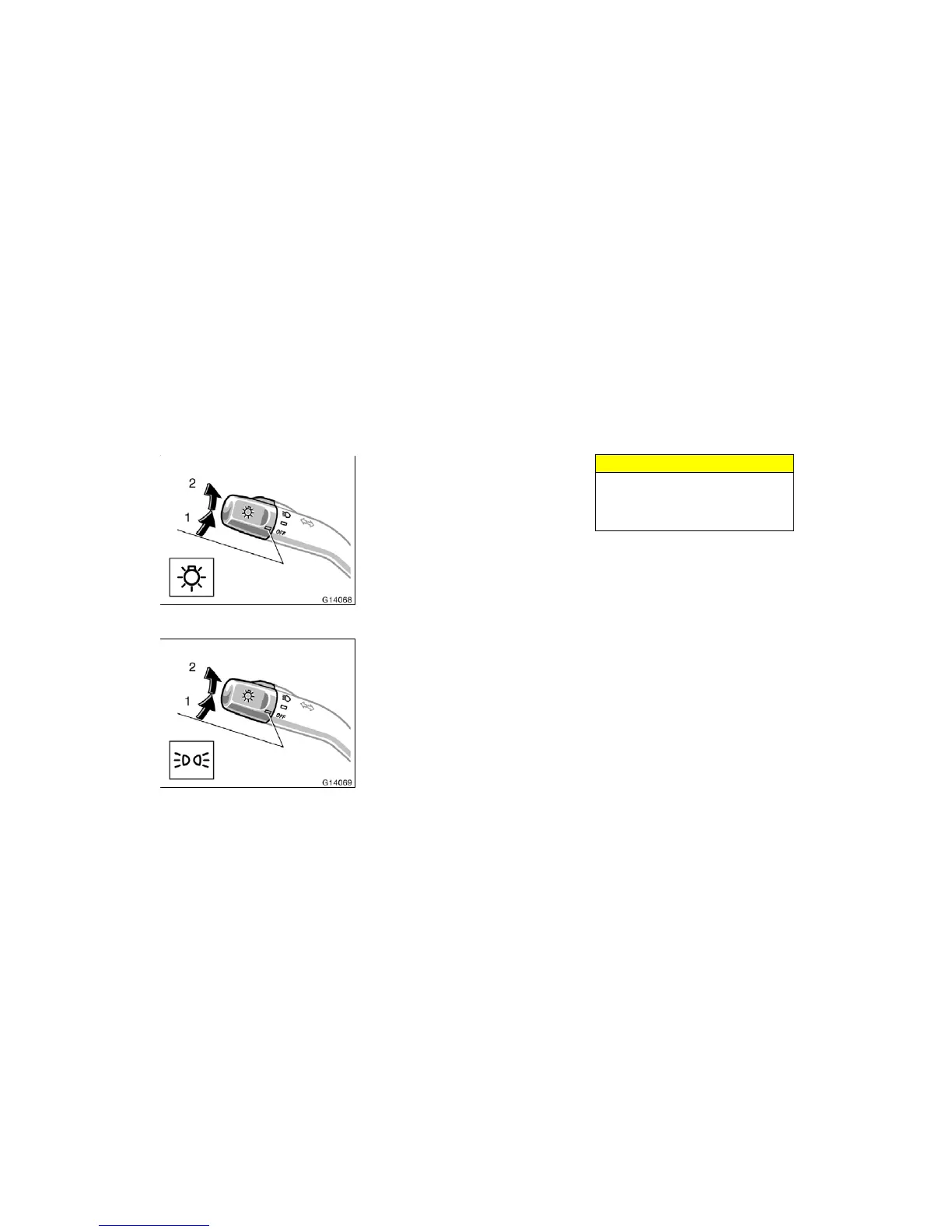
HEADLIGHTS
To turn on the following lights: Twist
the headlight/turn signal lever knob.
Position 1—Parking, tail, license plate,
side marker and instrument panel lights
Type B only: The tail light indicator (green
light) on the instrument panel will tell you
that the tail lights are on.
Position 2—Headlights and all of the
above
Type A only: The headlight low beam indi-
cator light (green light) on the instrument
panel will tell you that the low beams are
on.
With discharge headlights—Adjust the
headlight beam level before turning on the
headlights. (See “Headlight beam level
control” in this Section.)
Light reminder buzzer
A buzzer will remind you to turn the lights
off when the driver’s door is opened if you
remove the key with the headlights left
on.
NOTICE
To prevent the battery being dis-
charged, do not leave the lights on
for a long period when engine is not
running.
Daytime running light system
The daytime running light system can
make it easier for others to see the front
of your vehicle during the day. This sys-
tem can be helpful in many different driv-
ing conditions, but they can be especially
helpful in the short periods after dawn and
before sunset.
This system will make your headlights
come on at a reduced brightness when:
! The headlight/turn signal lever knob is
in the “OFF” position.
! The engine is running.
! The parking brake is released.
To t ur n o n t he o t her e x t er i or l igh ts a nd
instrument panel lights, twist the knob to
position 1.
Twist the knob to position 2 to turn the
headlights to full intensity for night driving.
Headlights and turn signals


 To Next Page
 Loading...