3-2. Using the audio system
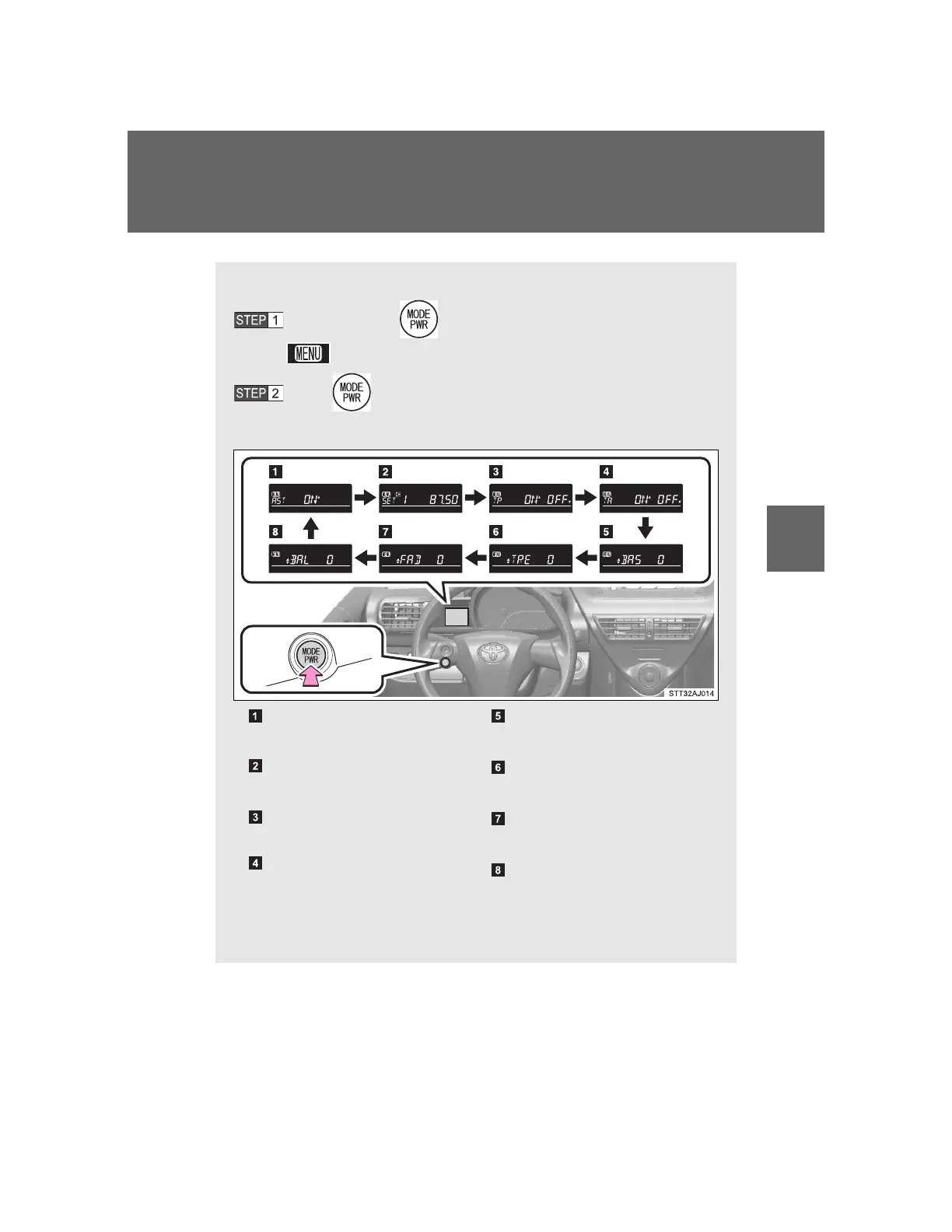
Setting radio menu
Press and hold until you hear a beep.
appears on the display.
Press to select the menu.
The menu changes as follows each time the button is pressed.
*
1
: Available only when the vehicle is not moving
*
2
: FM mode only
AST (P. 262)
Automatically preset
SET*
1
(P. 262)
Selecting a station
TP*
2
(P. 263)
Traffic information TP mode
TA*
2
(P. 263)
Traffic information TA mode
BAS*
1
(P. 280)
Adjusting sound quality
TRE*
1
(P. 280)
Adjusting sound quality
FAD*
1
(P. 280)
Front/rear volume balance
BAL*
1
(P. 280)
Left/right volume balance













 To Next Page