13
CALLING BY VOICE RECOGNITION
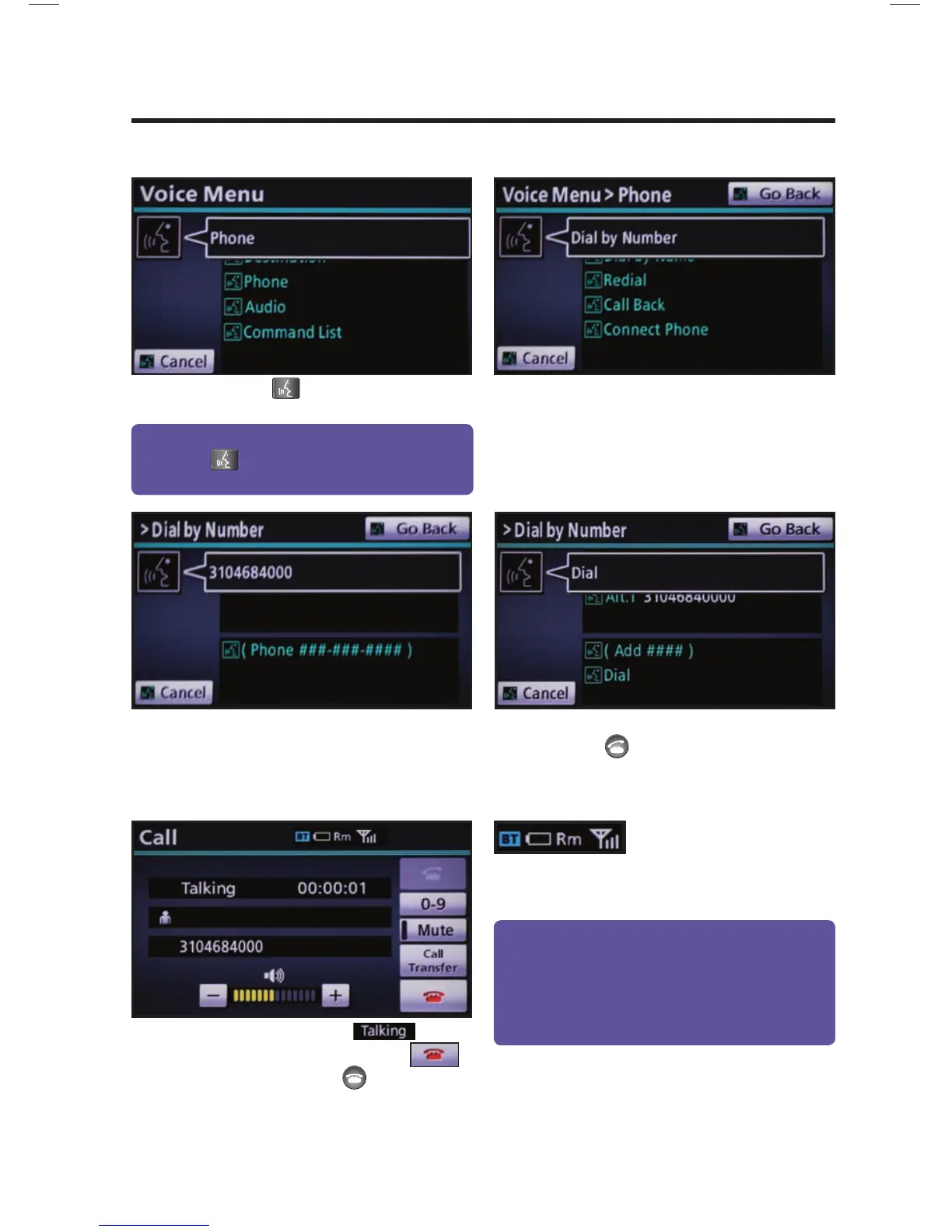
After the beep say, “Dial by Number.”
Call is active when
is
indicated. To end call, press
on the screen or
on the steering
wheel.
step
2
step
3
step
5
Press on the steering wheel. After
the beep say, “Phone.”
step
1
After the beep say the phone number
digits individually, without pausing (e.g.
“Three, one, zero, four…”).
After the beep, say “Dial” or press
on the steering wheel.
step
4
Quick Tip - A noisy environment may prevent the
voice recognition system from understanding your
commands. It is recommended that you reduce
background noise (including passenger conversation
and wind noise) prior to using the Voice Recognition
system.
Quick Tip - If you know your next command, you
can press
at any time to interrupt the prompt.
Speak your command after the beep.
Some Bluetooth
®
equipped cell
phones may or may not show battery or signal strength
on the display.
DIAL BY NUMBER













 To Next Page