19
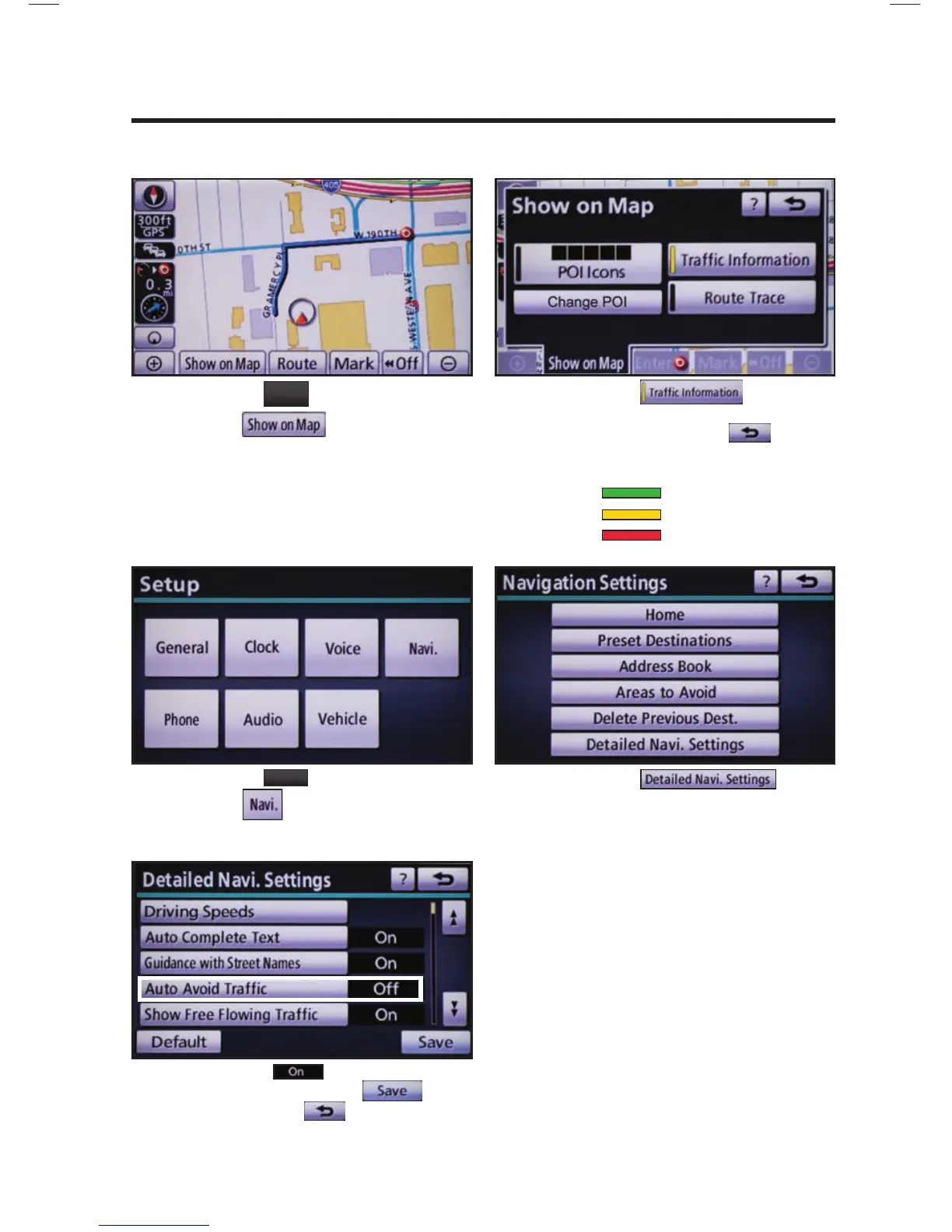
Press
MAP
VOICE
on the faceplate followed
by .
step
1
step
2
NAVTRAFFIC PREFERENCES
Touch
. When the
yellow bar appears, the preference has
been selected. Touch , traffi c
fl ow is displayed by colored lines
alongside freeway or highways:
SHOW NAVTRAFFIC INFORMATION
Free fl ow traffi c
Moderate traffi c
Heavy congestion
Press
SETUP
on the faceplate followed
by .
step
1
step
2
Touch .
AUTO AVOID TRAFFIC
step
3
Select from the Auto Avoid
Traffi c option. Touch
followed by . The system will
automatically select another route when
moderate or heavy traffi c is detected
during route guidance.
NAVTRAFFIC











 To Next Page