3
DESTINATION INPUT
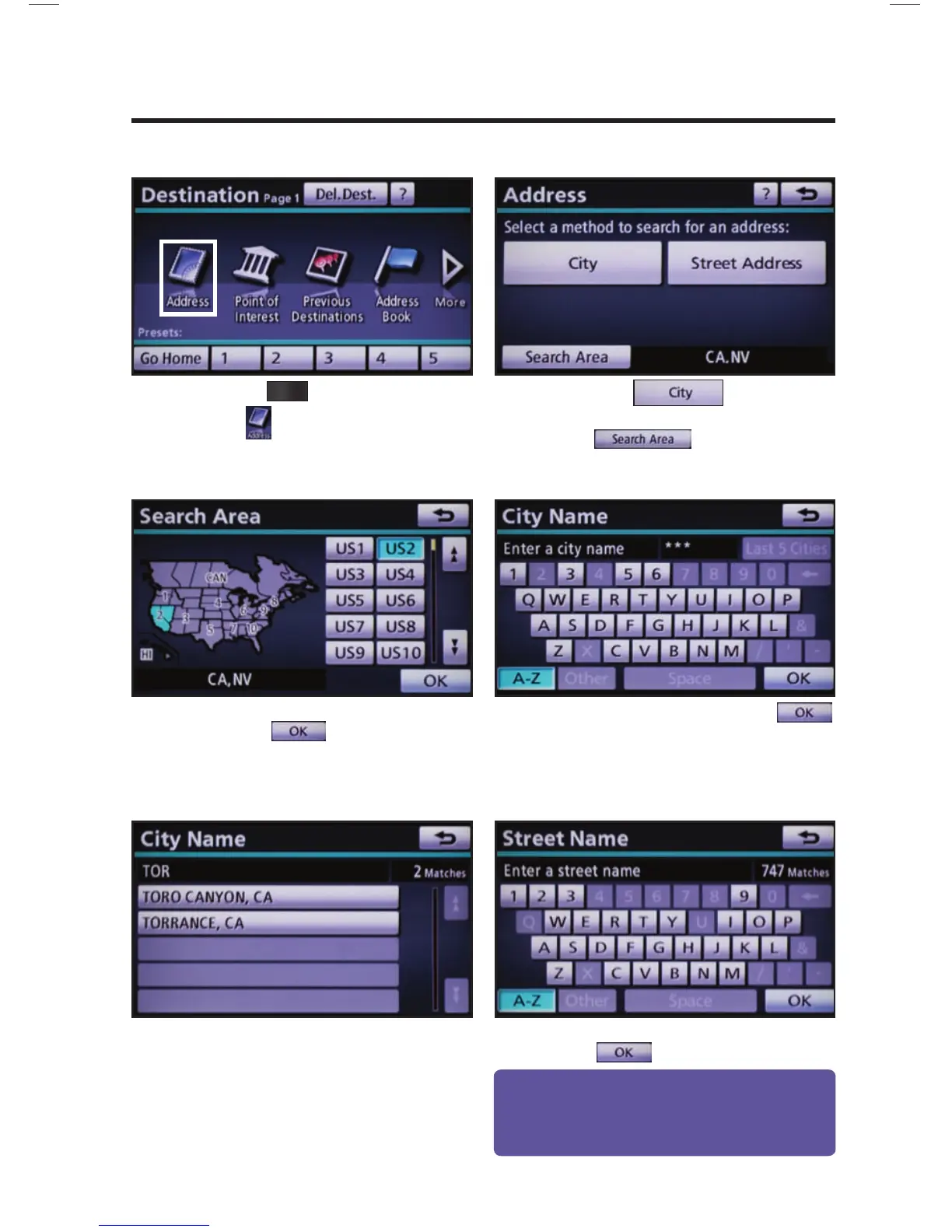
BY ADDRESS
Press
DEST
on the faceplate followed
by .
Touch
and move to
step 4. To change Search Area, touch
and move to step 3.
Input the city name and touch
.
Touch the desired city name.
Input the street name and touch
.
Select the desired Search Area and
touch
.
step
1
step
2
step
3
step
4
step
5
step
6
Quick Tip - Enter the street name without prefi xes
such as North or the letter N. The system will display
the base street name without prefi xes or suffi xes on
the next screen.










 To Next Page