EasyManua.ls Logo

TOZO S1 - Exercise Mode Operations

TOZO S1
12 pages
Print Icon
To Next Page IconTo Next Page
To Previous Page IconTo Previous Page
Loading...
TOzO
EN
@
Swipe
left
to
view
the
notifications.
©
Swipe
up
to
enter
the
main
menu.
@
Long
press
the
homepage
to
switch
the
pattern.
@
Swipe
right
to
view
the
notifications
(8
pieces
tops)
when
bounded
to
the
app
on
the
phone
and
the
permission
enabled.
The
latter
notifications
would
cover
the
former
ones.
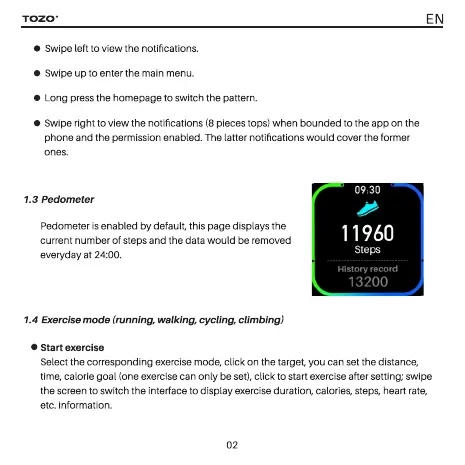
1.3
Pedometer
Pedometer
is
enabled
by
default,
this
page
displays
the
current
number
of
steps
and
the
data
would
be
removed
everyday
at
24:00.
1.4
ise
mode
ing,
ing,
cycling,
@
Start
exercise
Select
the
corresponding
exercise
mode,
click
on
the target,
you
can
set
the
distance,
time,
calorie
goal
(one
exercise
can
only
be
set),
click
to
start
exercise
after
setting;
swipe
the
screen
to
switch
the
interface
to
display
exercise
duration,
calories,
steps,
heart
rate,
etc.
information.
02

Related product manuals