46
Chapter 9
QoS
Ensure a fast connection while I use my computer for the next
2 hours.
1. Visit http://tplinkwifi.net, and log in with your TP-Link ID or
the passw
ord you set for the router.
2. Go to Advanced > QoS.
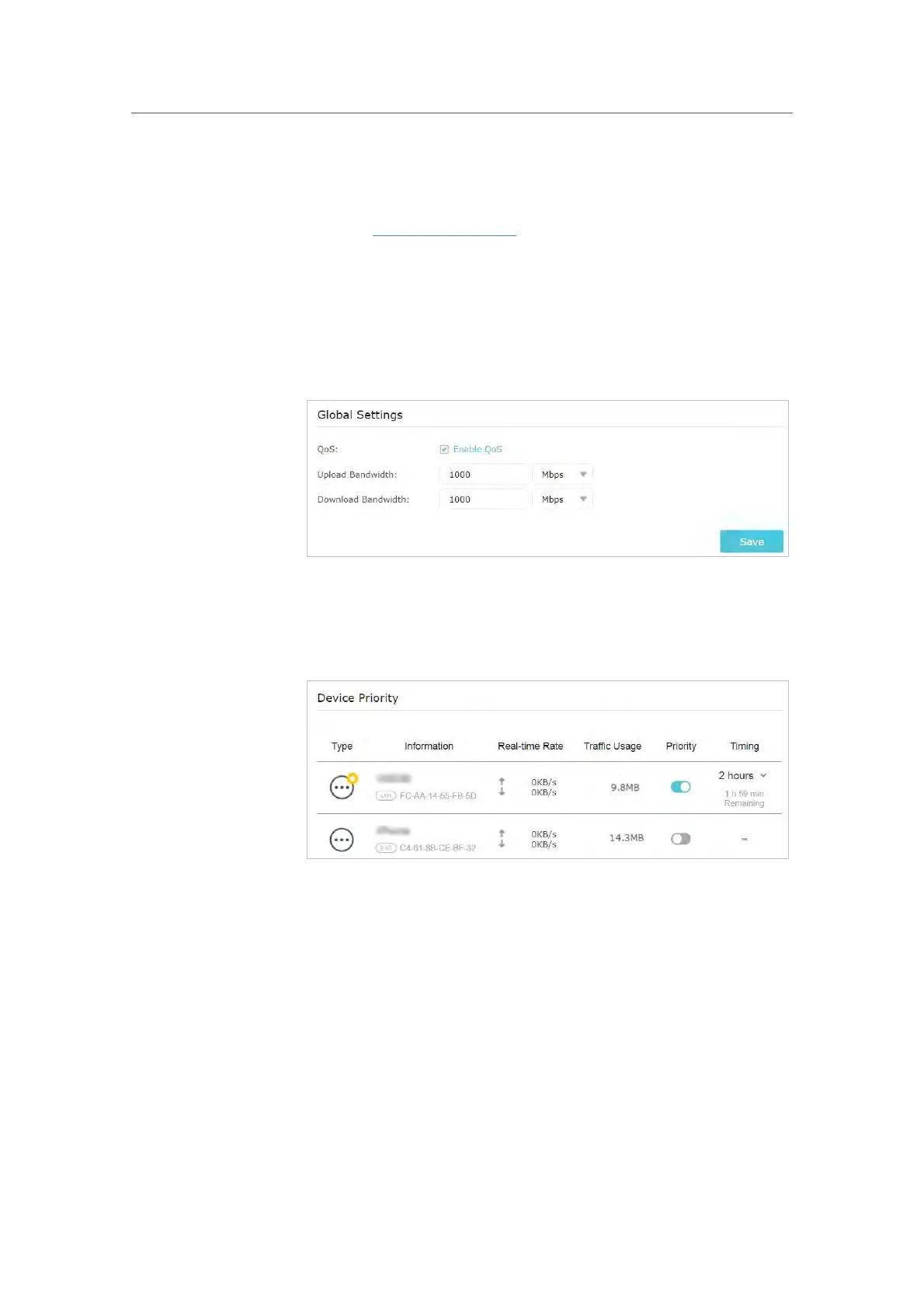
3. Enable QoS.
4. Ent
er the upload and download bandwidth provided by your
internet service provider. Click Save.
5. Under Device Priority, find your computer and toggle on
Priority. Click the entry in the Timing column and select 2
hour
s as the duration you want the device to be prioritized
for.
You can now use your computer without lag for the next 2 hours.
I want to:
How can I
do that?
Done!













 To Next Page