5
Chapter 1
Get to Know About Your Router
Name Status Indication
(2.4 GHz Wireless)
On The 2.4 GHz wireless band is enabled.
Off The 2.4 GHz wireless band is disabled.
(5 GHz Wireless)
On The 5 GHz wireless band is enabled.
Off The 5 GHz wireless band is disabled.
(Internet)
Blue On Internet service is available.
Orange On
The router’s Internet port is connected, but the internet service
is not available.
Off The router’s Internet port is unplugged.
(Ethernet)
On
At least one powered-on device is connected to the router’s
Ethernet port.
Off No powered-on device is connected to the router’s Ethernet port.
(USB)
On The inserted USB device is ready to use.
Blinking A USB device is being identified.
Off No device is plugged into the USB port.
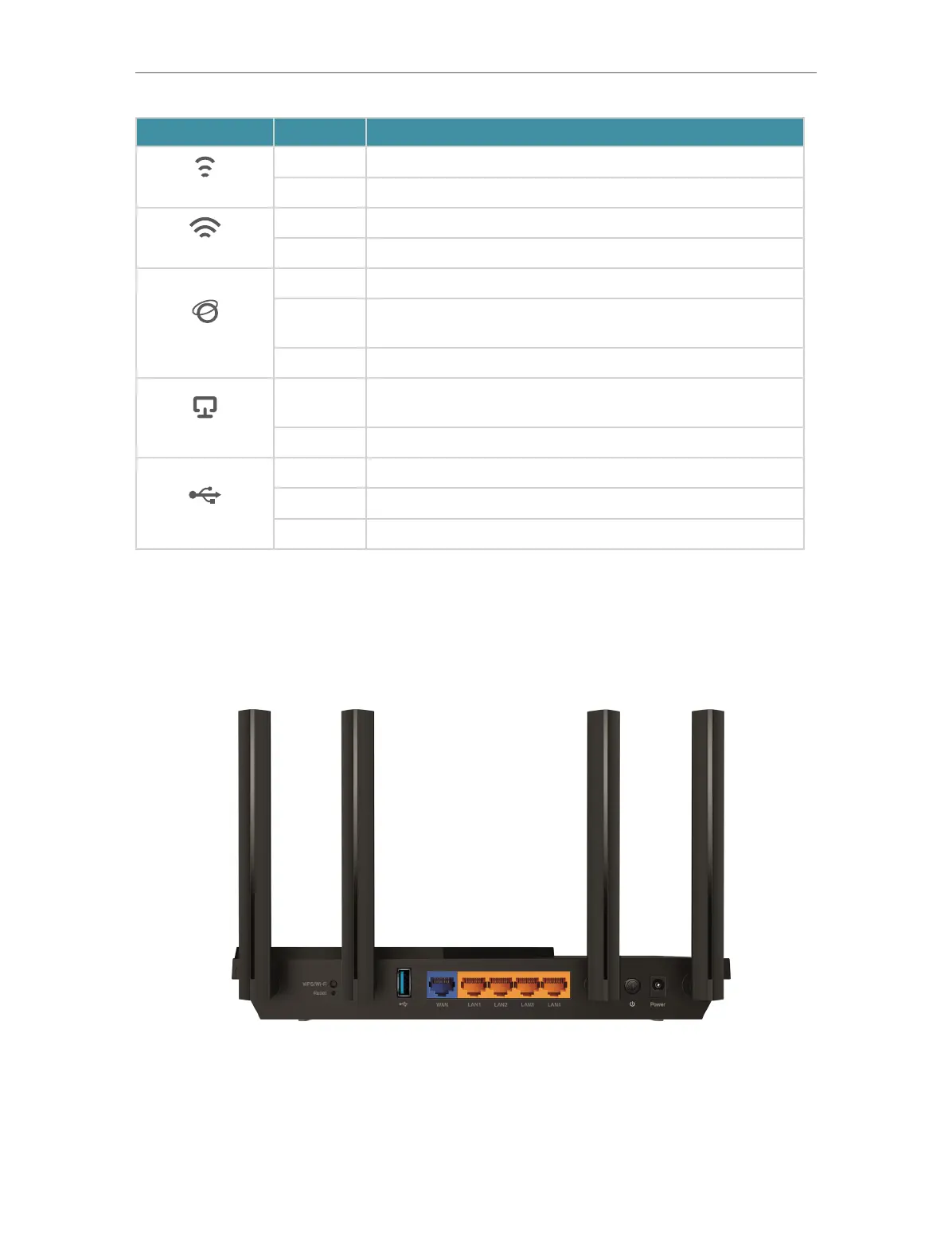
1. 2. 2. Back Panel
The following parts (view from left to right) are located on the back panel.




 To Next Page