42
Chapter 8
Guest Network
6. (Optional) Enable Redirect and enter your desired web link. Newly connected guests
will be redirected to the website you specify.
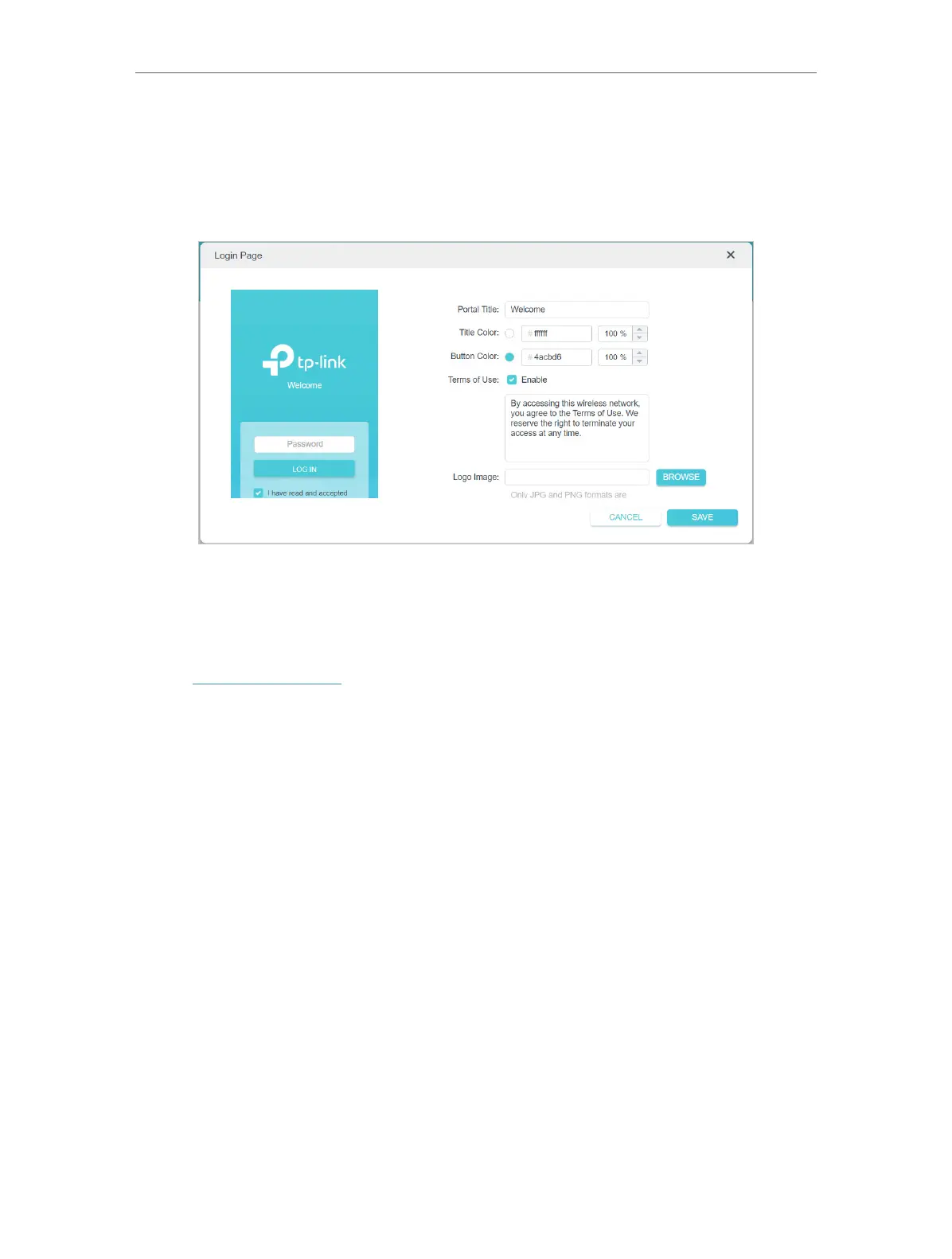
7. (Optional) Click to edit the Login Page. You can customize the appearance and
content of the login page.
8. Click SAVE.
8. 3. Limit the Bandwidth of the Guest Network
1. Visit http://tplinkwifi.net, and log in with your TP-Link ID or the password you set for
the router.
2. Go to Advanced > Wireless > Guest Network.
3. Enable Bandwidth Control for one or all networks as you need.




 To Next Page