92
Chapter 14
VPN Server&Client
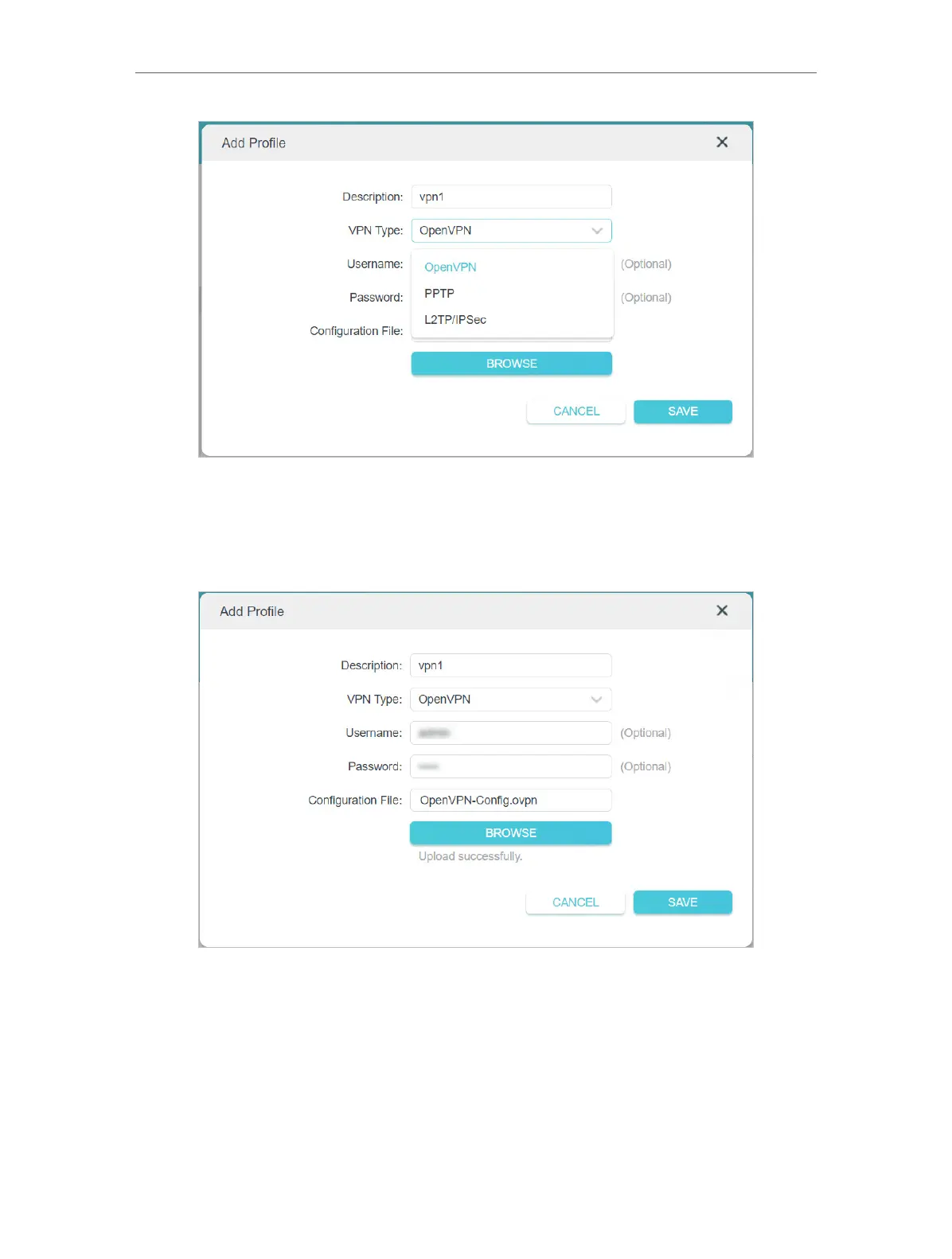
3 ) Enter the VPN information provided by your VPN provider.
• OpenVPN: Enter the VPN username and password if required by your VPN
provider, otherwise simply leave them empty. Then import the configuration
file provided by your VPN provider.
• PPTP: Enter the VPN server address (for example: 218.18.1.73) and the VPN
username and password provided by your VPN provider.











 To Next Page