9
Chapter 2
Connect the Hardware
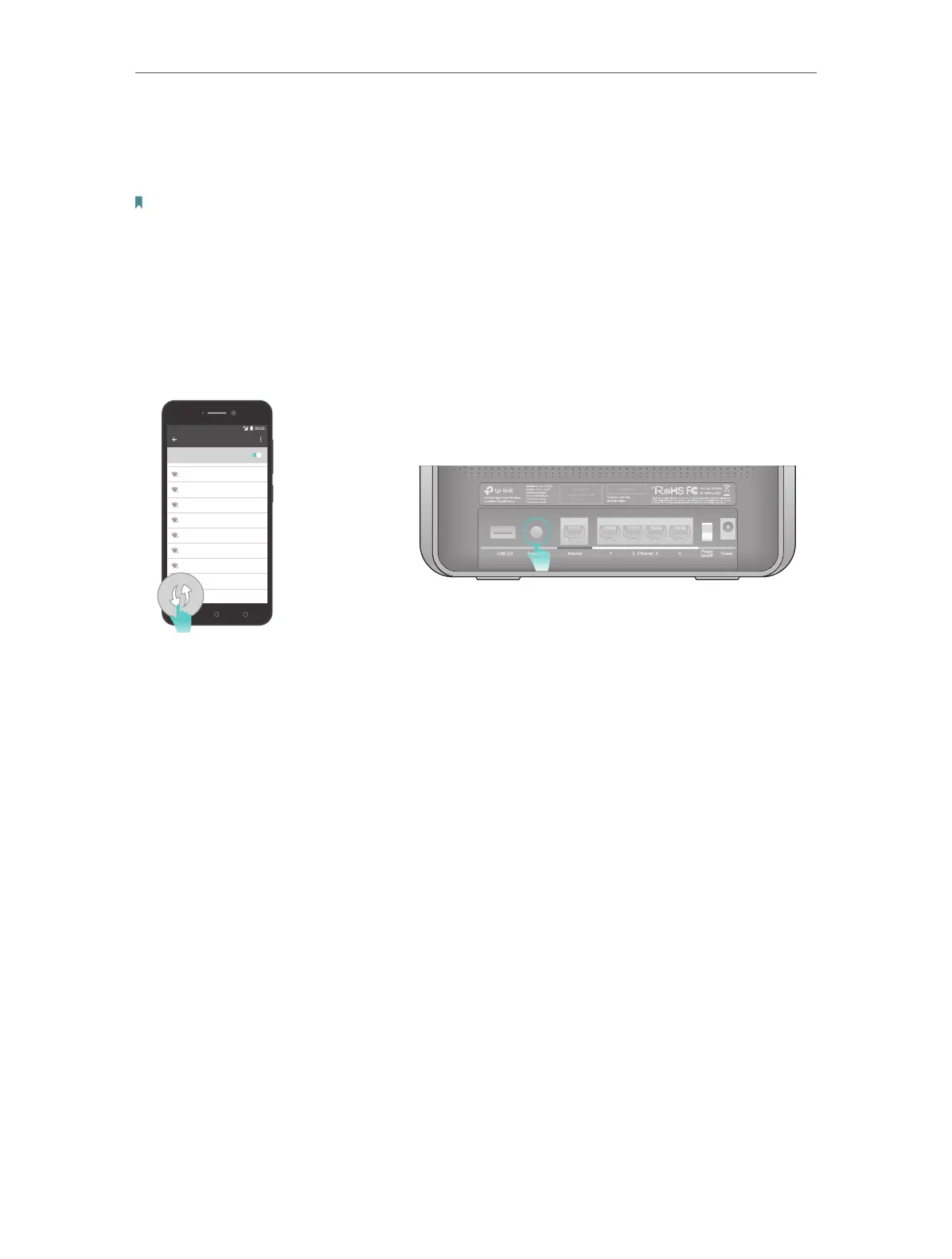
• Method 3: Use the WPS button
Wireless devices that support WPS, including Android phones, tablets, and most USB
network adapters, can be connected to your router through this method.
Note:
• WPS is not supported by iOS devices.
• The WPS function cannot be configured if the wireless function of the router is disabled. Also, the WPS function will be
disabled if your wireless encryption is WEP. Please make sure the wireless function is enabled and is configured with
the appropriate encryption before configuring the WPS.
1 ) Tab the WPS icon on the device’s screen. Here we take an Android phone for
instance.
2 ) Within two minutes, press the Reset/WPS button on your router.
WLAN
On
TP-Link_2017
TP-Link_router
MyHome
HomeNetwork
TP-Link_home
TP-Link_ABCDEF
Test
close to













 To Next Page