EasyManua.ls Logo

TP-Link Archer D5 - User Manual

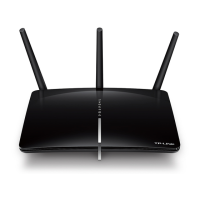
TP-Link Archer D5
127 pages
Print Icon
To Next Page IconTo Next Page
Loading...
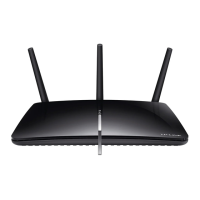
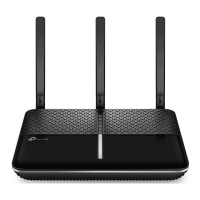
Archer D5
AC1200 Wireless Dual Band Gigabit ADSL2+ Modem
Router
Rev: 1.0.0
1910011021

Table of Contents

Other manuals for TP-Link Archer D5

Questions and Answers

  • J
    Joshua TrujilloAug 1, 2025
    What to do if I cannot access the internet with my TP-Link Archer D5?
    • W
      willismeganAug 1, 2025
      First, verify that all connectors, including the telephone line, Ethernet cables, and power adapter, are securely connected. Next, check if you can access the web management page of the modem router. If the issue persists, contact your ISP to confirm the VPI/VCI, Connection Type, account username, and password are correct. As a last resort, restore your modem router to its factory default settings and reconfigure it.
  • S
    Stephanie WrightAug 10, 2025
    What to do if I don’t know or forget my TP-Link Wireless Router password?
    • S
      Sarah RiveraAug 10, 2025
      If you've forgotten your password, try restoring the modem router’s configuration to its factory default settings. Alternatively, use the default username and password: admin, admin. You can also try to configure your modem router again.
  • G
    Gregory LyonsAug 20, 2025
    How to restore TP-Link Archer D5 configuration to factory default settings?
    • A
      Ashley HoffmanAug 20, 2025
      With the modem router powered on, press and hold the RESET button on the rear panel for 8 to 10 seconds before releasing it.

Summary

Connecting the Modem Router

Connection Steps

Guides users through connecting the ADSL line, Ethernet, and power.

Quick Installation Guide

Setup Wizard

Walks through the initial internet connection and wireless setup using the wizard.

Configuring the Modem Router

Wireless 2.4 GHz Settings

Details how to configure the 2.4GHz wireless network, including SSID, security, and schedule.

Wireless 5 GHz Settings

Explains how to set up and secure the 5GHz wireless network.

Firewall and Security

Explains how to configure firewall rules, LAN/WAN hosts, and schedules for network security.

Appendix B: Troubleshooting

Factory Reset and Password Recovery

Guides on resetting the router to factory settings and handling forgotten passwords.

Internet Connectivity Issues

Offers solutions for common problems that prevent internet access.

Appendix C: Technical Support

TP-Link Archer D5 Specifications

General IconGeneral
Frequency Bands2.4 GHz, 5 GHz
Ethernet Ports4
LAN Ports Speed10/100/1000Mbps
WAN Ports Speed10/100/1000Mbps
Antenna TypeExternal
Antenna Gain5 dBi
Wireless StandardIEEE 802.11ac
USB Ports1 x USB 2.0
RJ11 Port1 x RJ11 Port
SecurityWPA-PSK/WPA2-PSK
Maximum Wireless SpeedAC1200 (300 Mbps + 867 Mbps)

Related product manuals