11
Chapter 3
Log In to Your Modem Router
With a web management page, it is easy to configure and manage the modem router.
The web management page can be used on any Windows, Macintosh or UNIX OS with a
Web browser, such as Microsoft Internet Explorer, Mozilla Firefox or Apple Safari.
Follow the steps below to log in to your modem router.
1. If the TCP/IP Protocol on your computer is set to the static (fixed) IP address,
you need to change it to obtain an IP address automatically. Refer to Appendix:
Troubleshooting to configure your computer.
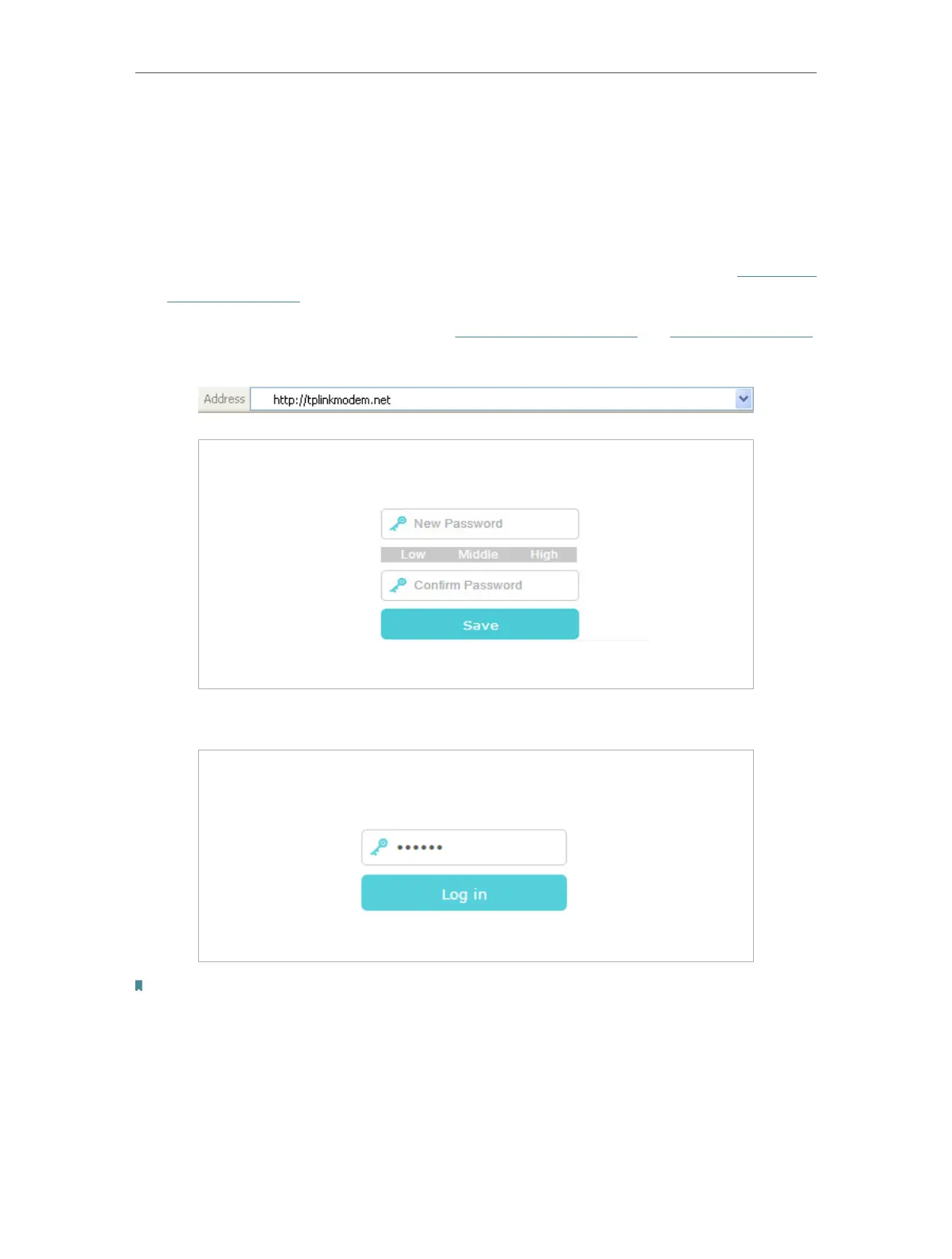
2. Launch a web browser and go to http://tplinkmodem.net or http://192.168.1.1.
Create a strong password and click Save.
3. Enter the password you created and click Log in.
Note: For subsequent logins, you only need to enter the password that you have created.













 To Next Page