16
Chapter 4
Set Up Internet Connections
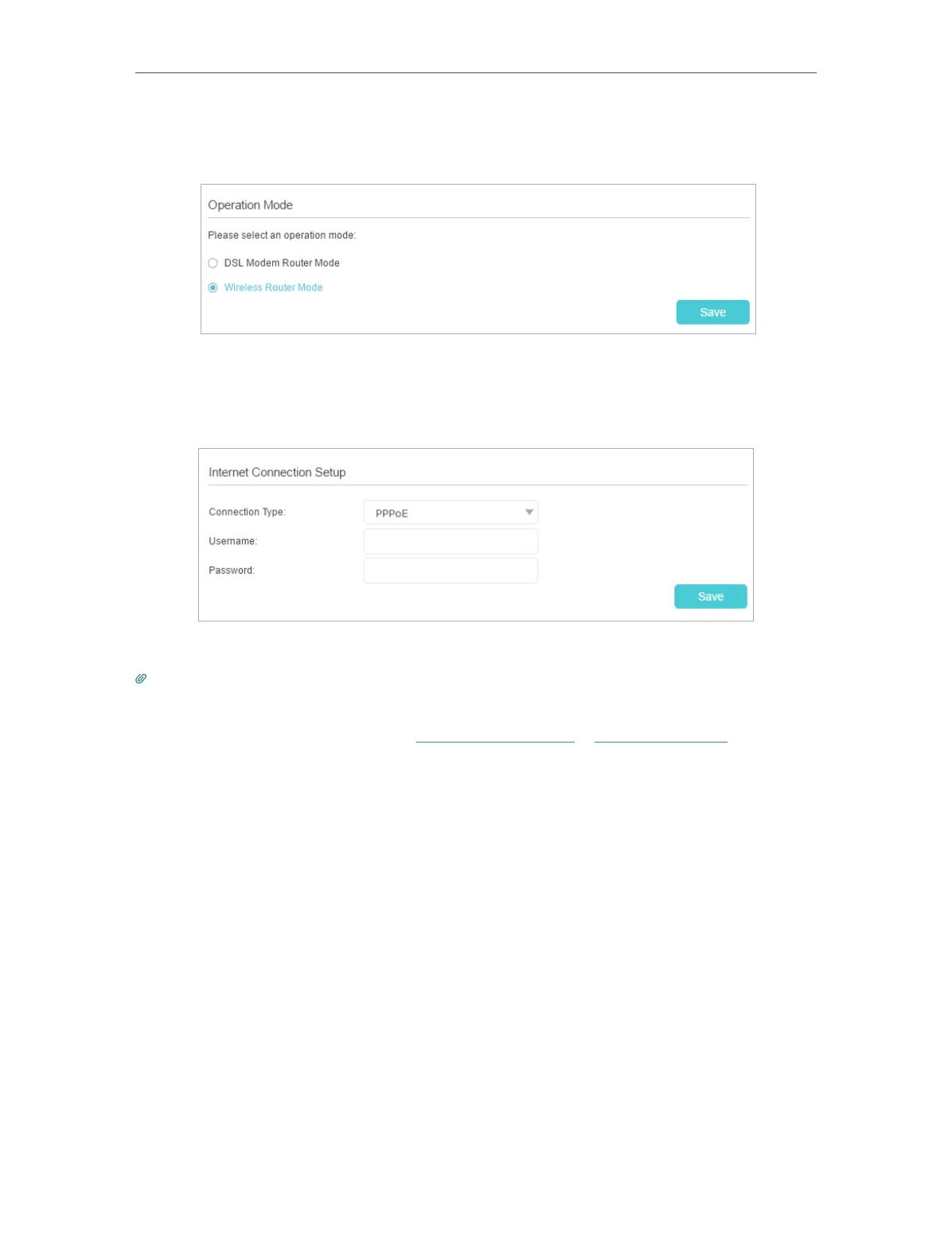
4. Go to Advanced > Operation Mode, select the Wireless Router Mode, and click
Save.
5. Go to Basic > Internet, select the Connection Type, and enter the information
provided by your ISP.
6. Click Save to make the settings effective.
Tips:
1. You can view and edit all internet connections on Advanced > Network > Internet page.
2. In the Wireless Router Mode, you can also permit IPv6 connection by setting up an IPv6 connection or the IPv6 tunnel just as in
the DSL Modem Router Mode. For details, refer to Set Up an IPv6 Connection and Set Up the IPv6 Tunnel.













 To Next Page