34
Chapter 8
USB Settings
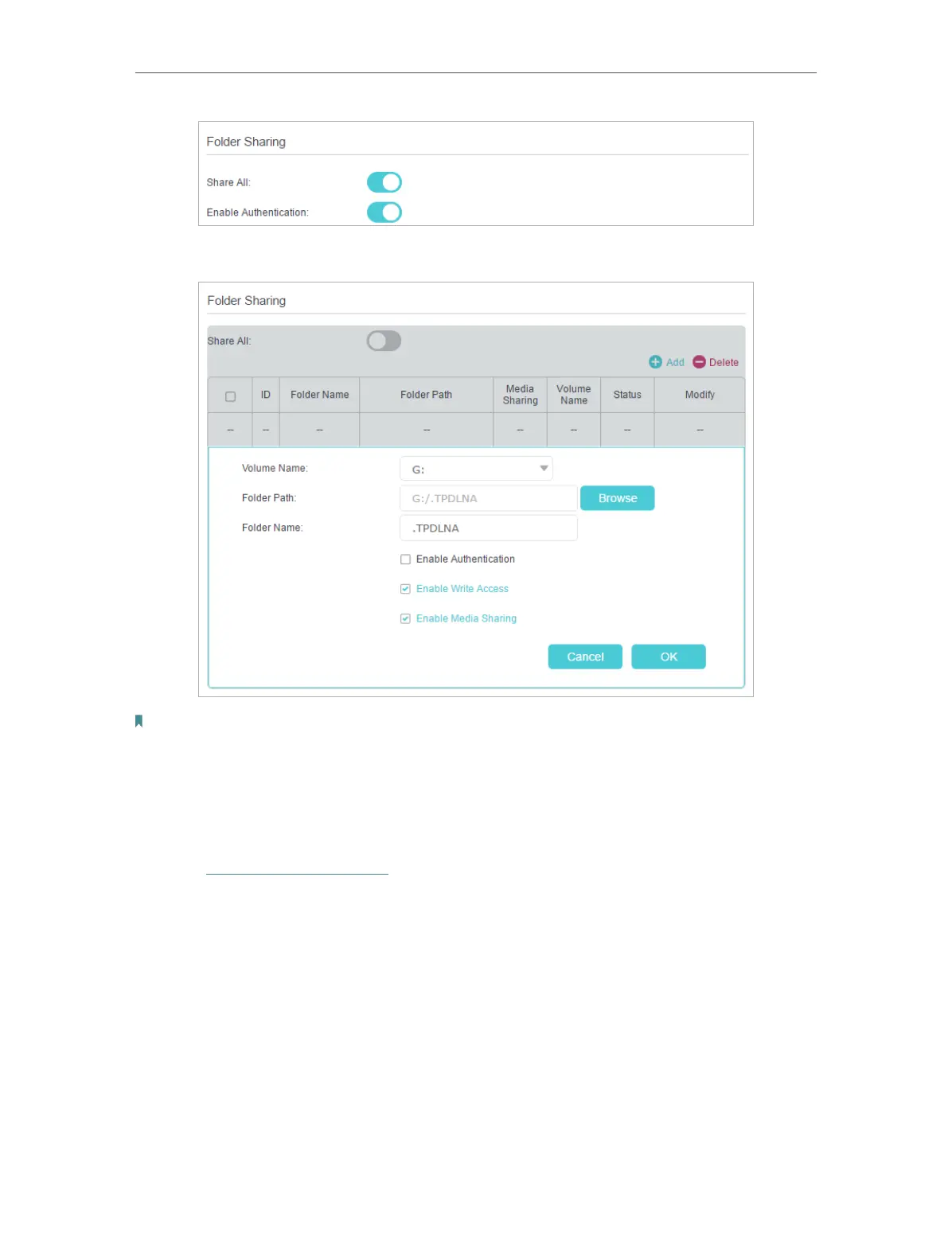
• If Share All is disabled, enable Authentication for specific folders.
Note:
Due to Windows credential mechanism, you might be unable to access the USB disk after changing Authentication
settings. Please log out from Windows and try to access again.
¾ To Customize the Address of the USB Disk
You can customize the server name and use the name to access your USB disk.
1. Visit http://tplinkmodem.net, then log in with the password you set for the modem
router.
2. Select Advanced > USB Settings > Sharing Access.
3. Make sure Network Neighborhood is ticked, and enter a Network/Media Server
Name as you like, such as MyShare, then click Save.













 To Next Page