48
Chapter 9
Parental Controls
Control what types of websites my children or other home
network users can visit and even the time of day they are allowed
to access the internet.
For example, I want to allow my children’s devices (e.g. a computer
or a tablet) to access only www.tp-link.com and wikipedia.org
from 18:00 (6PM) to 22:00 (10PM) on weekdays and not other
time.
1. Visit http://tplinkmodem.net, and log in with the password
you set for the router.
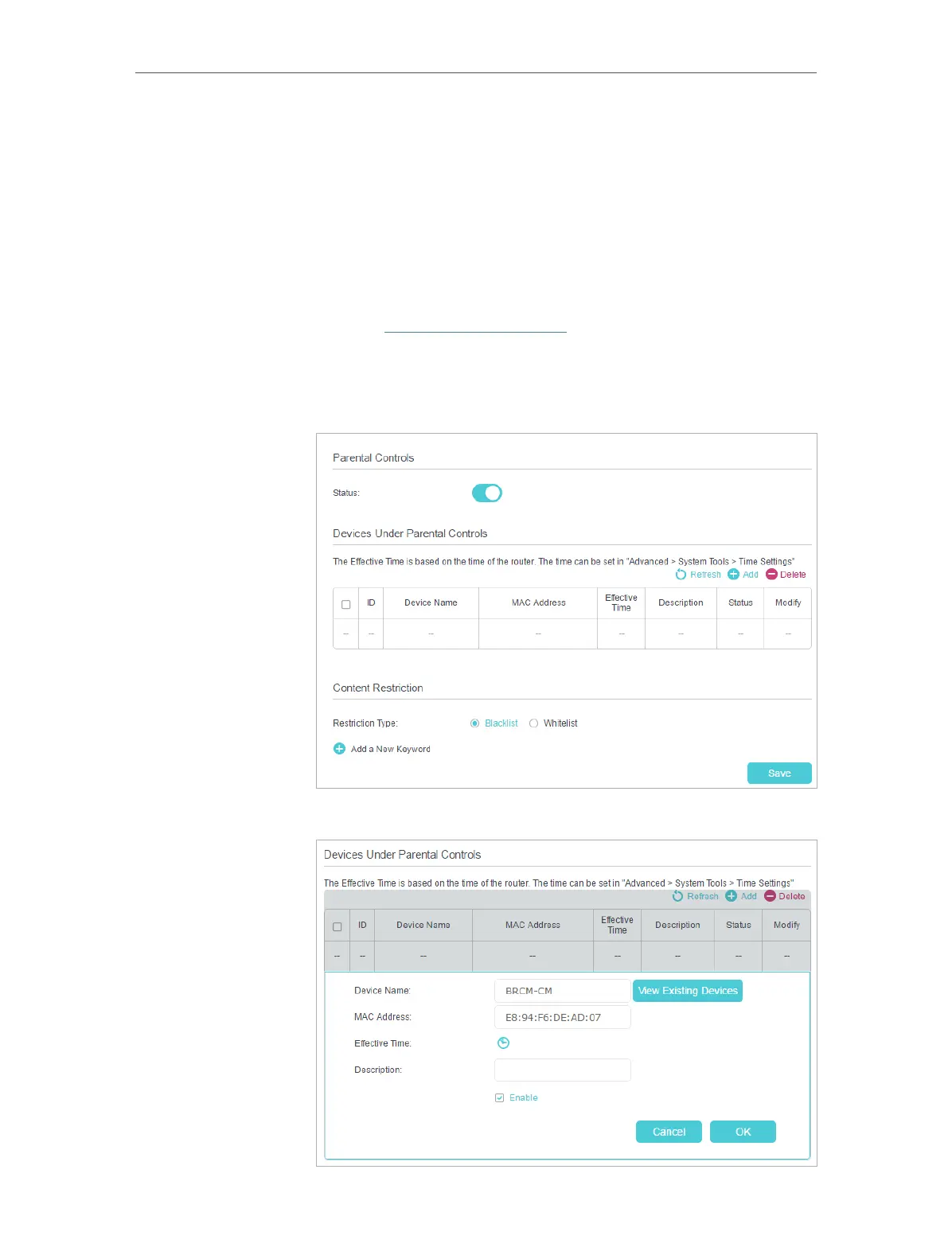
2. Go to Basic or Advanced > Parental Controls and enable
Parental Controls.
3. Click Add.
I want to:
How can I
do that?













 To Next Page