8
Chapter 3
Windows
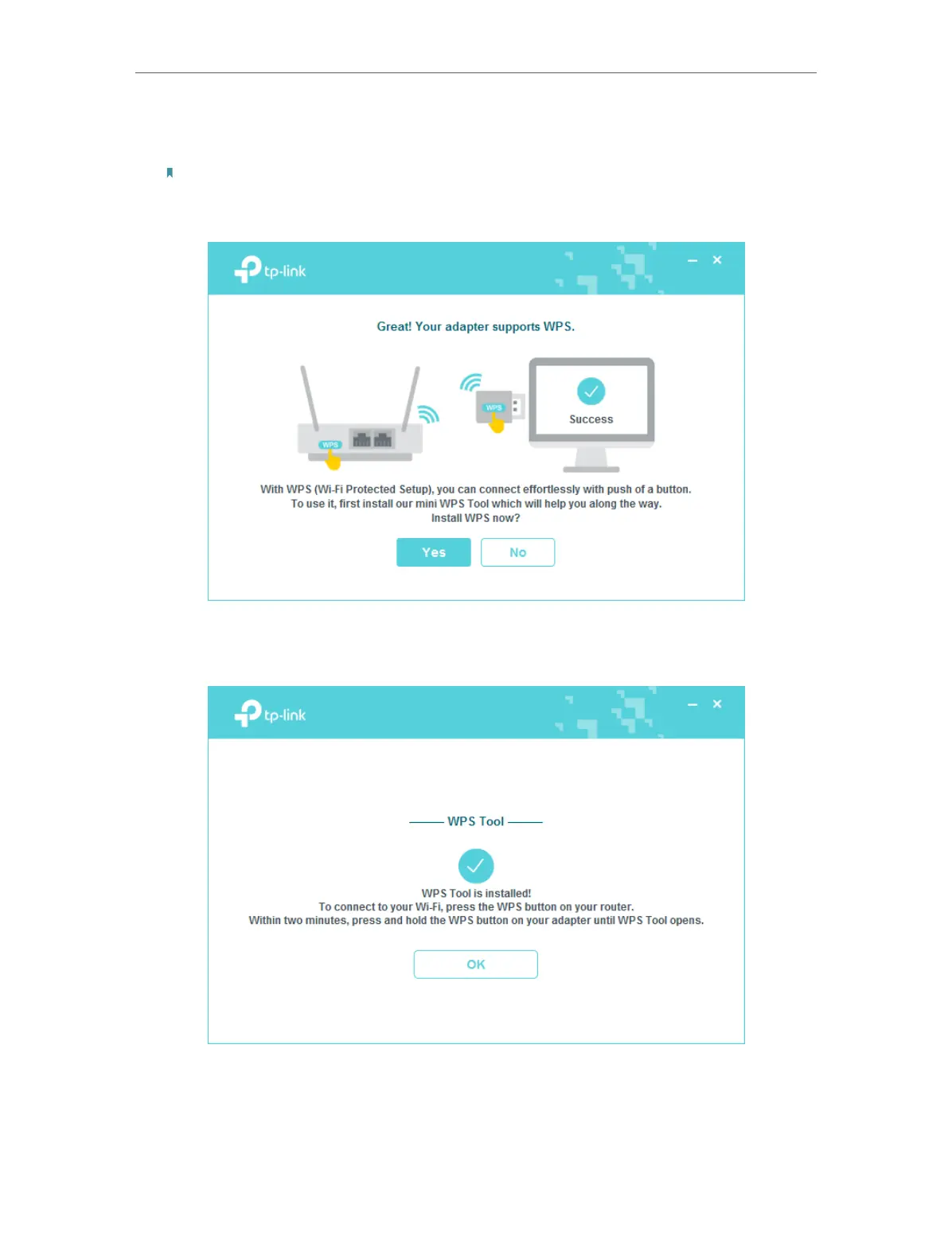
4. If you want to connect effortlessly with the push of a WPS button, click Yes and
follow the instructions to install the mini WPS Tool.
Note:
For Windows XP, WPS Tool is not supported. Please use Windows built-in wireless utility to join the wireless
network.
5. When the following screen appears, the WPS Tool has been installed successfully.
You can enjoy connecting to your Wi-Fi with the push of the WPS button.











 To Next Page