5
Chapter 2
Connect to a Computer
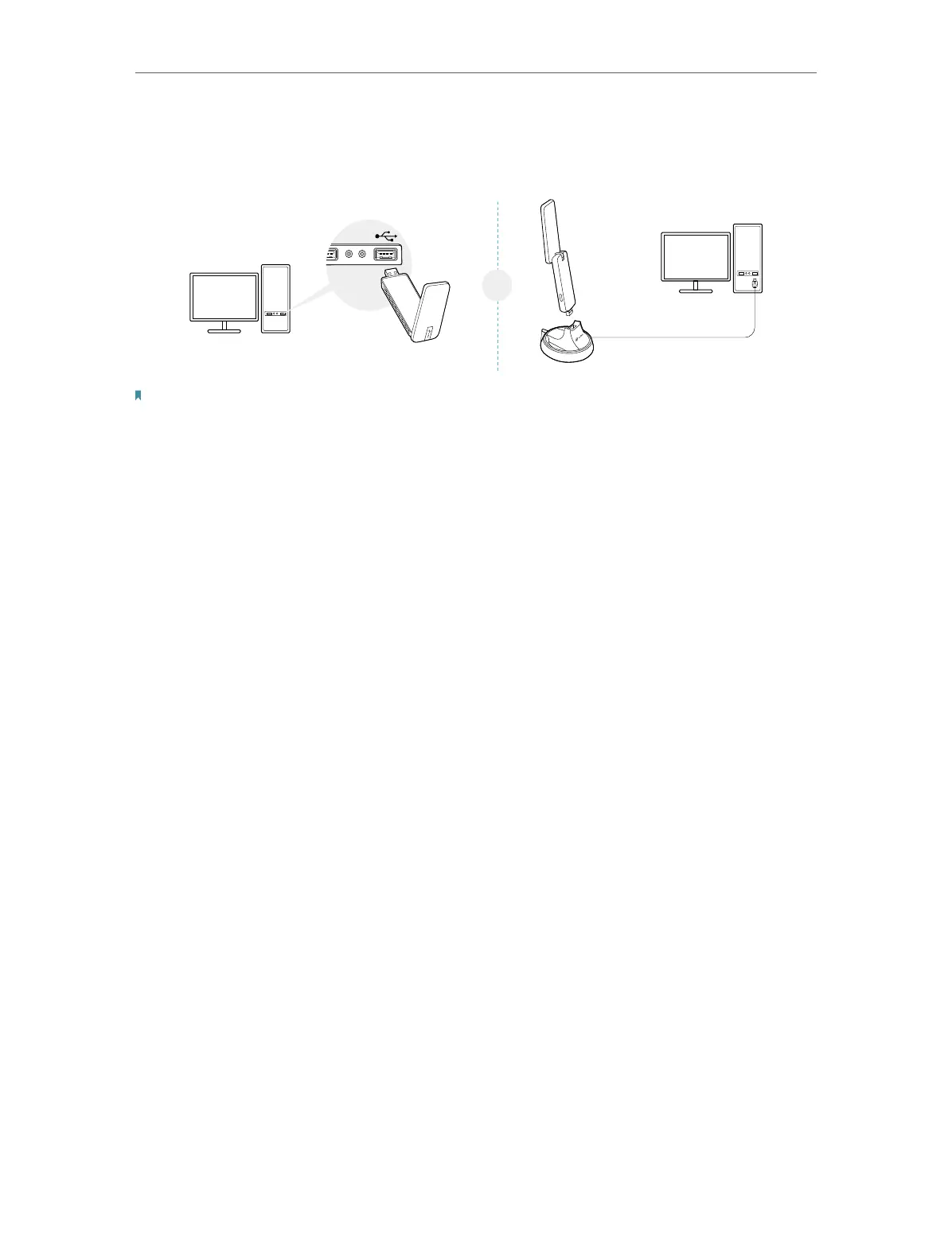
Before you start using your adapter, insert the adapter into a USB port on your
computer
directly
or connect the adapter to your computer using the USB cradle
provided
.
Note:
If interference appears on your computer’s monitor, try moving the adapter further from your computer.
After connecting your adapter to the computer, please follow the instructions in the
appropriate chapter for your operating system: Windows, Mac OS X, Linux.











 To Next Page