07
Chapter 2
Connect to a Computer
Before You Start
If you plan on using Bluetooth and already have connected Bluetooth devices,
proceed with step 1. Otherwise, skip to step 2.
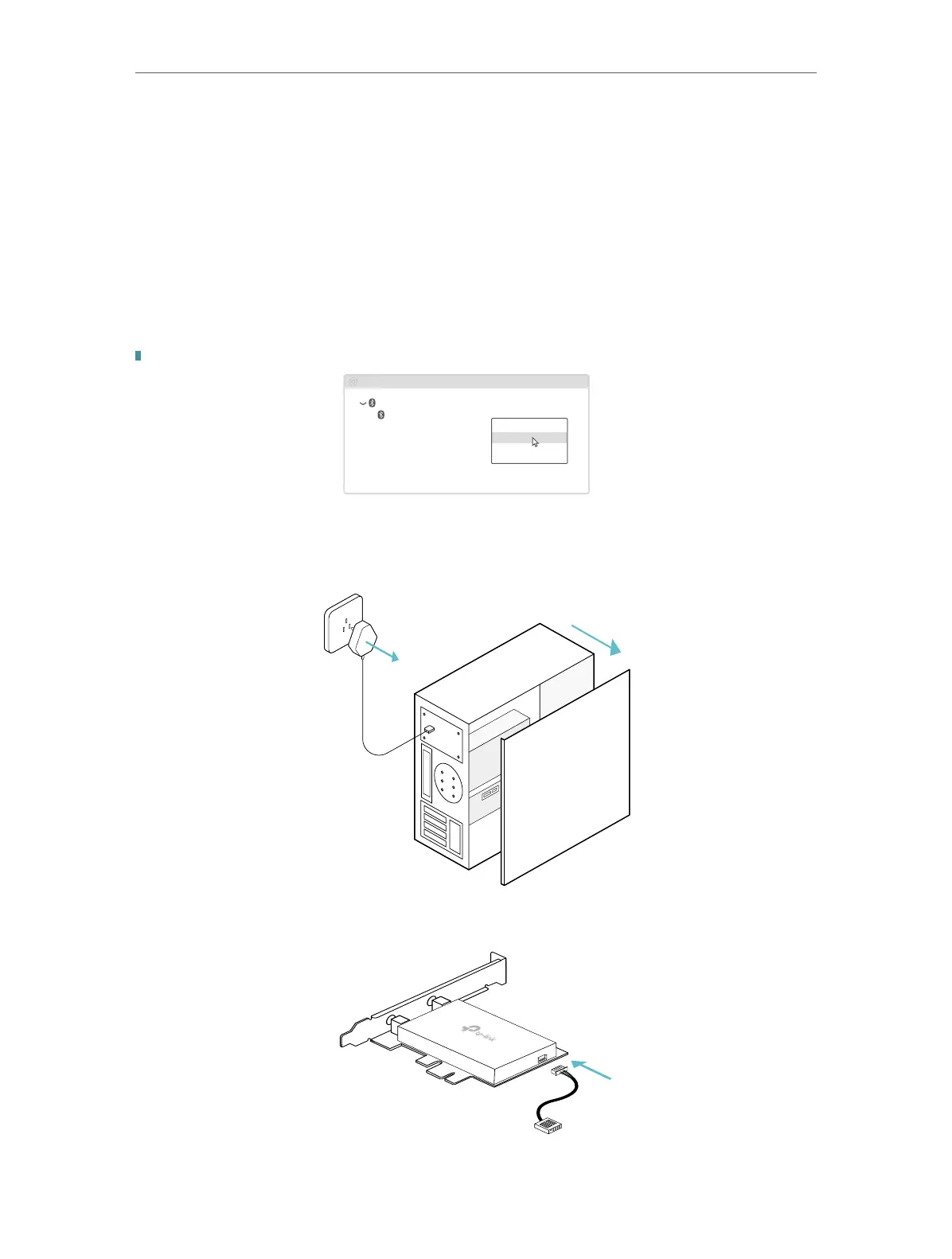
1. Disable Bluetooth
a. Right-click My Computer, select Manage, go to Device Manager.
b. Expand the Bluetooth node to nd your existing Bluetooth device.
c. Right-click the existing Bluetooth device and select Disable.
Note: Make sure you have disabled all existing Bluetooth devices (both built-in and third party).
Bluetooth
Device Manager
Disable
Existing Bluetooth Adapter
2. Connect to a Computer
a.
Turn o your computer, unplug the power cable then remove the case panel.
b. Connect the provided Bluetooth USB cable to the adapter.
Bluetooth USB Cable
Adapter



 To Next Page