01
English
1 Connect to a Computer
a. Turnoyourcomputer,unplugthepowercable
thenremovethecasepanel.
b. ConnecttheprovidedUSBcabletotheadapter.
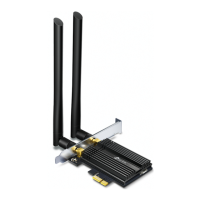
c. LocateanavailablePCIE X1slotandcarefullyinsert
theadapter.
Note:
Ifthebracketisnotsuitableforyourcomputer,detachitfrom
theadapter'sboardandreplaceitwiththelow-prolebracket.
d. LocateanavailableF_USBconnectorandcarefully
plugtheUSBcableintoit.
USB








 To Next Page