TL-PA211 AV200 Powerline Adapter
5
On
The Ethernet port is connected, but there is no data
being transferred.
Blinking The Ethernet port is transferring data.
Ethernet LED
Off The Ethernet port isn’t connected.
)
Note:
Five minutes after the device connected to the adapter is turned off, and the adapter will automatically
switch to the power-saving Mode.
2.3 Physical Interface
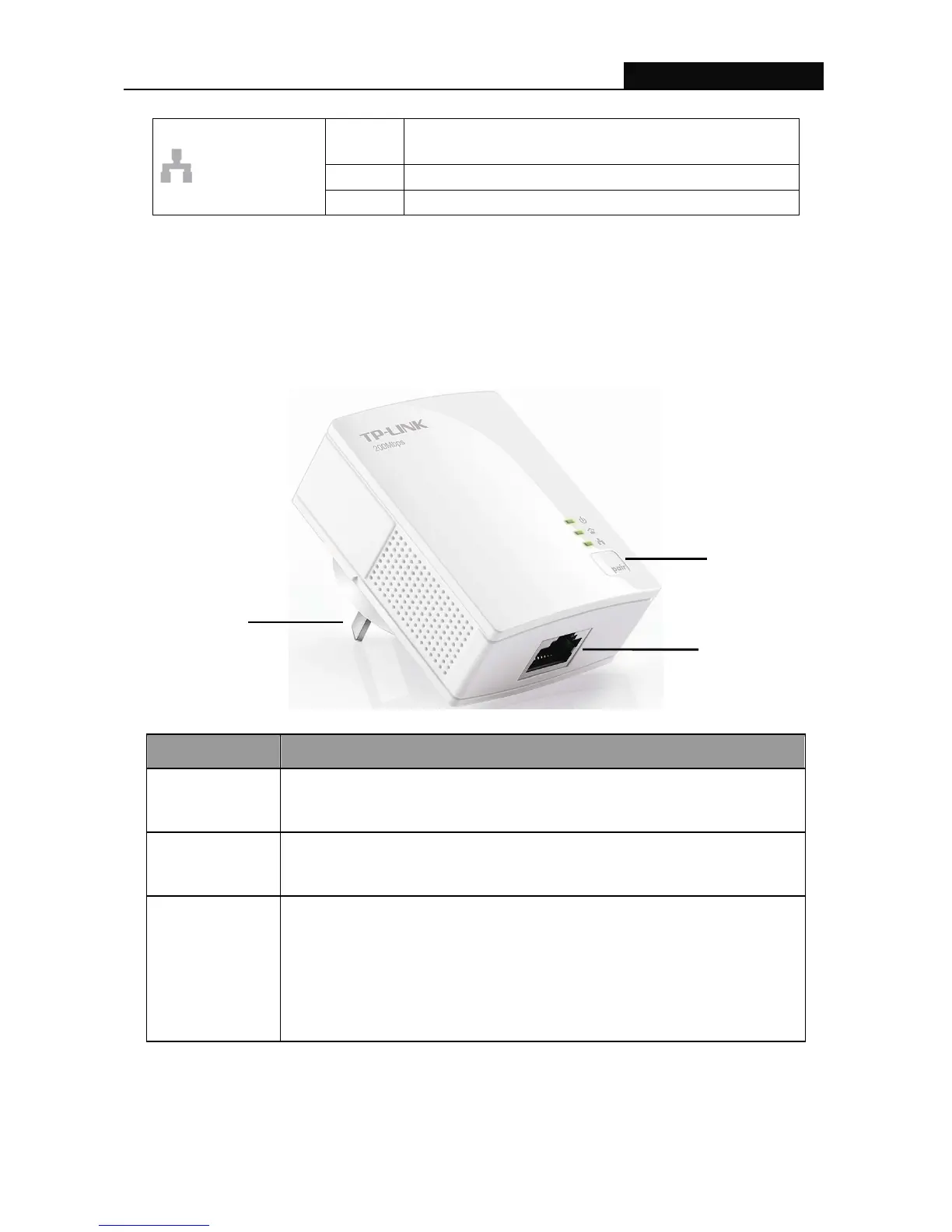
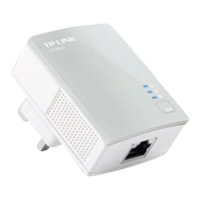
There are three physical interfaces on this Powerline Adapter.
Interface Description
Ethernet Port
A 10/100Mbps Ethernet port for connecting the adapter to the PC or the
broadband device with a network cable.
Power Plug
A Power Plug for connecting the adapter to a power socket
(100–240V~).
Pair Button
Pair button is used to secure a powerline network. To secure your
network, please follow the steps below. Firstly, plug in a new adapter,
and press its pair button for 1 second; then plug in another adapter and
press its pair button for 1 second as well. The two buttons should be
pressed within 2 minutes of each other. After that, wait about 60 seconds
so that the two adapters can finish connecting.
Pair Button
Ethernet Port
Power Plug











 To Next Page