Quick Installation Guide
Wireless Access Point
Setup with videos
Visit https://www.tp-link.com/support/setup-video/ or scan the QR code to search for
the setup video of your product model.
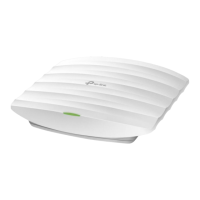
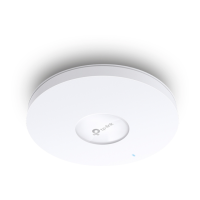
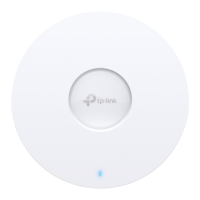
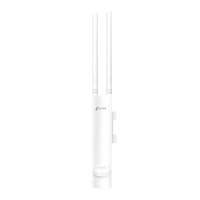
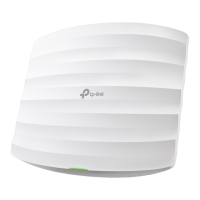
Note: The image may dier from the actual product.
Hardware Overview
1
Solid Green
: The device is initializing or working properly.
Solid Yellow
: The device is in an isolated state.
Flashing Yellow
: The device is working abnormally.
Flashing Yellow, Green
: The device is updating. Do not disconnect or power o the device.
Quickly Flashing Yellow, Green: The device is being reset to its factory default settings.
LED Indicator
Note: Make sure that the ceiling tile is bigger than the EAP.
The EAP can be ceiling-mounted or wall-mounted. Choose a mounting method according to your
needs. Follow the steps below for the appropriate installation.
Hardware Installation
2
Front Panel
Rear Panel
Option1: Ceiling Mounting
Option2: Wall Mounting
The port is used to connect to the PoE port of the provided PoE adapter or a PSE (Power
Sourcing Equipment), such as a PoE switch, for both data transmission and Power over
Ethernet (PoE) through Ethernet cable.
ETH1 (PoE)
The port is a Gigabit Ethernet port used for bridging.
ETH2 (Only for EAP245 / EAP265 HD)
With the device powered on, press and hold the button for about 5 seconds until the LED
is quickly flashing yellow then green, then release the button. The device will restore to
factory default settings.
RESET
Option 1: Ceiling Mounting Option 2: Wall Mounting
Wing Nuts (Qty.3)Washers (Qty.3)
M3×30 Pan-head Screws (Qty.3)
2
Place the mounting bracket in the center of the
ceiling tile. Mark three positions for the screw holes
and a position for the Ethernet cable hole.
Drill three 4mm diameter holes for the screws and a
25mm diameter hole for the Ethernet cable at the
marked positions.
1
Remove the ceiling tile.
3
Secure the mounting bracket to the ceiling tile
using three M3x30 pan-head screws, washers and
wing nuts, as shown on the left.
4
Feed the Ethernet cable through the hole
and set the ceiling tile back into place.
5
Connect the Ethernet cable to the ETHERNET port.
Attach the EAP to the mounting bracket by aligning
the arrow mark on the EAP with the arrow mark
on the mounting bracket, then rotate the EAP until
it locks into place, as shown on the left.
Drill Hole for Ethernet cable
X3
Note: For security reasons, it is not recommended to install the EAP with the louver downward.
M3×20 Self-tapping Screws (Qty.3)
M3×28 Plastic Wall Anchors (Qty.3)
2
Insert the plastic wall anchors into the 6mm
diameter holes.
3
Secure the mounting bracket to the wall by driving
the self-tapping screws into the anchors. Make
sure that the shoulders of the mounting bracket
are on the outside.
4
Connect the Ethernet cable to the Ethernet port
on the EAP.
5
Attach the EAP to the mounting bracket by
aligning the arrow mark on the EAP with the
arrow mark on the mounting bracket, then rotate
the EAP until it locks into place, as shown on the
left.
1
If your Ethernet cable feeds through the wall, you
can position the mounting bracket to make the
cable through the fixing hole. Mark three positions
for the screw holes and then drill three 6mm
diameter holes at the marked positions.
X3
To remove the EAP from the mounting bracket, insert a paper clip in the Security Slot to release the
Locking Tab and rotate the EAP until it is detached from the mounting bracket, as shown below.
Tip:
Security Slot
Locking Tab
Questo manuale d’istruzione è fornito da trovaprezzi.it. Scopri tutte le offerte per TP-Link EAP245 1

 Need help?
 General



 To Next Page