10
Chapter 2
Set Up Internet Connection
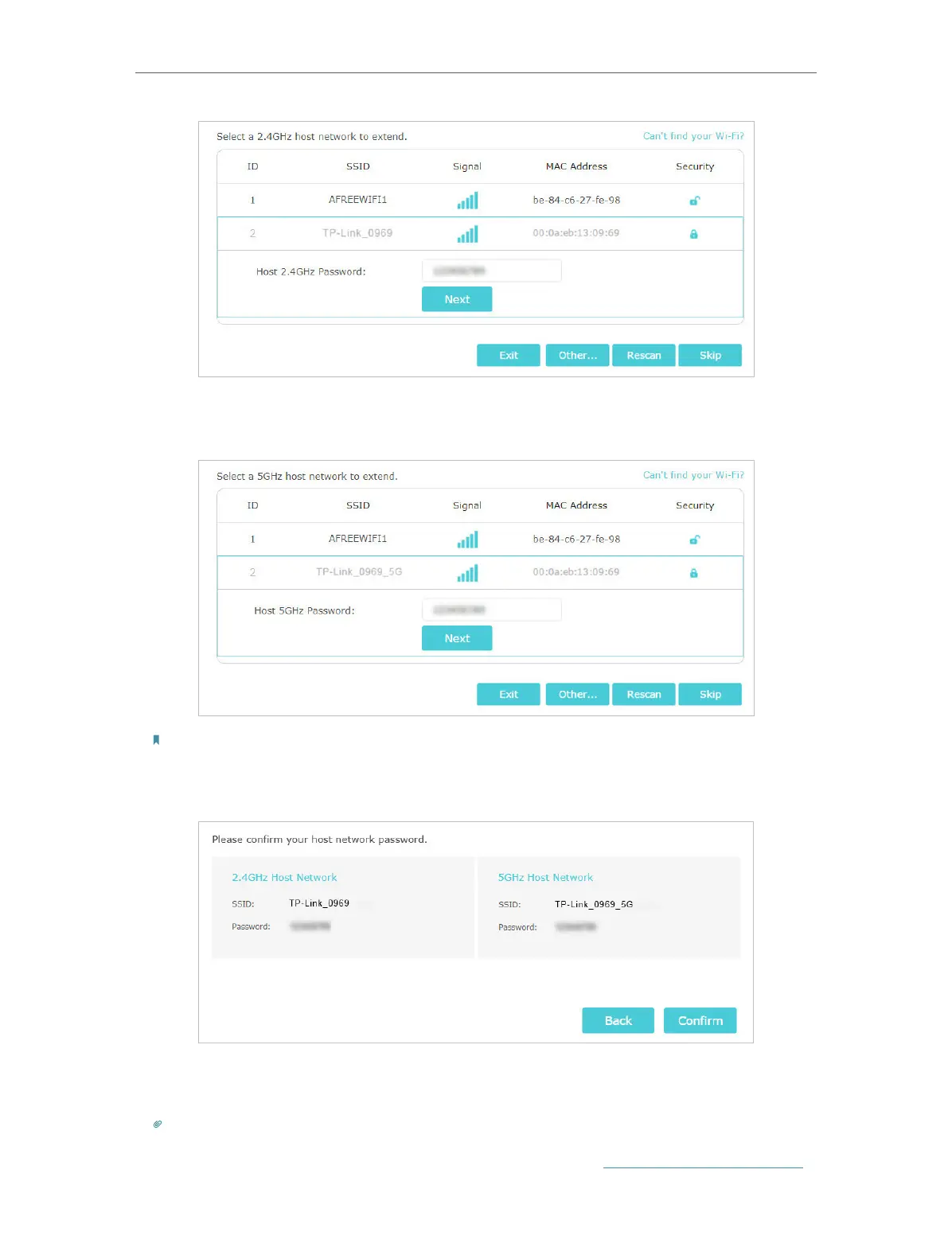
3 ) Select your host router’s 5GHz SSID (network name), enter its password (NOT
the password you just created for management), and click Next.
Note:
If your host router does not support 5GHz wireless network, please click Skip to continue.
4 ) Confirm your host network password.
5 ) Either keep the default SSIDs (network names) or customize them for the
extended networks, and then click Next.
Tip:
If you connect the extender to a TP-Link EasyMesh router, the extender will automatically join the router’s EasyMesh
network and copy the router’s wireless settings. For more information, refer to EasyMesh with Seamless Roaming.


 To Next Page