16
Manage Your Doorbell
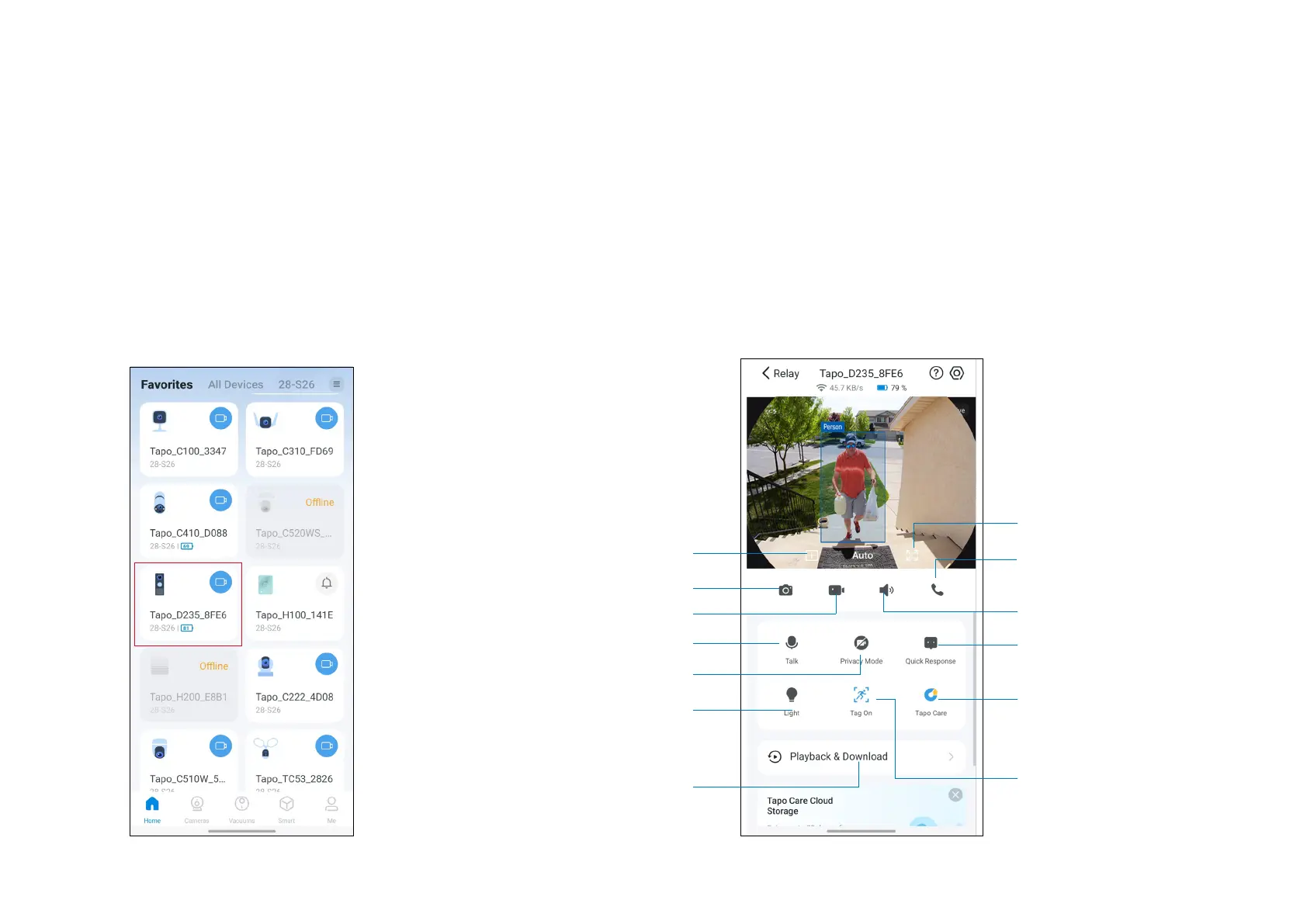
After setup, your device will be listed on the Home page. You can tap your device to manage it.
1. Home Page
You can check your battery, favorite/unfavorite,
and remove your device on the Home page.
2. Status Page
Tap your device to enter its Status page.
Take a screen shot
Record a clip
Talk to your visitors
Enable/disable Privacy Mode
Turn on/o spotlight
Watch multiple Tapo
cameras/doorbells
simultaneously.
Play back event
recordings and check the
photos and videos you
take yourself
Adjust the volume
Quickly select a preset
response to communicate
with visitors
Choose whether to have
the tag when people or
vehicles are detected.
Make a video call
Switch to landscape mode
Subscribe to Tapo Care
to enjoy unlimited cloud
storage and other features.


 To Next Page