18
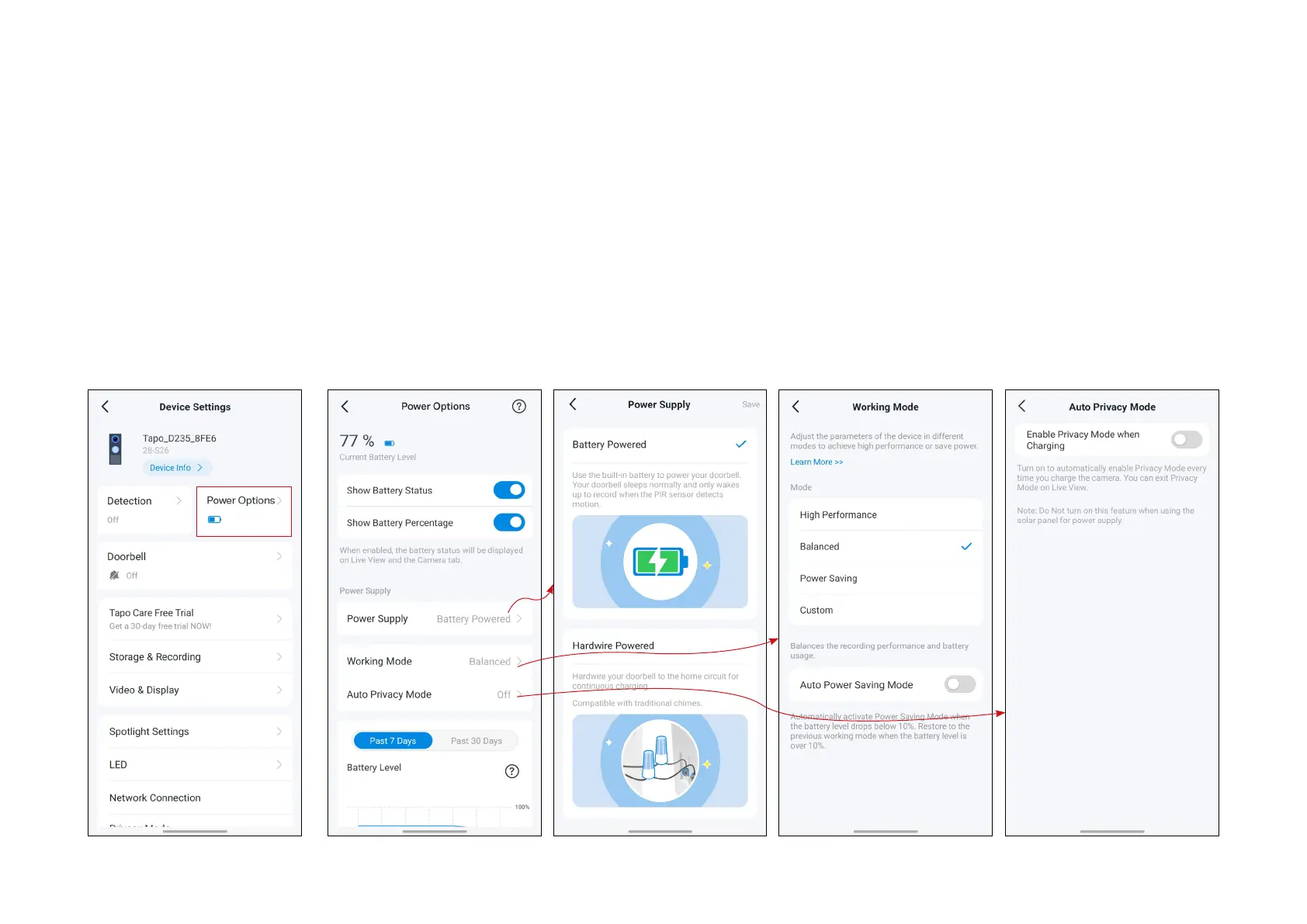
3.2 Check Power Options
You can check battery status, choose whether to show the battery status and percentage on Live View, select the power supply, set the
working mode and Auto Privacy Mode, and check battery usage and wake-up times for the past 7 or 30 days.
If you want to choose the Hardwire Powered supply method, you need to hardwire your doorbell to your home circuit rst.


 To Next Page